How to Get Your Dream Handle on X (Twitter)
The full process of claiming an inactive X username, from Premium Plus to approval. How I went from @Suganthanmn to @suganthan.
I own suganthan.com.
I’m @suganthan on X.
This is not a coincidence.
This is a personality trait.
I’m basically digital Gollum when it comes to handles…
If a platform exists and my first name is available, I will claim it. If it is not available, I will find a way. For years on Twitter, I was stuck with @Suganthanmn.
Not terrible, but not mine.
My actual name was sitting right there, taken by someone who hadn’t posted in years.
So I did what most people do first. I messaged the account holder. Asked politely if they’d be willing to let go of @suganthan. No response. I tried again. Still nothing. Then the guy blocked me. Ops..
Fair enough. It’s his handle, his right. But it stung knowing the account was just sitting there, completely dormant, while I was actively building my presence on the platform.
Then X launched the Handle Marketplace in late 2025, and everything changed.
What You Need Before You Start
You need a Premium Plus subscription. Not Basic Premium, not the free tier. Premium Plus specifically. That runs $16/month on an annual plan or $22/month if you pay monthly.
You also need an account that X considers worth giving a handle to. This is not a vending machine where you insert a subscription and out pops your dream username. X reviews every request and evaluates your account before approving anything.
What they look at:
- Original content - Are you posting your own thoughts, threads, and takes? Or just retweeting other people?
- Regular activity - Accounts that post sporadically look less credible than ones with consistent activity.
- **Follower count and influence **- They won’t publish an exact threshold, but larger, more engaged accounts have a better shot.
- Authentic engagement - Real replies, real conversations. Not bot behaviour.
The handle you want must be parked or inactive. You cannot claim a username that belongs to someone who is actively using X.
This only works for dormant accounts that meet X’s inactivity criteria (generally no login for 6+ months).
How the Handle Marketplace Works
X splits available handles into two tiers.
Priority handles are full names, multi-word phrases, and alphanumeric combinations. Think @SuganthanM, @JohnSmith, or @PizzaLover2024. These are free to claim with a Premium Plus subscription. No transfer fee. My handle, @suganthan, fell into this category.
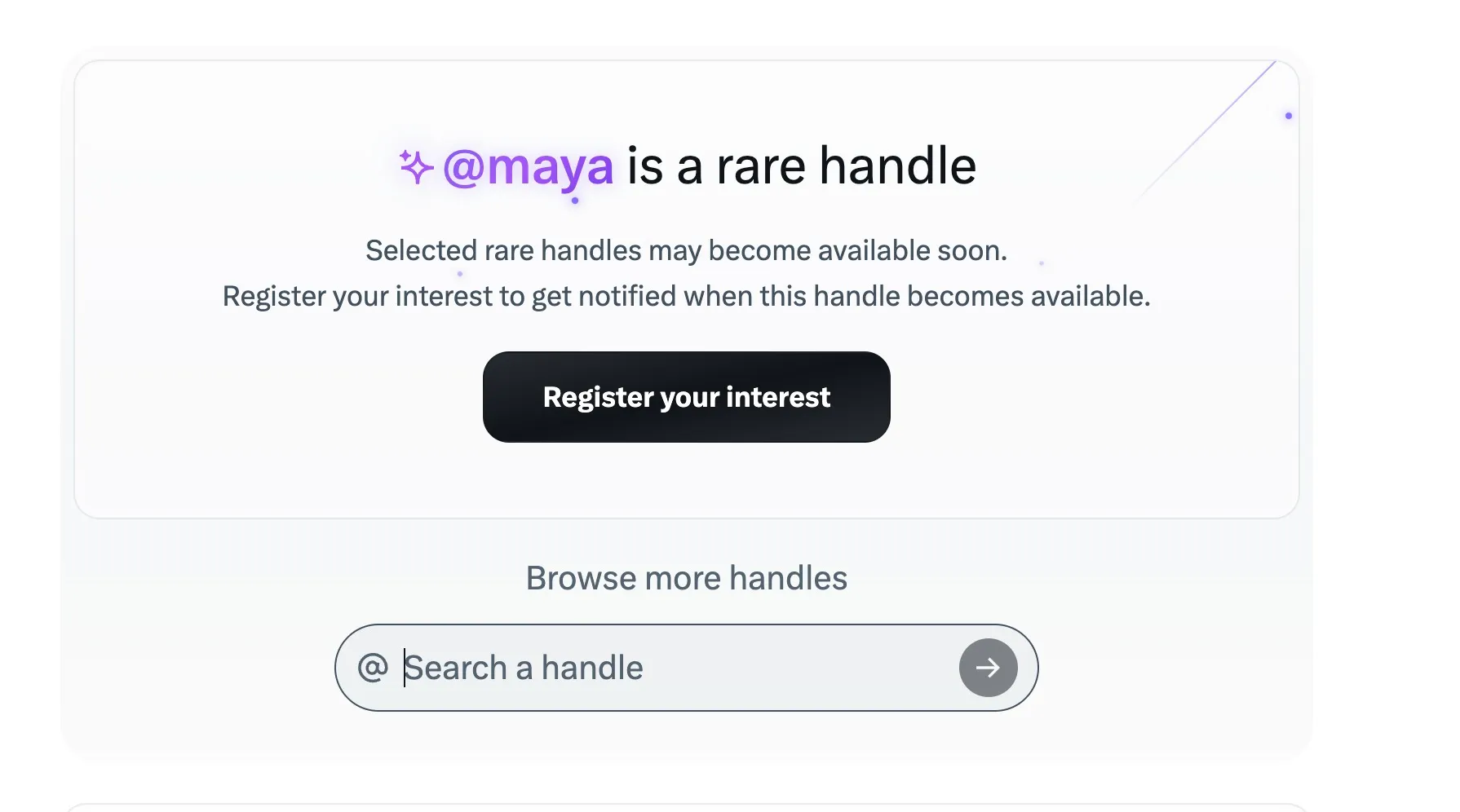
Rare handles are the short, single-word, culturally significant usernames. Think @Pizza, @Tom, or @One. These start at $2,500 and can run into seven figures depending on demand. They are offered through invitation-only drops and pre-priced purchases.
You access the marketplace at handles.x.com or through the “Request an inactive handle” tab in your Premium Hub.
The Step by Step Process
Here is exactly how it works, based on what I did to get @suganthan.
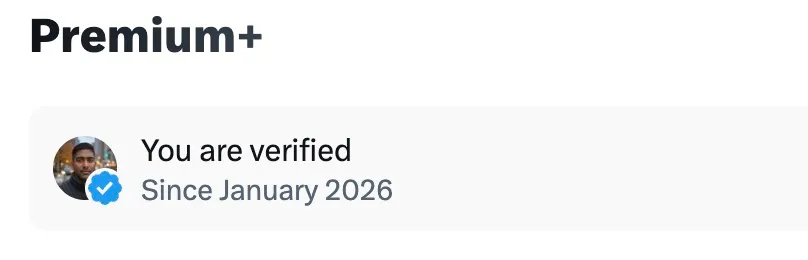
1. Subscribe to Premium Plus
If you are not already on Premium Plus (or Premium Business), you need to upgrade first. You cannot access the marketplace without it.
2. Go to handles.x.com
Log into your X account and navigate to the Handle Marketplace. You can also find it inside the Premium Hub under the inactive handle request tab.
3. Search for the handle you want
Type in the username you are after.
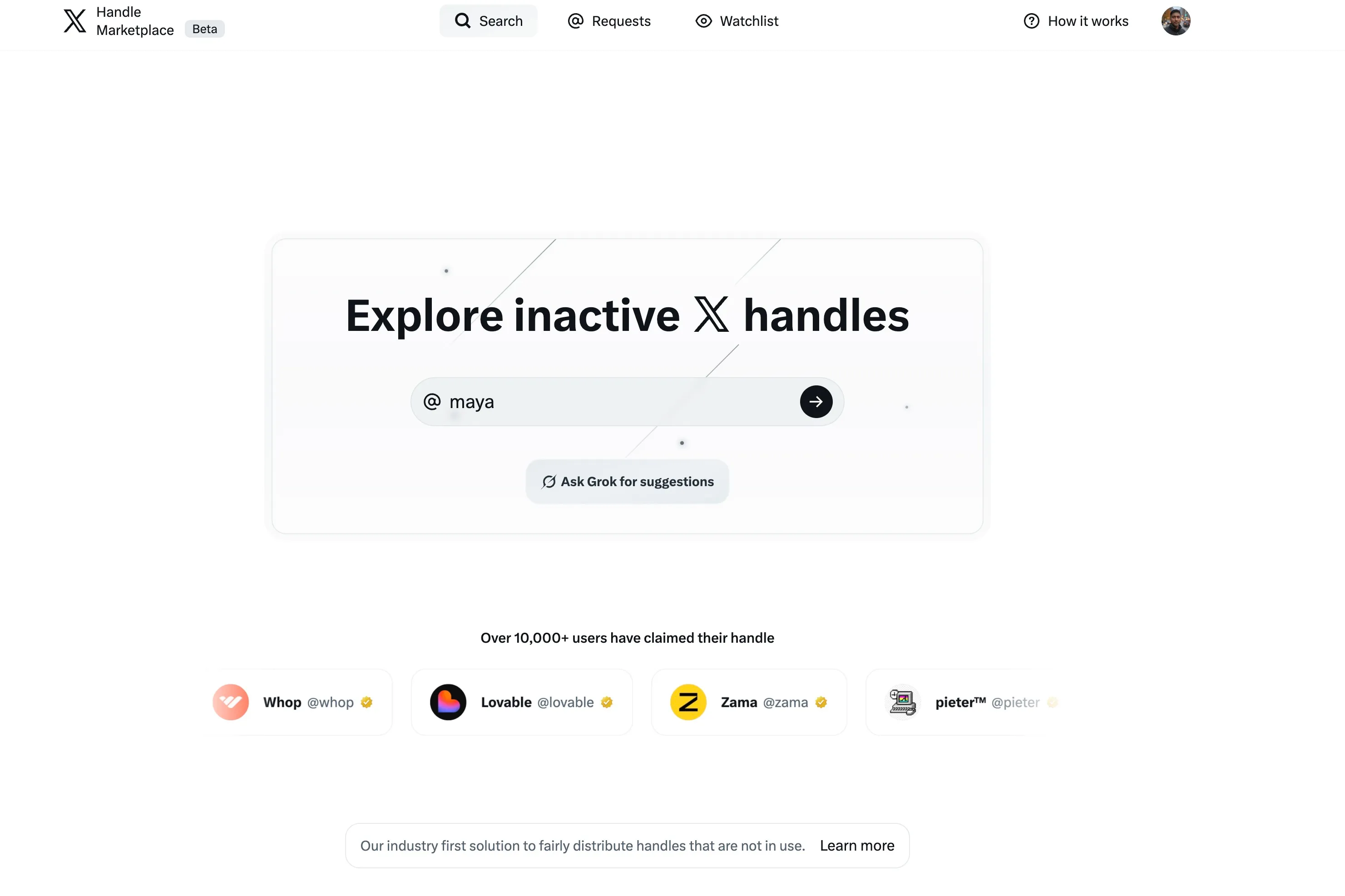
The marketplace will tell you whether it is available, what tier it falls under (Priority or Rare), and whether you can request it.
4. Submit your request
If the handle is available as a Priority handle, you submit a request. There is no bidding, no auction. You are simply asking X to review your account and approve the transfer.
5. Wait for the review
X’s team reviews your request. They evaluate your account based on activity, content quality, follower count, and overall influence. This is where having an active, legitimate account matters. If your profile looks thin or your posting history is all reposts, expect a rejection. My request was approved within 24hrs (Bit of luck and following their process)
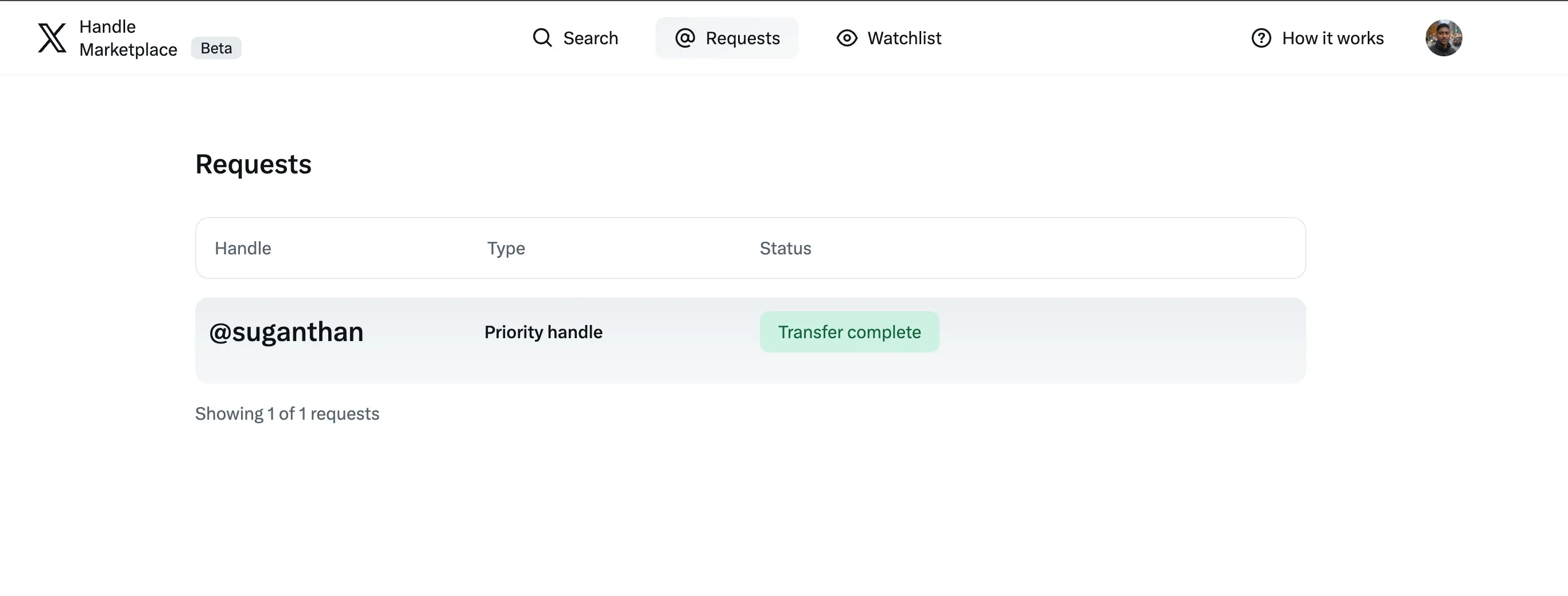
6. Get the handle
If approved, the handle transfers to your account within roughly three business days. Mine came through in within 24hours. One morning I was @Suganthanmn, the next I was @suganthan.
What X Actually Evaluates
This is worth emphasising because most guides skip it.
The marketplace is not first come, first served.
X makes a judgement call on whether your account deserves the handle.
Your account must show clear signs of authentic, ongoing content creation.
That means original posts. Regular activity. Not just being logged in but actually contributing to the platform.
X also requires a minimum of one device login within every 30-day period to keep the handle after you receive it.
If your account goes dormant after claiming a new username, X can reclaim it.
The more influential your account, the better your chances of approval.
This is not explicitly stated as a hard threshold, but the pattern is clear, active accounts with real followings get approved. Ghost accounts with 12 followers and no posts do not.
The Catch: You Do Not Own It
This is the part most people miss, and it matters.
Priority handles are tied to your subscription. If you cancel Premium Plus, you have a 30-day grace period to reinstate it. After that, X takes the handle back and your account reverts to whatever username you had before.
Only purchased Rare handles survive cancellation. If you paid a transfer fee (the $2,500+ tier), you keep the handle regardless of subscription status.
Your old handle gets frozen. When I switched from @Suganthanmn to @suganthan, my previous handle was locked. Nobody else can claim it, but I also cannot go back to it without giving up the new one.
There is no redirect from your old handle. This is the part that genuinely stings. Every old link to your profile, every mention, every embed that referenced your previous username? Broken. X does not set up a redirect from your old handle to your new one. All of that link equity and discoverability just vanishes.
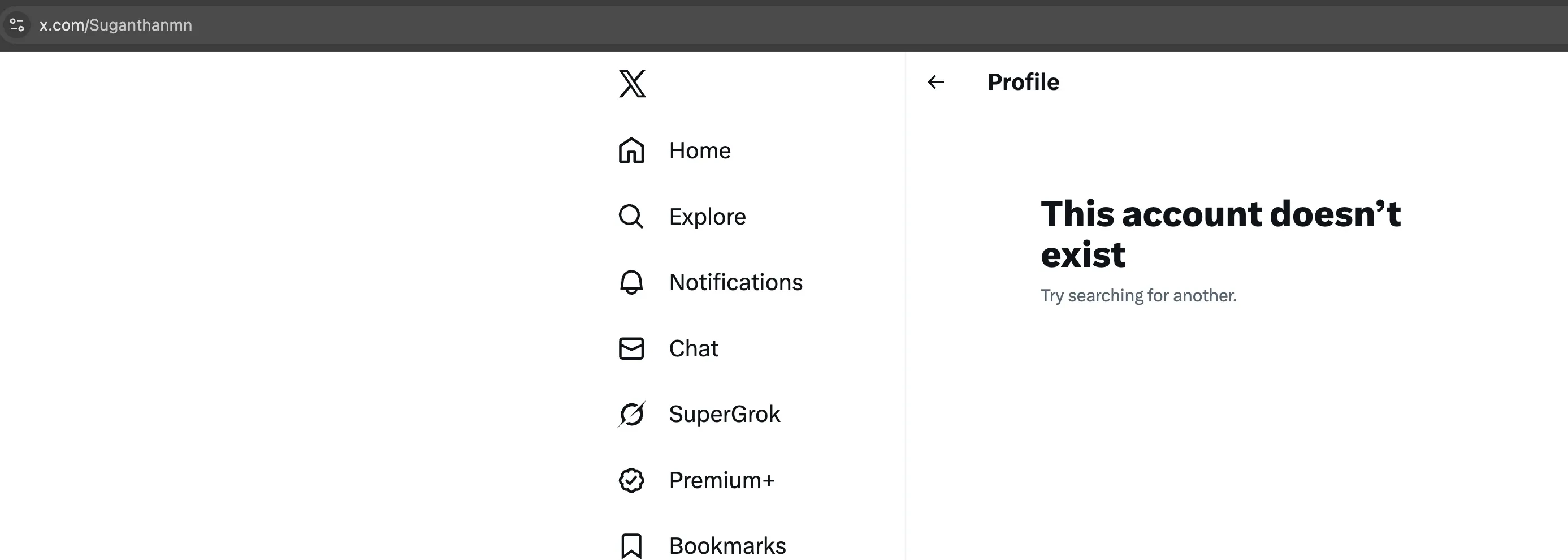
You could argue this is an oversight. You could also argue it is by design. If your old links still worked, you would have less reason to stay subscribed.

A cynical read, but the incentive structure lines up perfectly. Break your old link, make your new handle subscription-dependent, and suddenly cancelling Premium Plus means losing your handle and having no working profile URL to fall back on.
So with Priority handles, you are renting, not buying. This is a long term commitment you are signing up for. Not a one-off purchase, not a “pay once and forget it” deal.
You are committing to a monthly subscription for as long as you want that handle. Cancel and it is gone.
For me, the Premium Plus subscription was already worth it. The ad-free experience alone justified the cost; X is borderline unusable without it at this point. (Thanks Elon)
The handle claim was a nice cherry on top. But, if your only reason for subscribing is the handle, be honest with yourself about whether you will keep paying year after year, and factor in that your old links are gone for good either way.
Tips Before You Apply
Clean up your profile first. Update your bio, make sure your banner and profile photo look professional, pin your best post. X is reviewing your account; make sure it looks like one worth approving.
Post consistently in the weeks before applying. If your last post was three months ago, your request is going to look weak. Show recent, original activity.
Do not apply for handles that are clearly active. The marketplace only covers dormant accounts. If someone is posting regularly from that handle, it is not available and you are wasting your time.
Be realistic about Priority vs Rare. If the handle you want is a single common word or extremely short, it is almost certainly classified as Rare and will cost real money. Full names and longer combinations are usually Priority.
Check whether you actually need it. A handle change affects your entire digital presence. Every link, every mention, every bio that references your old username needs updating. Make sure the new handle is worth the disruption.
Is It Worth It?
This is not for everyone. Most people are perfectly happy with their existing handle and have zero interest in paying for a subscription to change it. Fair.
But if you are the kind of person who cares about owning your name across platforms, who wants @yourname on everything and not @yourname2847, then yes. It is absolutely worth it. For me, going from @Suganthanmn to @suganthan was a no-brainer. A clean, memorable handle that matches my name, my domain, and my email. It looks more professional, it is easier to share, and it just feels right.
Go in with realistic expectations, a well-maintained account, and the understanding that you are renting the handle as long as you stay subscribed.
Now if Meta could introduce something similar, that would be lovely. There is an Instagram account sitting on @suganthan right now with one post, zero use, last active in 2011.
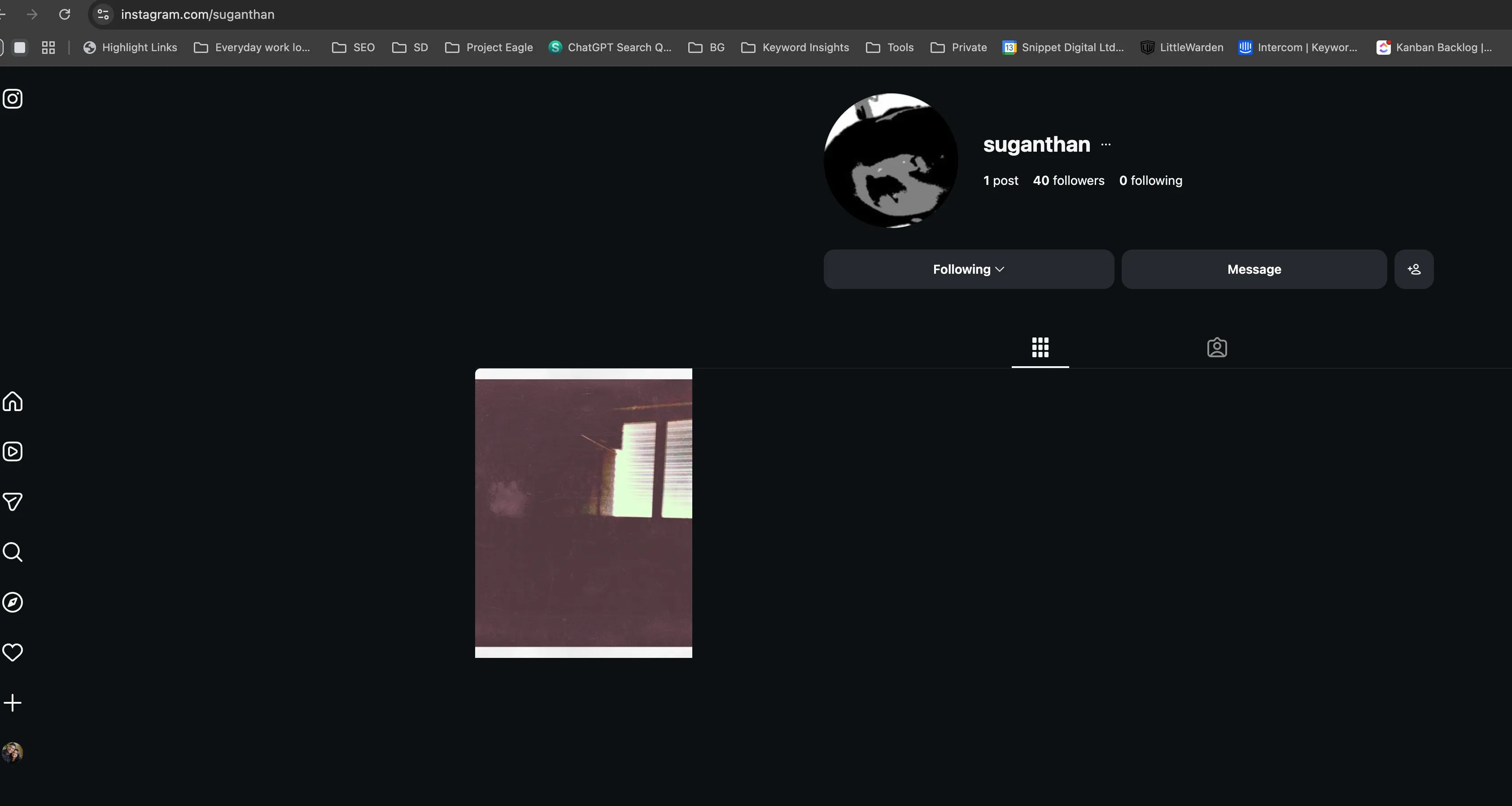
I would pay for that handle tomorrow. But Instagram has no marketplace, no reclaim process, and no way to request dormant usernames. So for now, I just get to stare at it.
One platform at a time, I suppose.
You might also like
Stay in the loop
I'll email you when I publish something new. No spam. No fluff.
Join other readers. Unsubscribe anytime.

Entrepreneur & Search Journey Optimisation Consultant. Co-founder of Keyword Insights and Snippet Digital.