How I Built This Site: From WordPress to Astro, TinaCMS, and Cloudflare Workers
Why I tore down my WordPress site and rebuilt it from scratch with Astro 5, TinaCMS, and Cloudflare Workers. The story behind the decisions, the challenges, and what I learned.
For years, my personal site was a lead generation machine. Service pages. Client logos. Testimonials. Case studies. A big “Book a Call” button on every page. It worked for what it was. But every time I visited my own site, something felt off.
It wasn’t my site. It was a sales pitch wearing my name.

I wanted something different. A place to write, share what I know, and let my work speak for itself. Not another consultant’s portfolio screaming “hire me.” Something closer to a digital notebook than a business card.
So I tore the whole thing down and rebuilt it from scratch. This is the story of why, how, and what went wrong along the way.
The Old Site (and Why It Had to Go)
The previous version of suganthan.com ran on WordPress. Hosted on WP Engine, powered by a stack of plugins: Rocket, WP Super Cache, Beaver, Imagify, and a handful of others for analytics, forms, and fancy stuff.
On the surface, it looked professional. Services page with packages. A portfolio section. Testimonials from clients. Contact forms everywhere. The kind of site every consultant builds when they Google “how to get clients online.”
But I’d outgrown it.
I co-founded Keyword Insights and Snippet Digital. I didn’t need my personal site to chase leads anymore. What I wanted was a place to write about search, AI, and the things I’m building. To share knowledge rather than sell services.
The WordPress site couldn’t really do that well. Page loads hovered around 4 to 5 seconds on mobile. The theme loaded 800KB of CSS I couldn’t easily strip out. Every plugin added its own JavaScript. The admin was sluggish. And I was spending more time managing the CMS than actually writing.
The final realisation was simple: this site doesn’t represent who I am anymore.
Finding Inspiration
Around this time, I stumbled across Deepak Ness’s site. It was the complete opposite of what I had. Minimal. Clean. Content first.
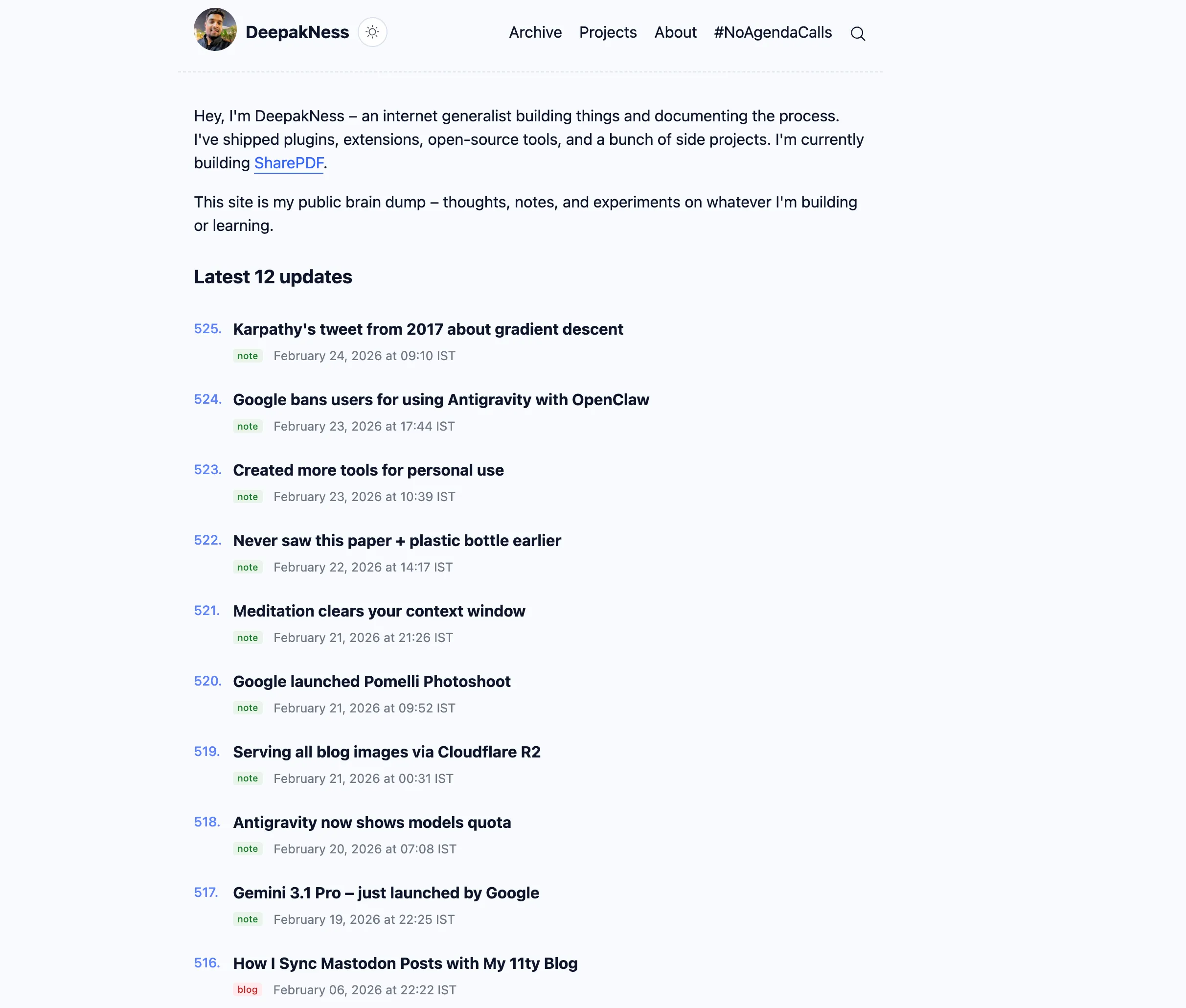
No flashy hero sections or testimonials. Just writing, projects, and notes. The whole thing felt like a working notebook for someone who builds things and documents the process.
That was exactly what I wanted. Not a portfolio. Not a lead gen funnel. A space to think out loud and share what I learn.
So, I reached out and asked if I could steal his idea.
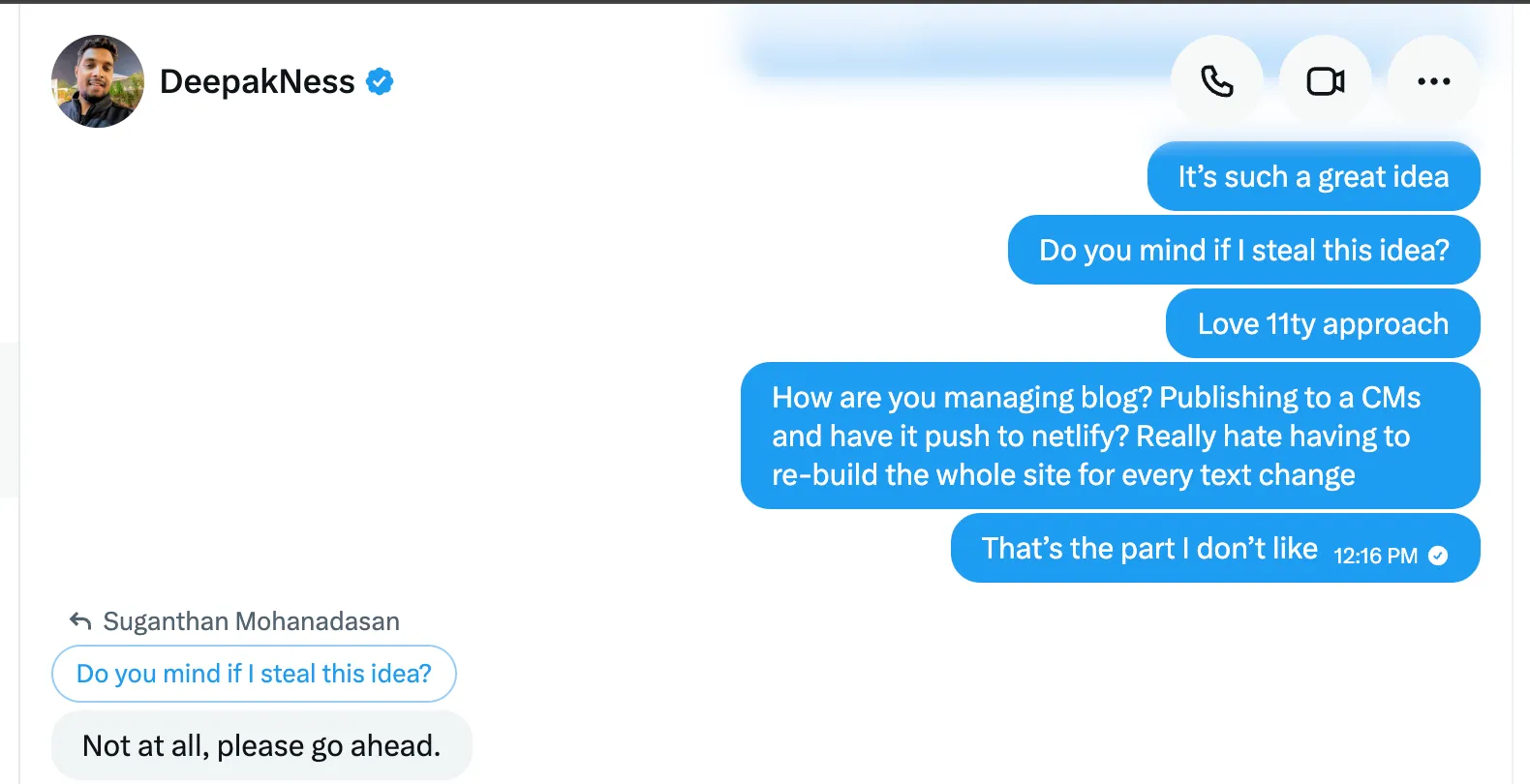
He said yes!
I didn’t want to go with a theme. I decided to rebuild from scratch.
Research: Picking the Right Stack
Initially I didn’t want static sites because I had this when JAMstack was a thing maybe 5 years ago. I hated the fact, each change has to be re-built and I didn’t have much patience. Now I’m much older and with 3 children, I have all the patience in the world. Then, I also realised the upsides of static HTML. No server side rendering. No database. No plugin and no bloat. Just plain files served from the edge. Fast by default.
That narrowed it down to static site generators. I spent a few days evaluating the options:
Hugo was fast but the templating language felt clunky. I didn’t want to learn Go templates just to build a blog.
Next.js was overkill. It’s built for web applications, not content sites. I’d be fighting it to keep things simple.
Eleventy was a strong contender. Lightweight and flexible. But it lacked a few things I wanted out of the box.
Astro clicked immediately. It ships zero JavaScript to the browser by default. Everything renders to static HTML at build time. First class MDX support for writing blog posts with embedded components. Type safe content collections with Zod schemas. And the build output is just a dist/ folder of files.
For the CMS, I wanted a visual editor that committed to Git. Not a database. Not a proprietary platform. I wanted my content to live as .mdx files in my repo. TinaCMS Cloud was the only option that did this cleanly: a /admin/ interface for writing, with every save pushing a commit to GitHub.
For hosting, Cloudflare Workers with static assets gave me edge deployment across 300+ data centres. The free tier handles a personal site easily, and Cloudflare Pro adds image compression, Early Hints, and tiered caching.
For styling, Tailwind CSS v4 with the typography plugin. It uses a Vite plugin now instead of PostCSS, which means faster builds. The typography plugin handles all the prose styling for blog content.
Here’s what the final stack looks like:
| Layer | Technology |
|---|---|
| Framework | Astro 5 with MDX |
| CMS | TinaCMS Cloud (v3.5) |
| Hosting | Cloudflare Workers (static assets) |
| Styling | Tailwind CSS v4 |
| Images | Sharp (build time optimisation) |
| Build | tinacms build && astro build |
Seven production dependencies total. Compare that to the 30+ plugins the WordPress site needed.
Building It: The Interesting Parts
The actual build took a few days. I used Claude Code to help speed things up, which made the process significantly faster. But there were still decisions and challenges that no tool can shortcut for you.
The Image Pipeline Problem
This was one of the trickiest parts to get right. TinaCMS stores uploaded images in src/assets/blog/ but writes paths like /assets/blog/slug/image.png. Astro treats leading / paths as references to the public/ folder, so images would never resolve.
The fix was a custom remark plugin that rewrites paths at build time:
function remarkTinaCMSImages() {
  return (tree) => {
    visit(tree, 'image', (node) => {
      if (node.url && node.url.startsWith('/assets/blog/')) {
        node.url = '../../' + node.url.slice(1);
      }
    });
  };
}
This converts /assets/blog/slug/image.png to ../../assets/blog/slug/image.png, which Astro then resolves and optimises with Sharp (WebP conversion, responsive srcsets, explicit width/height to prevent layout shift).
Dark Mode Without the Flash
One thing that always bugged me on other sites: the “flash of wrong theme.” The page loads white, then JavaScript kicks in and switches to dark mode. You get this jarring white flash every time.
The solution is an inline script that runs before the browser paints:
<script is:inline>
  (function () {
    var stored = localStorage.getItem('theme');
    var prefersDark = window.matchMedia(
      '(prefers-color-scheme: dark)'
    ).matches;
    var theme = stored || (prefersDark ? 'dark' : 'light');
    var d = document.documentElement;
    d.setAttribute('data-theme', theme);
    if (theme === 'dark') {
      d.style.backgroundColor = 'rgb(29,30,32)';
      d.style.color = 'rgb(218,218,219)';
    }
  })();
</script>
The is:inline directive tells Astro not to bundle this script. It stays in the HTML exactly where it is, executes synchronously, and sets the theme before any content appears. No flash.
The Draft Workflow
I wanted to preview posts at their real URL without them showing up in listings, RSS, or the sitemap. The approach is straightforward: a draft: true flag in frontmatter, filtering on every listing page, and a custom sitemap function that excludes draft slugs at build time. Draft posts still get compiled to HTML. They just aren’t linked from anywhere. And the layout shows a DRAFT banner so I don’t accidentally share something unfinished.
Schema.org Markup
Every page has structured data. Blog posts output BlogPosting and BreadcrumbList schemas with published dates, word counts, and linked author entities. The homepage outputs a WebSite schema. The about page has a detailed Person schema. This wasn’t strictly necessary for a personal blog, but I’m an SEO. It would’ve bothered me not to do it properly.
The Challenge: TinaCMS Lock File Syncing
If I’m being honest, TinaCMS was the most frustrating part of the entire build. Not the editor itself, which is genuinely good. The lock file.
TinaCMS Cloud relies on a file called tina-lock.json for schema indexing. It’s a generated file that combines the schema, lookup, and GraphQL definitions into one structure. Every time you change the schema in tina/config.ts, you need to:
- Regenerate the lock file by running
tinacms buildlocally - Commit and push the updated lock file
- Trigger a re-index on TinaCMS Cloud
- Sometimes wait for a fresh Cloudflare build to pick it up
If the lock file and the remote schema diverge even slightly, the build fails with a cryptic GraphQL mismatch error. I hit this multiple times during development. Each time, the fix was the same dance: rebuild, commit, push, re-index, wait.
It works reliably once everything is in sync. But getting to that point requires patience and a very specific sequence of steps. My advice to anyone using TinaCMS: plan your schema carefully upfront. Every field change means going through this process again.
Performance: The Payoff
This is where the rebuild really justified itself.
No web fonts. The site uses the native system font stack. No font loading, no FOUT, no layout shift. Text renders instantly.
Hashed assets cached forever. Astro hashes every static file at build time, so CSS and JS files get Cache-Control: immutable. HTML always revalidates so content stays fresh.
Images optimised at build time. Every image goes through Sharp: WebP conversion, responsive srcsets, explicit dimensions to prevent CLS, lazy loading by default, eager loading on hero images.
Minimal JavaScript. The entire client side JS for a blog post is one 5KB (gzipped) file for View Transitions. Everything else is inline scripts for theme switching. Compare that to WordPress loading jQuery, theme bundles, and whatever each plugin adds.
The result: the homepage transfers about 52KB. Blog posts with images stay under 200KB. Pages load in under a second on mobile.
Migrating from WordPress
The migration was simpler than expected. With only a dozen posts, I manually converted each one to MDX. No automation needed. The bigger value was rewriting thin or outdated content during the move.
For URLs, WordPress used different patterns (/about-me/, /projects/, /blog/category/insight/). I set up 301 redirects in a _redirects file:
/about-me/        /about/   301
/projects/        /about/   301
/blog/category/insight/   /blog/   301
DNS stayed on Cloudflare with traffic proxied through their edge for CDN, DDoS protection, and the Pro features.
What I’d Do Differently
A few things I learned the hard way:
Set up OG images before launch. Social sharing without a preview image is a missed opportunity every time someone shares a link. I should have had a proper default OG image ready from day one.
Plan the TinaCMS schema upfront. Every schema change triggers the lock file rebuild dance. Thinking through your fields before the first deploy saves real frustration later.
Add lastmod to the sitemap from the start. I built draft filtering into the sitemap early but forgot <lastmod> dates. Search engines use these to prioritise which updated content to re-crawl.
Was It Worth It?
Absolutely. But not just because the site is faster or cleaner.
The real value is that I actually want to write now. The old site felt like a sales tool, and writing for it felt like marketing. This site feels like mine. When I sit down to write a post, I’m sharing something I genuinely find interesting, not crafting content to rank for a keyword.
The TinaCMS editor is clean. The deploy pipeline is invisible. I write, I save, and two minutes later it’s live. I don’t think about the infrastructure at all.
If you’re running a personal site that feels more like a brochure than a reflection of who you are, maybe it’s time to rebuild. Not because the tech matters that much, but because the act of rebuilding forces you to ask: what is this site actually for?
The answer to that question matters more than any framework choice.
The full source code is on GitHub. If you’ve got questions about any of this, reach out on X or LinkedIn.
You might also like
Stay in the loop
I'll email you when I publish something new. No spam. No fluff.
Join other readers. Unsubscribe anytime.

Entrepreneur & Search Journey Optimisation Consultant. Co-founder of Keyword Insights and Snippet Digital.