How to Run an LLM Locally. Your Data Never Leaves Your Machine.
A practical guide to running AI models locally with Ollama and LM Studio. Complete privacy, zero API costs, and surprisingly good performance on consumer hardware.
Samsung banned ChatGPT internally after employees pasted proprietary source code into the chat on 3 separate occasions. The code ended up in OpenAI’s training data.
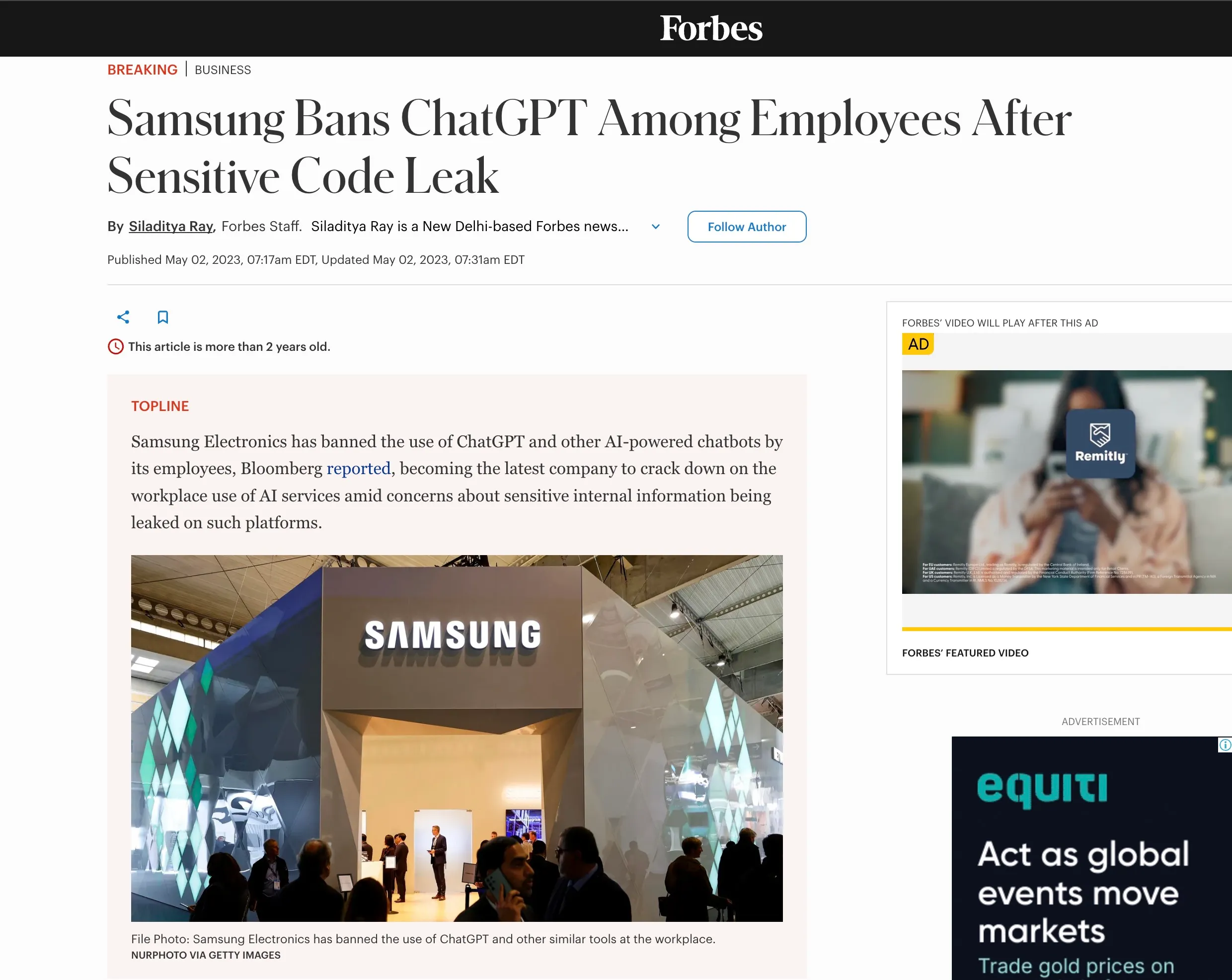
That story keeps replaying across industries. Lawyers feeding confidential case files into Claude. Marketing teams pasting unreleased campaign briefs into GPT. An engineer at one of my clients asked me if it was safe to paste their Google Search Console data into an AI tool. I told him to hold off.
The problem isn’t that these models are malicious. Once your data leaves your machine, you’ve lost control of it. OpenAI says they don’t train on API data, but the consumer product is a different story. Even with opt outs, the trust gap is real. Data has leaked before and it will leak again.
There’s a fix that most people don’t know exists. You can run these models on your own hardware. The model sits on your laptop, your Mac Mini, even your phone. Nothing gets sent anywhere. No API bills either. I’ve been running local models on my Mac Mini for months, handling routine tasks that don’t need Claude or GPT. This is the setup guide I wish I had when I started.
What “running locally” actually means
When you use ChatGPT or Claude, your prompt travels across the internet to a data centre. The model processes it on their servers and sends back a response. Your data touches their infrastructure at every step.
Running locally flips that entirely. The model sits on your computer. You type a prompt, your CPU or GPU processes it, and the response appears. Nothing leaves your machine. You could unplug your ethernet cable and it would still work.
The trade off is that local models are smaller than the frontier models from OpenAI and Anthropic. A 31 billion parameter model running on your machine won’t match ChatGPT 5.4 thinking model on complex reasoning. But for everyday work like summarising documents, drafting emails, analysing data, and answering questions about your files,*** ***the gap has closed dramatically. 6 months ago I wouldn’t have said that.
Why this matters right now
Google released Gemma 4 this week. The 31B model ranks #3 on the Arena AI leaderboard for open models, right behind Kimi K2 and GLM. Both of those are significantly larger. Gemma 4 is a fraction of their size and competing at the same level. It scores 89.2% on AIME 2026 and 80% on LiveCodeBench. A year ago, running a model locally meant accepting a massive quality drop. That era is over.
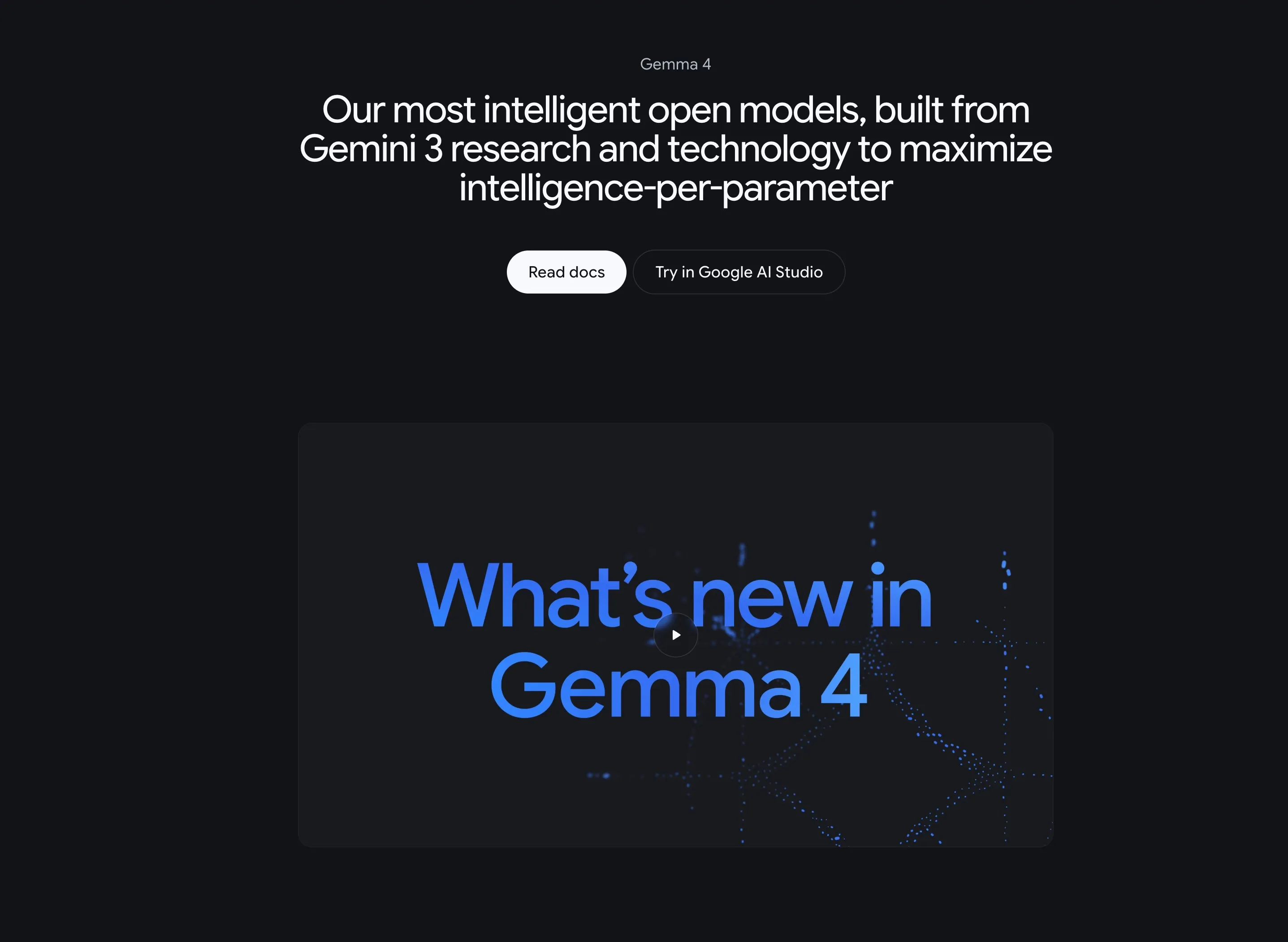
The tooling caught up too. Ollama and LM Studio turned what used to be a command line nightmare into something anyone can set up in under 5 minutes. No Python environments to configure. No GPU drivers to wrestle with.
Then there’s the cost angle. I pay $200/month for my Anthropic subscription and I genuinely think it’s worth it. (My agency and SaaS spends upwards of $10,000 mo) Claude is the best model for complex reasoning and content strategy. But I was burning API credits on daily briefings, simple data pulls, and monitoring checks. Those tasks don’t need the best model in the world. They need a fast, reliable model that runs for free. Gemma 4 on Ollama is exactly that.
Ollama
Ollama is a command line tool that downloads and runs open source models locally. It handles downloading the model weights, managing memory, and exposing a local API endpoint. 2 commands and you’re running.
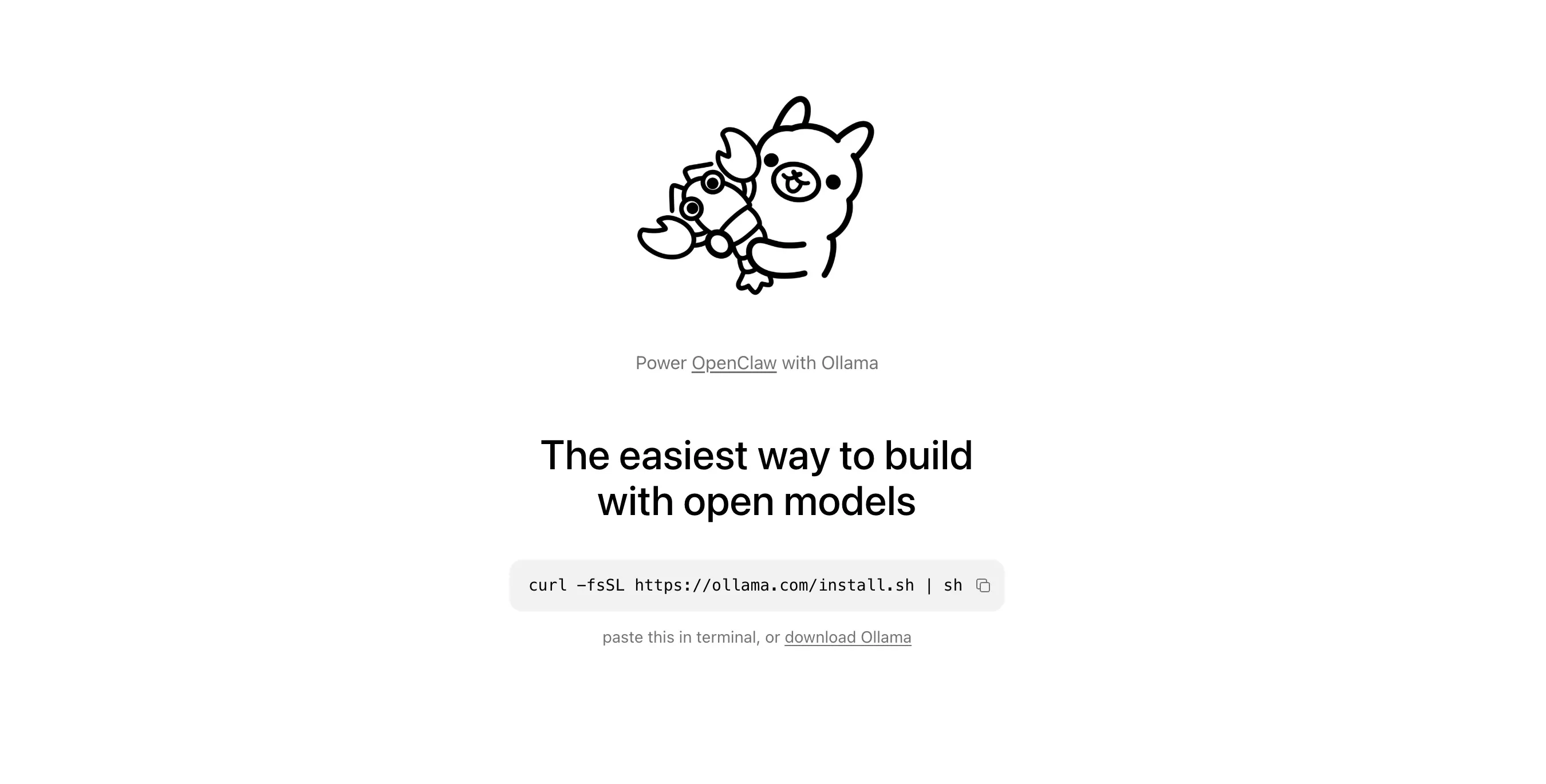
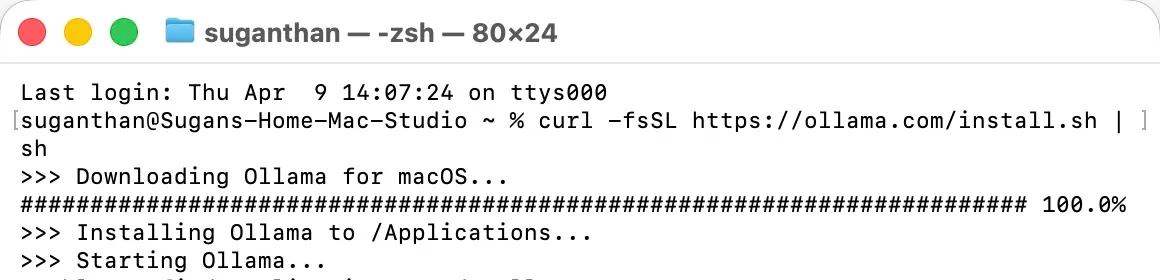
Install
Mac and Linux:
curl -fsSL https://ollama.com/install.sh | shWindows: Download from ollama.com.
Pull and run a model
ollama run gemma4That’s it. Ollama downloads the Gemma 4 E4B model (about 5.4GB) and drops you into a chat. Start asking questions.
For the full 31B model, which is noticeably better but needs more RAM:
ollama run gemma4:31bThe 31B needs about 20GB of RAM at 4 bit quantisation. If you’re on a Mac with 32GB or more of unified memory, it runs comfortably. On 16GB, stick with the E4B or the 26B MoE variant.
Other models worth trying
Ollama has hundreds of models. These are the ones I’ve actually used:
| Model | Size | Good for |
|---|---|---|
gemma4 | 5.4GB | General tasks, summarisation, Q&A |
gemma4:31b | 20GB | Best quality local model right now |
qwen3:32b | 20GB | Strong alternative, especially for code |
llama3.3 | 4.7GB | Fast, solid for simple tasks |
deepseek-r1:32b | 20GB | When you need the model to think step by step |
codestral | 12GB | Code generation and review |
You can have multiple models installed and switch between them. ollama list shows what you have. ollama rm model-name removes one you no longer need.
LM Studio
Not everyone wants to live in the terminal.

LM Studio gives you a desktop app with a chat interface, model browser, and 1 click downloads. It looks like ChatGPT but everything runs on your machine.
Download it from lmstudio.ai.
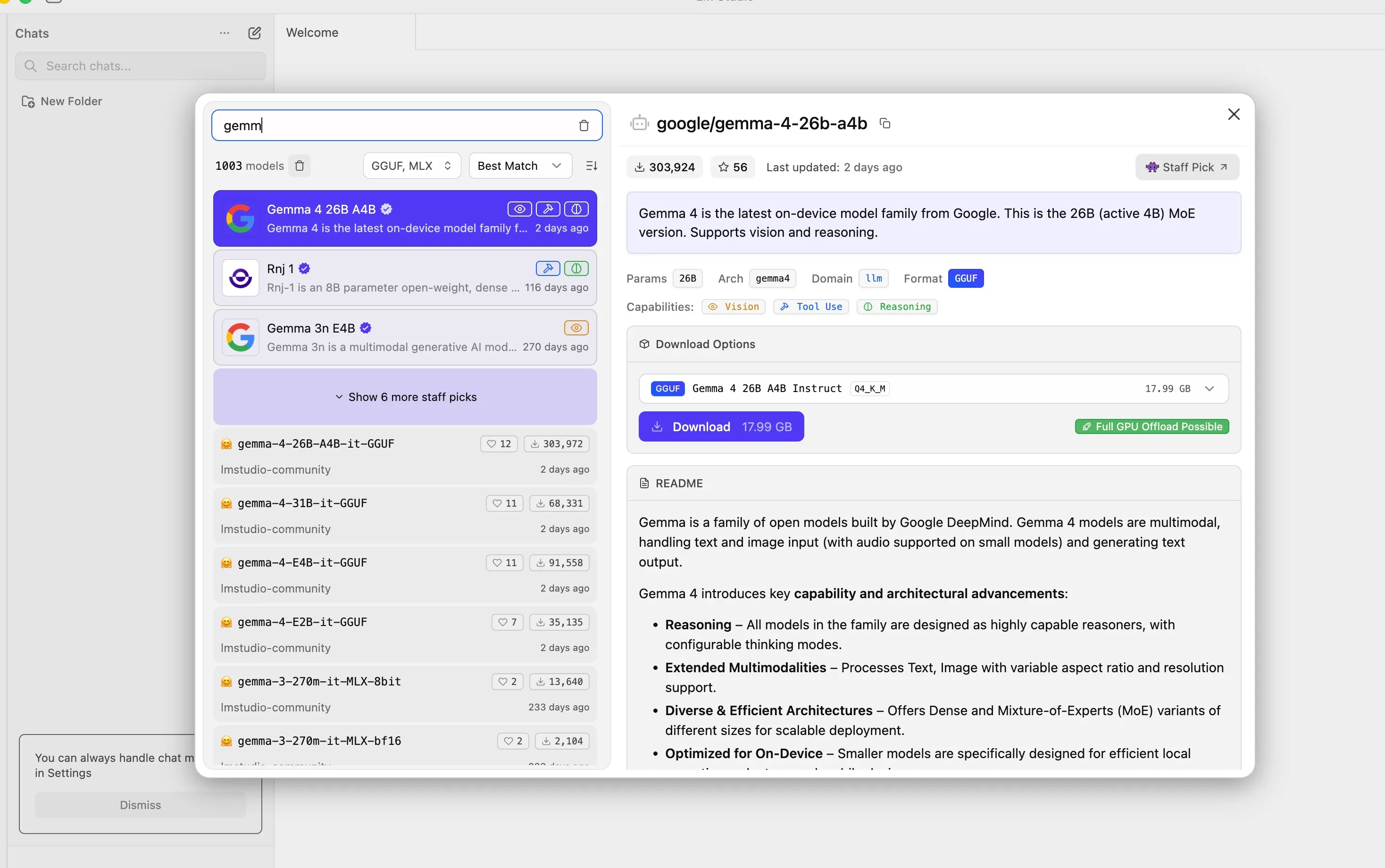
The model browser lets you search and download models from Hugging Face without touching the command line. Click a model, click download, start chatting. LM Studio also exposes a local API that’s compatible with the OpenAI format, so any tool that works with the OpenAI API can point at your local model instead. That’s a bigger deal than it sounds, because it means you can swap out expensive API calls in your existing tools with zero code changes.
Download LM Studio, install and then download the Gemma 4 model.
Once downloaded, pick the model and load it.
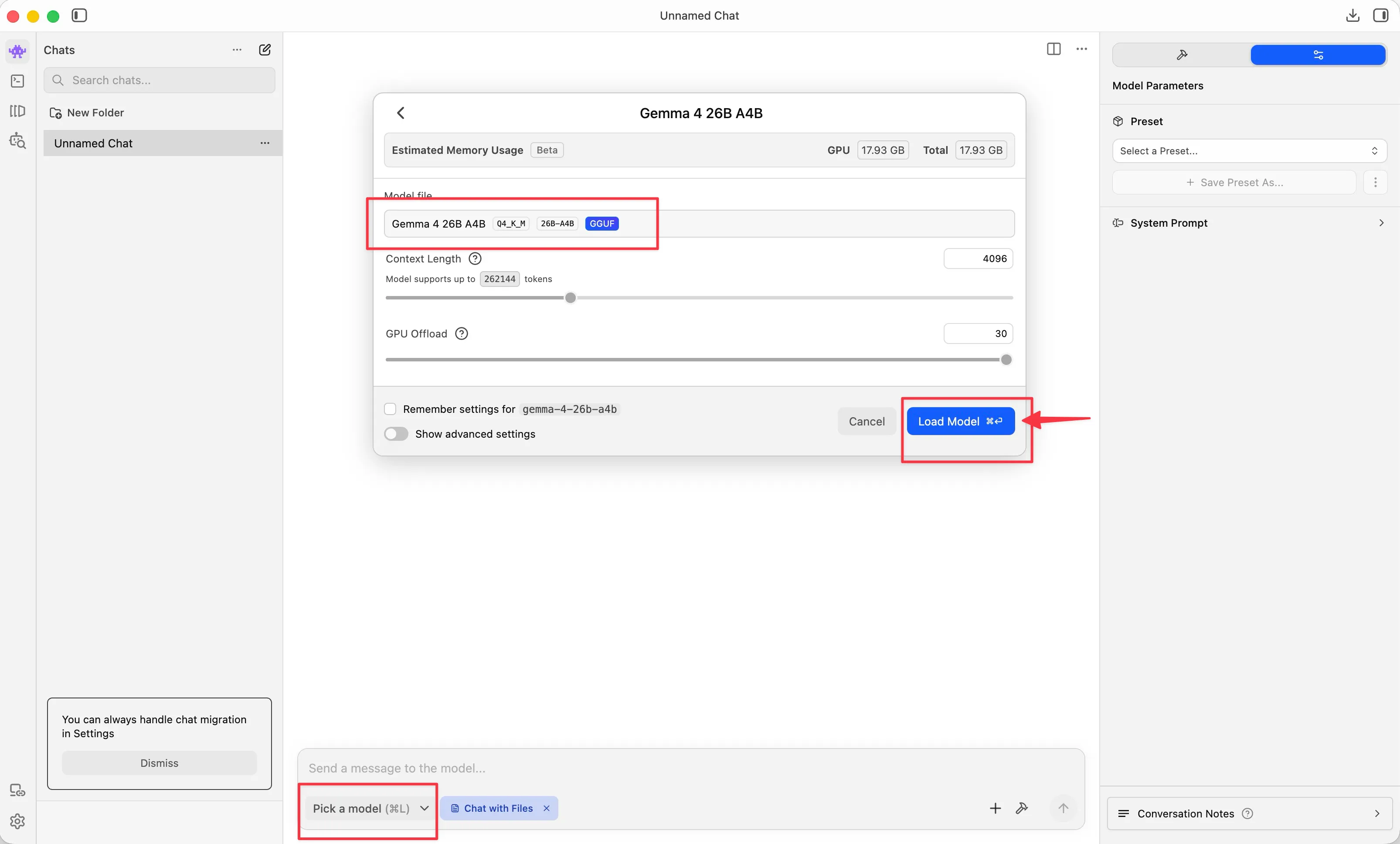

Now you’re good to go.
Which one should you use
| Ollama | LM Studio | |
|---|---|---|
| Interface | Command line | Desktop GUI |
| Setup time | 2 minutes | 5 minutes |
| API endpoint | Yes (port 11434) | Yes (OpenAI compatible) |
| Model management | CLI commands | Visual browser |
| Background service | Runs as daemon | Needs the app open |
| Best for | Developers, automation, server use | Non-technical users, quick testing |
I use both. Ollama runs as a background service on my Mac Mini for automated tasks. LM Studio sits on my Mac Studio for when I want a quick chat without opening a terminal.
Google AI Edge Gallery
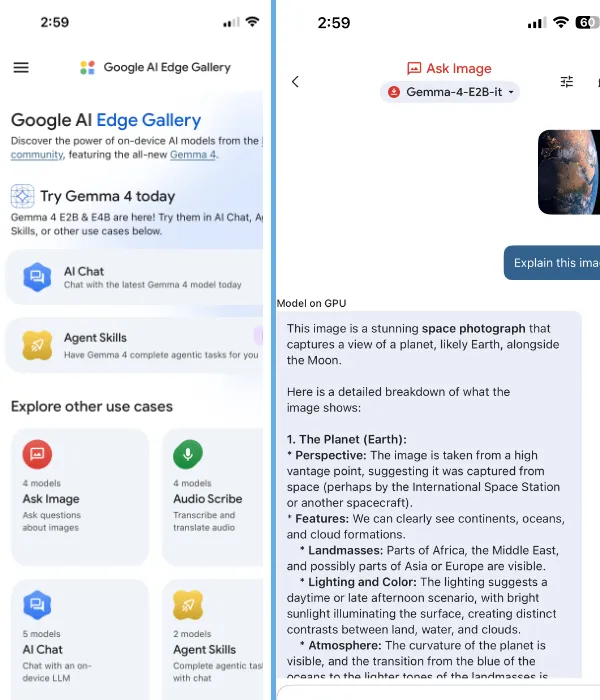
This one surprised me. Google released the AI Edge Gallery app for Android and iOS that runs Gemma 4 entirely on your phone. No cloud involved.
The app includes image recognition, voice transcription, and Wikipedia grounding for fact checking. All offline. It won’t replace your laptop setup, but having a private AI assistant on your phone that works on a flight with no wifi is genuinely useful.
What “private” actually means here
With cloud AI like ChatGPT, Claude, or Gemini, your prompt is sent to their servers and processed in their data centre. Even with enterprise agreements and opt outs, the data has technically left your possession. For GDPR compliance, this creates a data processing relationship that requires documentation, consent frameworks, and trust that the provider honours their commitments.
With a local model, there is no data processing relationship. There is no third party. Your files stay your files. For anyone in a regulated industry or anyone handling client data, this is the difference between a 6 week legal review and nothing to review at all.
I work with SEO clients whose keyword strategies, traffic data, and commercial performance are genuinely sensitive. Running local models for analysis means I can feed in real client data without worrying about where it ends up.
What I actually run
Local models don’t replace Claude or ChatGPT. Not yet, and maybe not ever for the hardest tasks. But they replace them for the majority of work that’s routine.
My setup is split across 2 machines.
The Mac Mini runs 24/7 with Ollama and Gemma 4 31B. It handles automated tasks through OpenClaw. Daily briefings, health checks, monitoring, simple data extraction. All of that used to hit the Anthropic API and cost real money every month. Now it runs locally for free.
The Mac Studio is my main machine with the Claude Max subscription. Complex reasoning, content strategy, writing, and code reviews live here. Anything where model quality genuinely matters stays on Claude because it’s still the best at what it does.
The split comes down to one question. Does this task need to be right and nuanced, or does it need to be done and fast? Claude handles the first category. Gemma 4 handles the second. My API bill dropped noticeably after making this switch.
Hardware requirements
You don’t need a gaming PC or a server rack.
| Setup | RAM | What you can run |
|---|---|---|
| Laptop (16GB) | 16GB | Gemma 4 E4B, Llama 3.3, smaller models |
| Mac with Apple Silicon (32GB) | 32GB unified | Gemma 4 31B, Qwen 32B, most models comfortably |
| Mac with Apple Silicon (64GB) | 64GB unified | Multiple large models, 70B parameter models |
| PC with GPU (24GB VRAM) | 24GB VRAM | Gemma 4 31B, most open models |
Apple Silicon Macs have a genuine advantage here. The unified memory architecture means your GPU and CPU share the same RAM pool, so a 64GB Mac Studio can run models that would need a dedicated GPU costing over $1,000 on a PC.
If you’re on an older machine with 8GB of RAM, the smaller models like Gemma 4 E2B and Phi-4 Mini still run and still produce surprisingly useful results.
Where local models shine and where they don’t
I’ve been testing this for months. Not benchmarks, real work.
Summarising documents, drafting emails, analysing CSV files, explaining code, translating text, and extracting data from messy unstructured content. All of that works well locally. The output isn’t perfect every time, but it’s good enough for tasks where you’re going to review the result anyway.
Where I still reach for Claude is complex multi step reasoning, long form content that needs to be genuinely well written, nuanced architectural decisions in code, and anything that requires current information since local models have knowledge cutoffs. If being 95% right isn’t good enough, the local model isn’t the answer yet.
For most of what people use ChatGPT for on a daily basis, Gemma 4 31B running locally will give you comparable results. The difference is that your data stays on your machine and it costs you nothing.
Get started in 5 minutes
Install Ollama:
curl -fsSL https://ollama.com/install.sh | shPull and run Gemma 4:
ollama run gemma4Start chatting. Your data stays on your machine.
If you want better quality, run ollama run gemma4:31b instead, but you’ll need 20GB+ of RAM. If you prefer a visual interface, grab LM Studio and search for Gemma 4 in the model browser.
The model downloads once and runs forever. No subscription, no API key, no account required. Just your machine and your data, exactly where both should be.
You might also like
Stay in the loop
I'll email you when I publish something new. No spam. No fluff.
Join other readers. Unsubscribe anytime.

Entrepreneur & Search Journey Optimisation Consultant. Co-founder of Keyword Insights and Snippet Digital.