FanoutFox: A Free ChatGPT SEO Tool That Shows How It Picks Sources
FanoutFox is a free generative engine optimization (GEO) tool and ChatGPT rank tracker. It reads your own ChatGPT session and shows the fan-out queries, the sources it fetched, who got cited, who got mentioned, and who beat you on each claim. Free, local, one click.

Co-founder of Snippet Digital
Updated (posted )
9 min read · Quick setup
On this page 8 sections
For the last 2 teardowns on this blog I worked out how ChatGPT picks its sources by reading its raw network traffic by hand. It works, and it takes the better part of an afternoon per answer.
So I built the whole recipe into a Chrome extension. It’s called FanoutFox, it’s free, and it’s live on the Chrome Web Store.
Why I offer both a store install and a manual download
You can install FanoutFox two ways: from the Chrome Web Store in one click, or as a manual download you load yourself. Both are the same extension. Here’s why both exist, because it’s the whole problem this tool lives with.
The week I launched, ChatGPT changed the internal shape of its answer payloads. Every capture came back empty and the extension showed a fallback card. I shipped a fix the same day. The next morning it changed again, on thinking answers this time, nesting sources in per-domain groups and turning a reference id from a string into an object. I fixed that too. Two breaking changes in 48 hours. The parser now reads all three shapes, with a regression suite pinning each one so the next change fails on my machine before it reaches your popup.
Now put that speed next to how a Chrome extension actually updates. Every change to a published extension goes through Google’s review, and that runs anywhere from a day to a week. So the timing works against me: OpenAI can break the format on a Tuesday, I can have the fix built by Tuesday afternoon, and store users are still waiting on review while their captures come back empty on Thursday. There’s nothing I can do about the review queue. It’s Google’s, not mine.
That’s the entire reason for the manual download. It’s the same code with no queue in front of it. When ChatGPT breaks something, the fix goes up at fanoutfox.com/download/ the moment it’s ready, you reload the extension, and you’re back to working captures in two minutes. The store version catches up a few days later once Google approves it.
So pick whichever fits how you work. The Chrome Web Store is the easy path, one click and automatic updates, and it’s where most people should start. Keep the download page bookmarked for the days a fresh ChatGPT change is still working through review, which, going on the last month, will happen again. The changelog records every release and whether it’s live on the store yet.
One casualty of those format changes is worth flagging, since the teardowns lean on it. The retrieval pipe labels (bright, labrador, serp) are gone from new payloads. OpenAI stopped exposing the field. Captures from before the change keep their pipe data, and new ones show sources without it.
What is FanoutFox?
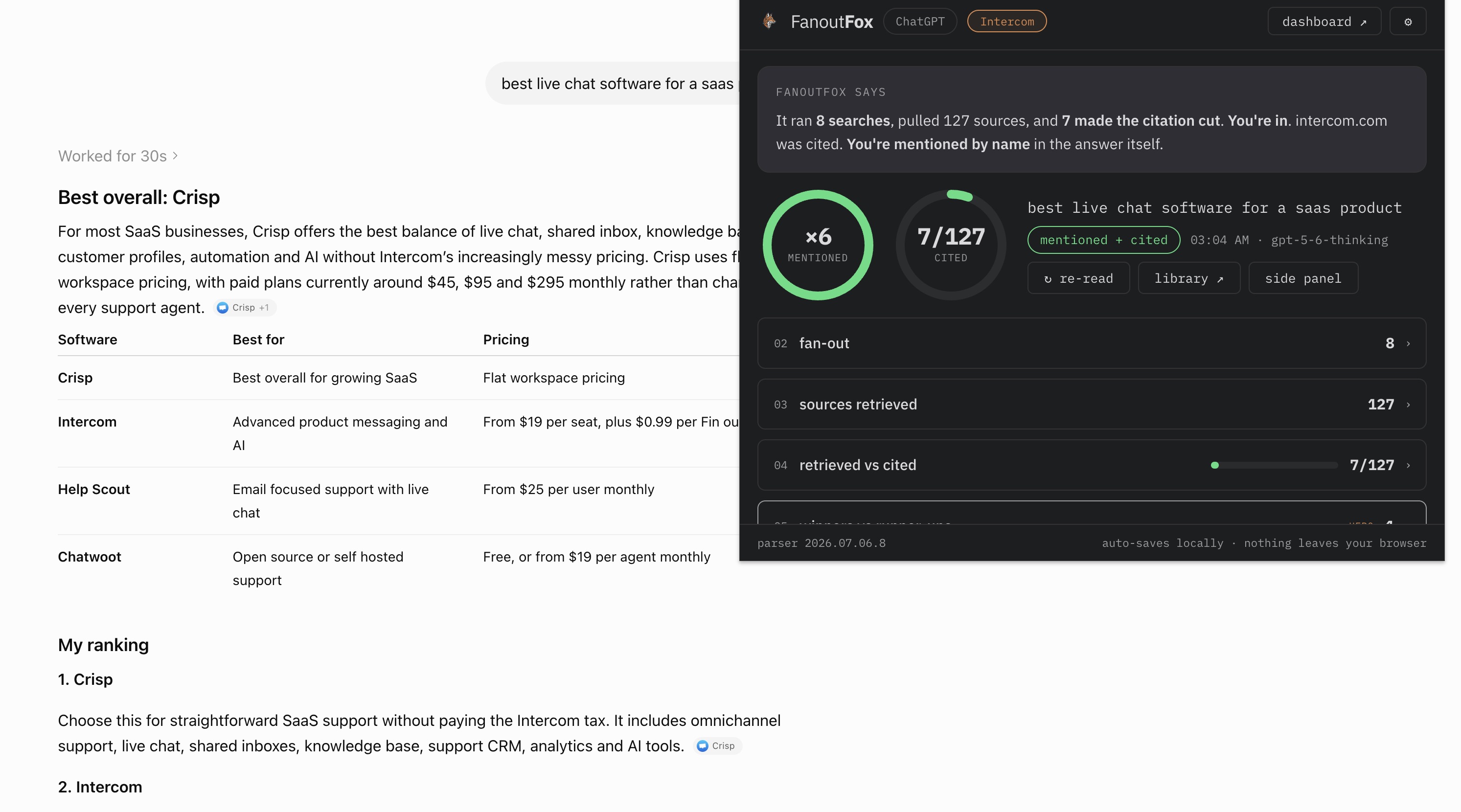
A free Chrome extension that reads your own ChatGPT session and shows you how the answer was built. The searches it actually ran, the pages it fetched, who it cited, who it only mentioned, and who beat you on each claim.
Depending on the job you need doing, it’s a generative engine optimization (GEO) tool, a ChatGPT SEO tool, or an AI rank tracker.
You browse ChatGPT the way you always do. When an answer finishes, you click the fox in your toolbar, and FanoutFox reads that answer’s traffic the same way I’ve been reading it by hand, then lays it out in plain language. Everything stays in your browser.
There’s no account and nothing runs on a server.
Why I built it
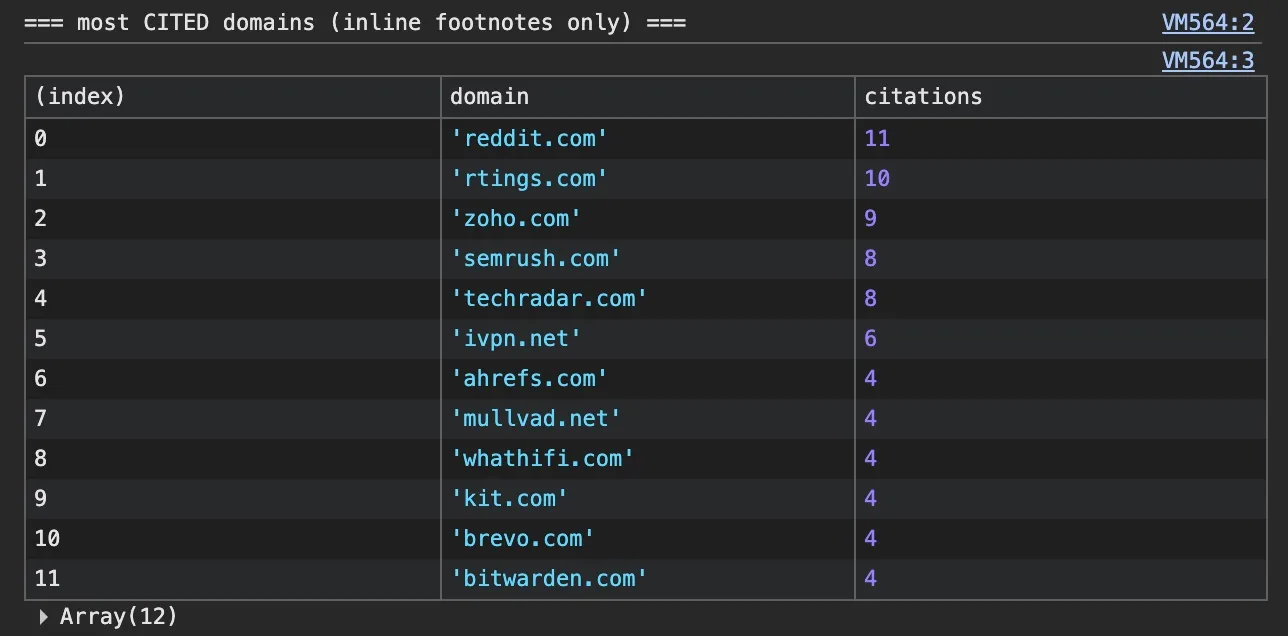
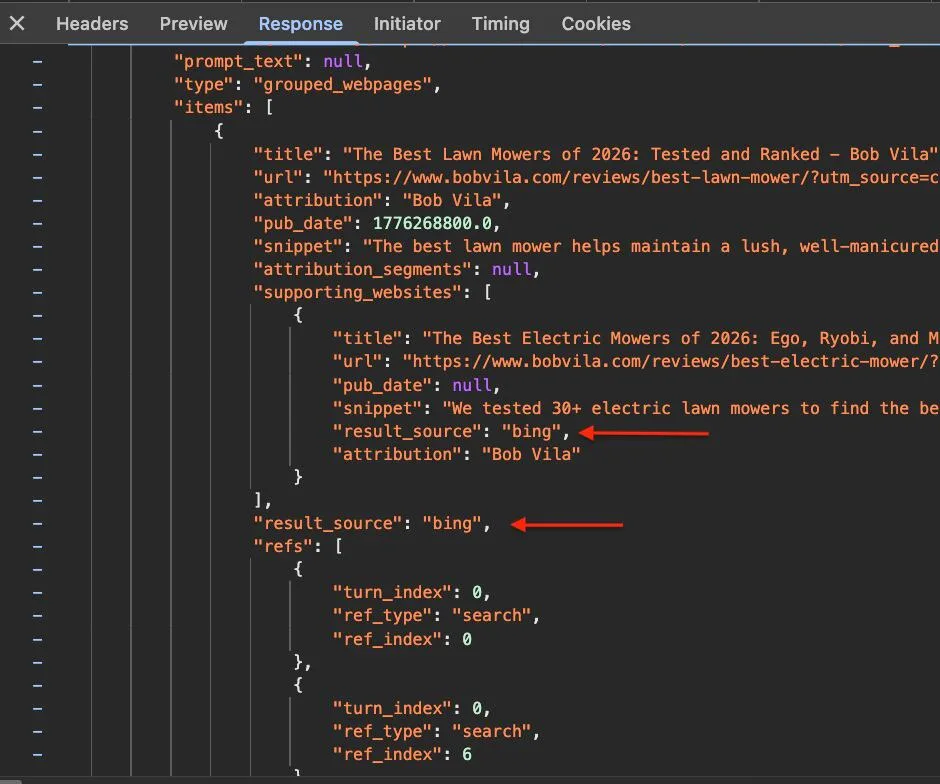
Part 1 and Part 2 of this series are the write-ups from doing it manually. Open DevTools, run a query, dig through the JSON for the result_source field, paste a console snippet to pull the fan-out queries and the citations, then read the model’s own reasoning. Every finding in those posts came off that traffic.
After the second teardown I was tired of doing it by hand.
The recipe was already in my head, so I built it into code.
Every field FanoutFox reads is one I first read off the wire and documented in those 2 posts, which is the only reason I trust what it shows.
What it shows you
From a single answer, here’s what it pulls apart.
The fan-out
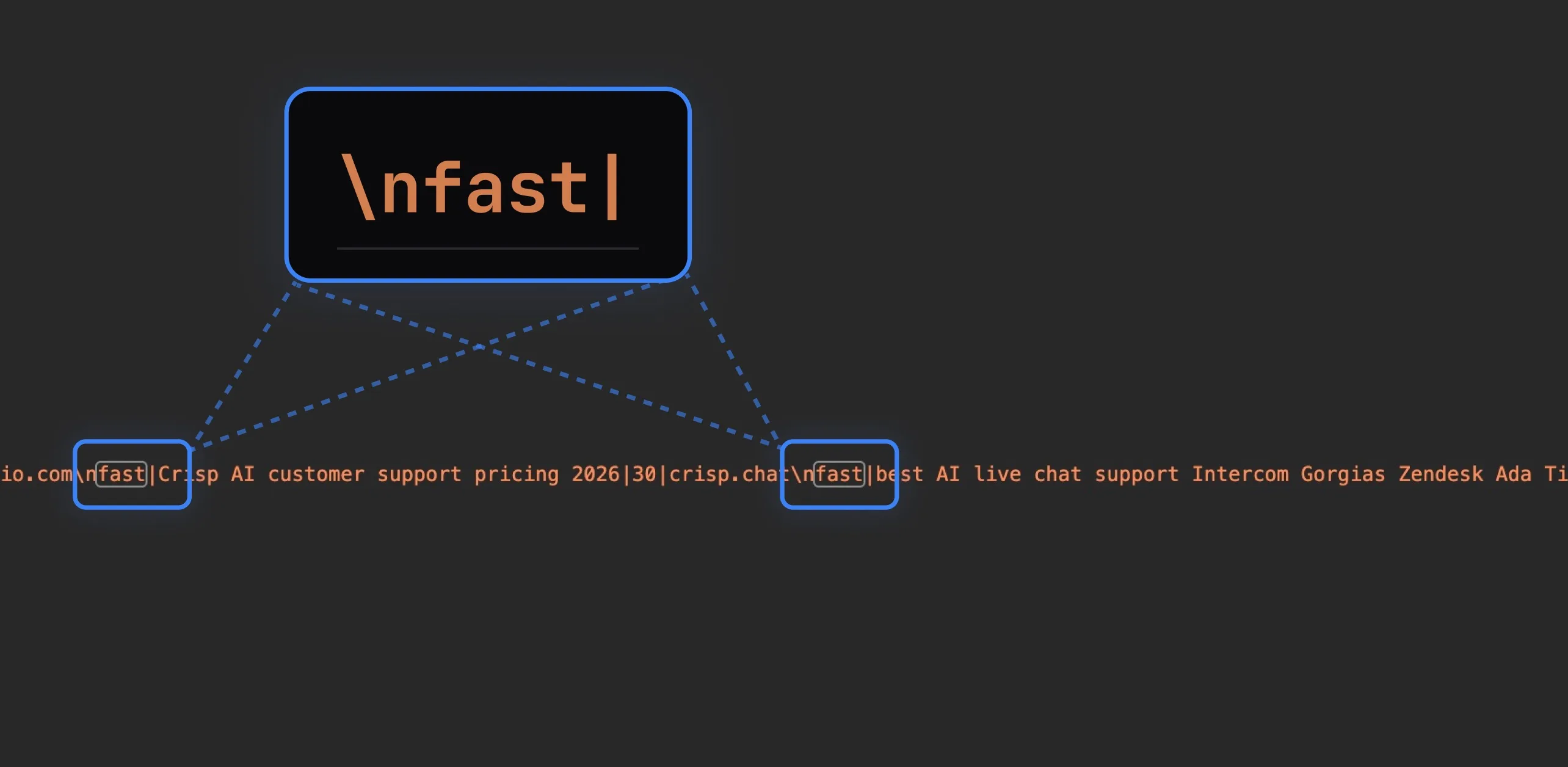
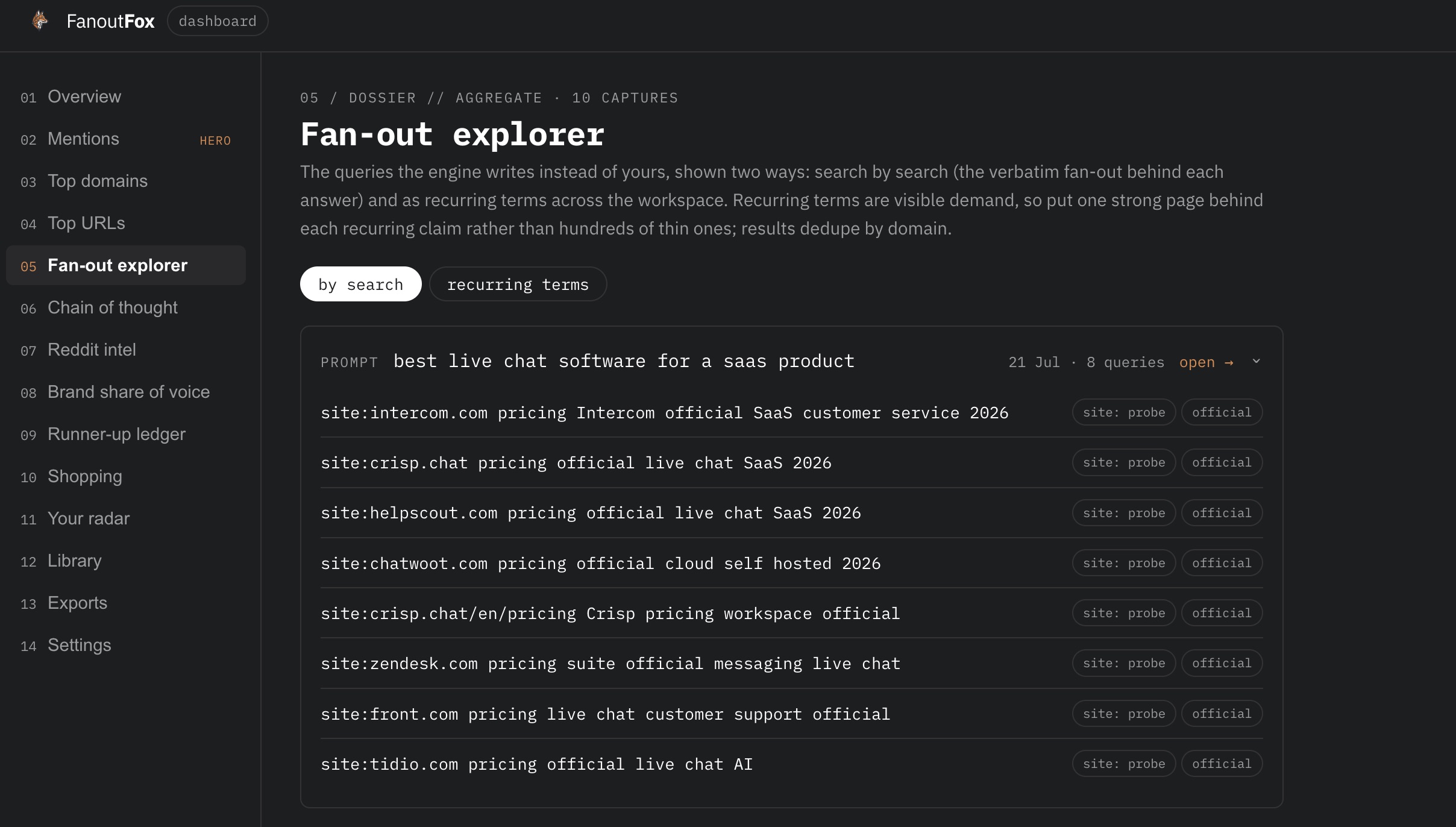
The searches ChatGPT actually ran, which are almost never your keyword. It rewrites your question into its own queries, fires site: probes at specific pages, and appends the kind of source it wants, “Emirates official”, “AhrefsBot official”.
You see every one, so you can write for the query it really runs instead of the phrase a person types.
The sources and their pipes
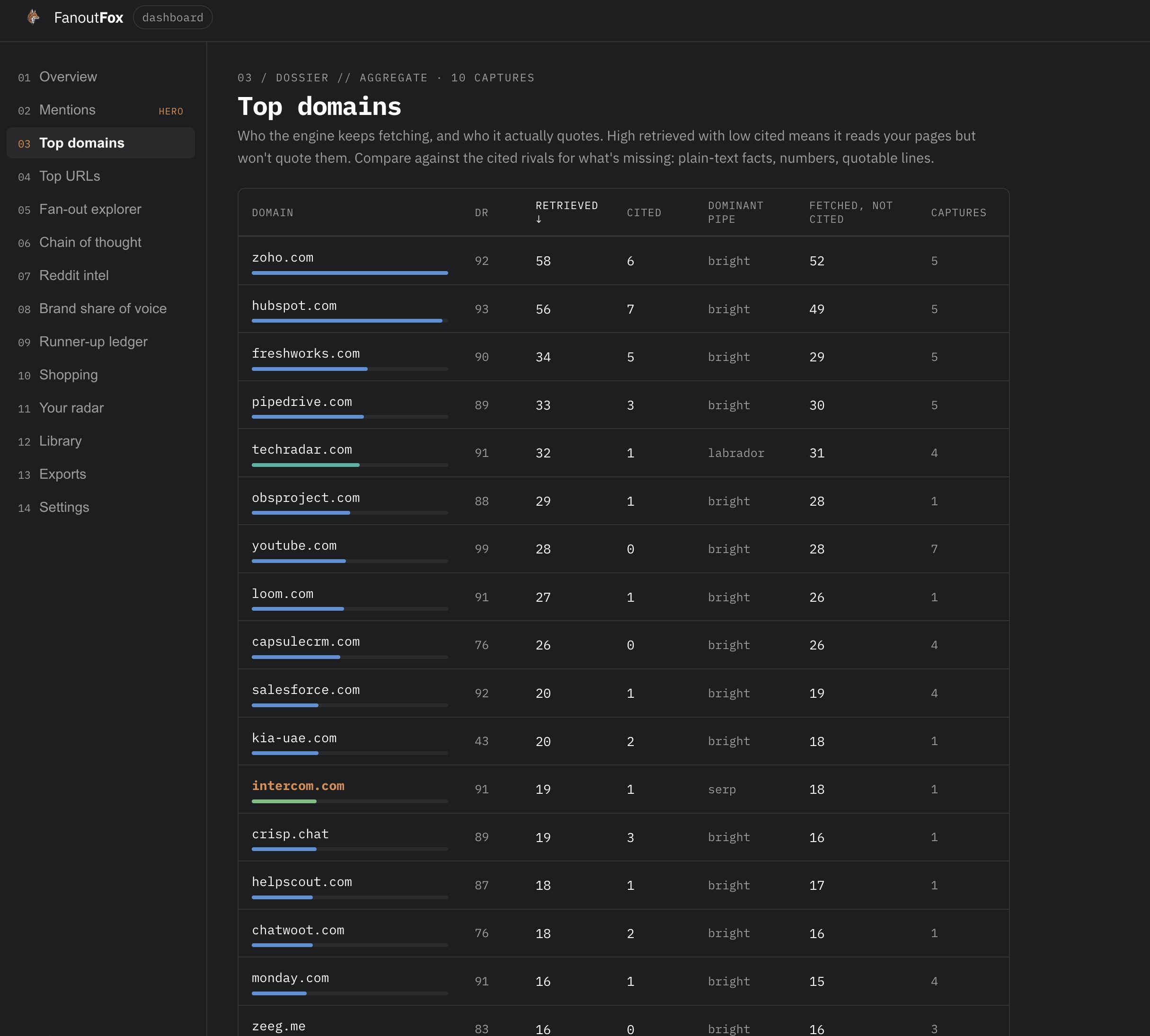
Every page it fetched, tagged with the retrieval pipe that brought it. The bright, labrador and serp labels from the teardowns, colour-coded.
This is where you find out whether you’re competing in the scraped tier or the licensed one, which changes how you’d even try to get picked up.
(Since 21 July, OpenAI no longer exposes this field, so fresh captures show sources without pipe labels. Old captures keep theirs. The update at the top has the story.)
Fetched, cited and mentioned
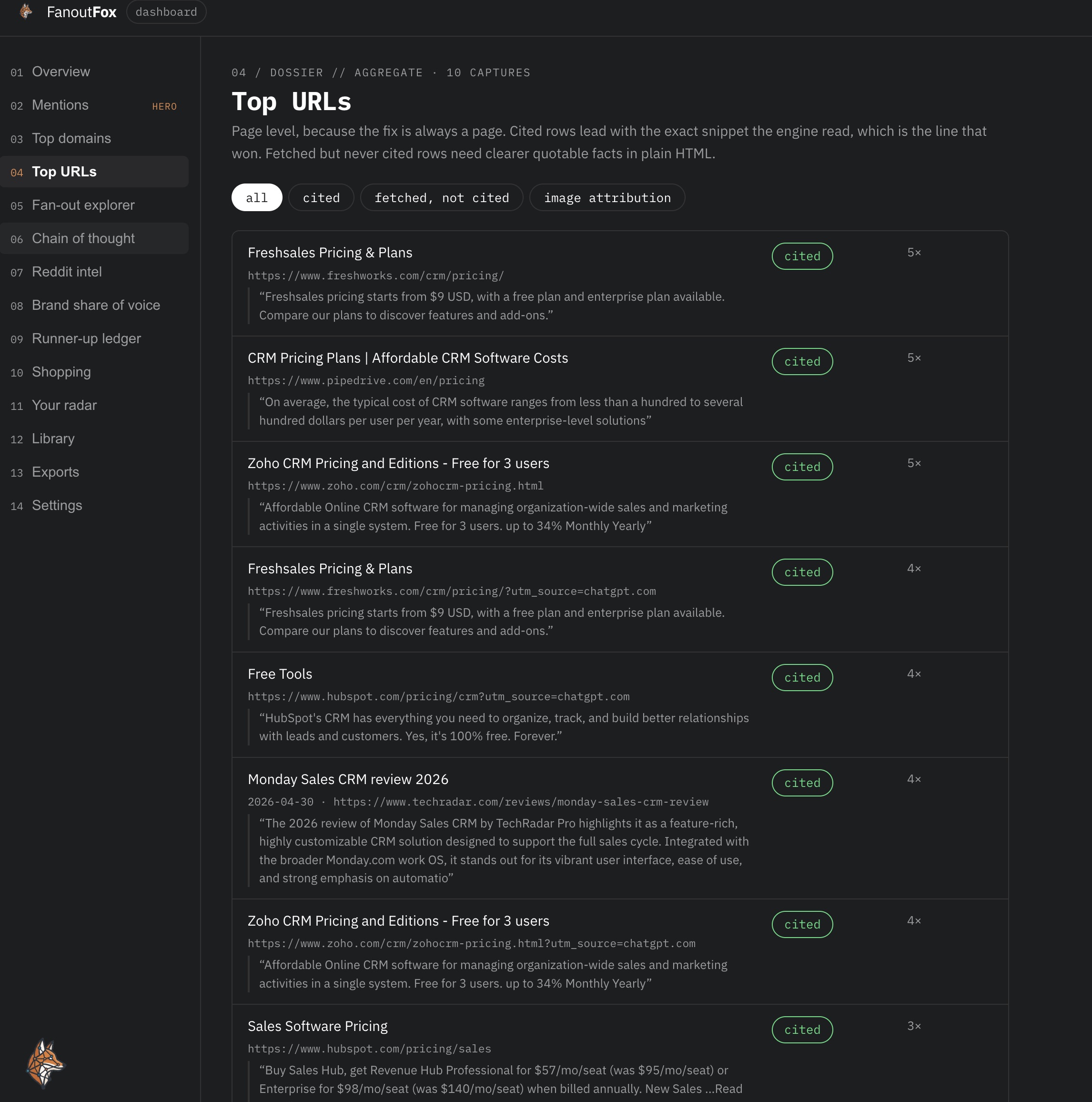
The 3 outcomes, kept apart, because you win or lose each one on its own. A page can be pulled into context, quoted as the source behind a sentence, or have its brand named in the answer with no link.
FanoutFox shows which of the 3 happened to you, with the exact sentence that cited or named you.
The runner-up ledger
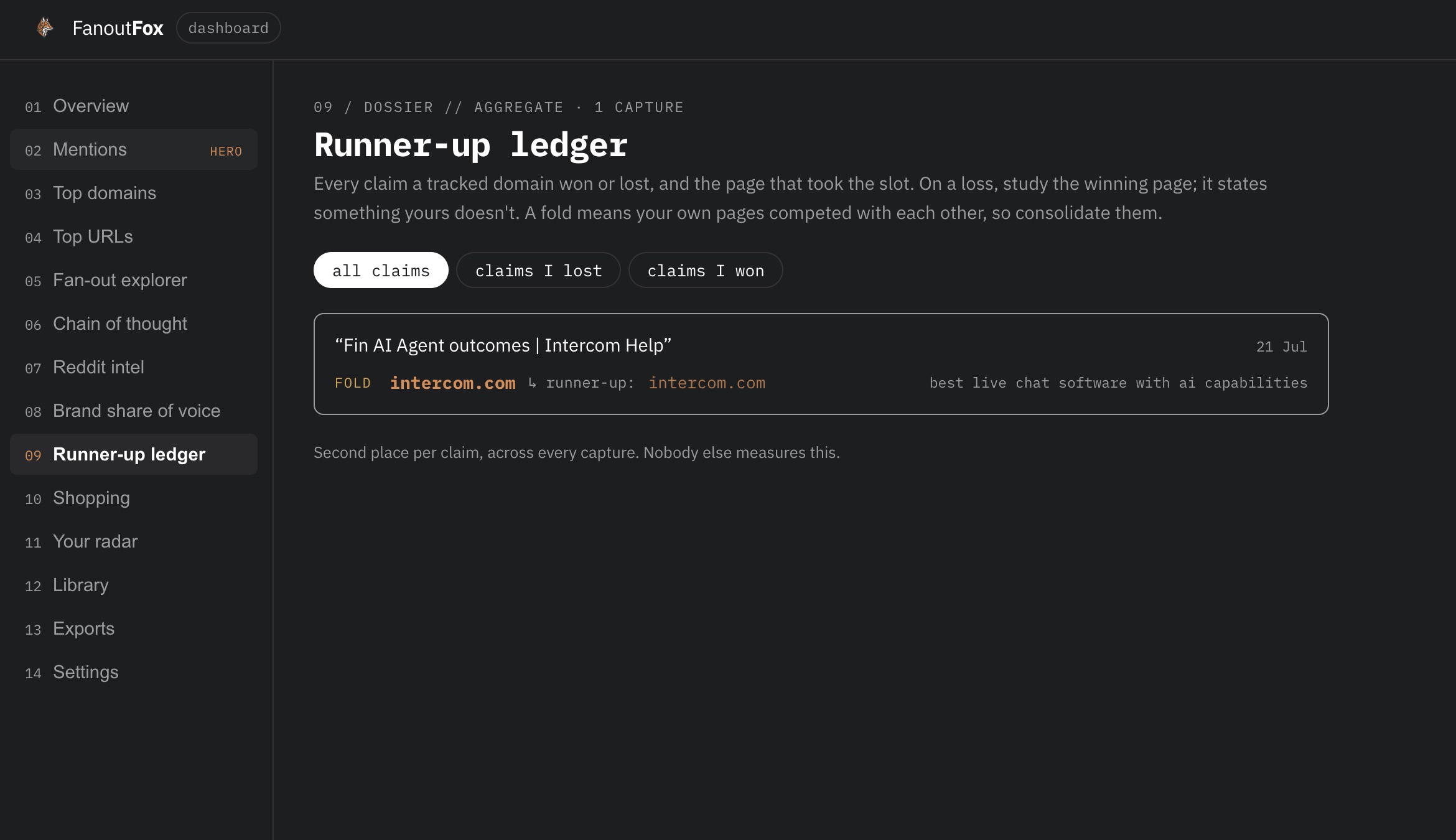
This is the one I actually built it for. When ChatGPT cites a page for a claim, the traffic now carries the other pages that backed the same claim and lost the visible slot.
FanoutFox reads that field and shows you, per claim, the page that won and the pages that came second, yours included.
Not “you get cited less than competitor X”, but this exact sentence, you were second, here’s the page that beat you, and here’s how it worded the claim you lost.
It’s the closest thing AI answers have to a rank tracker, and no paid tool sells it yet.
The trail
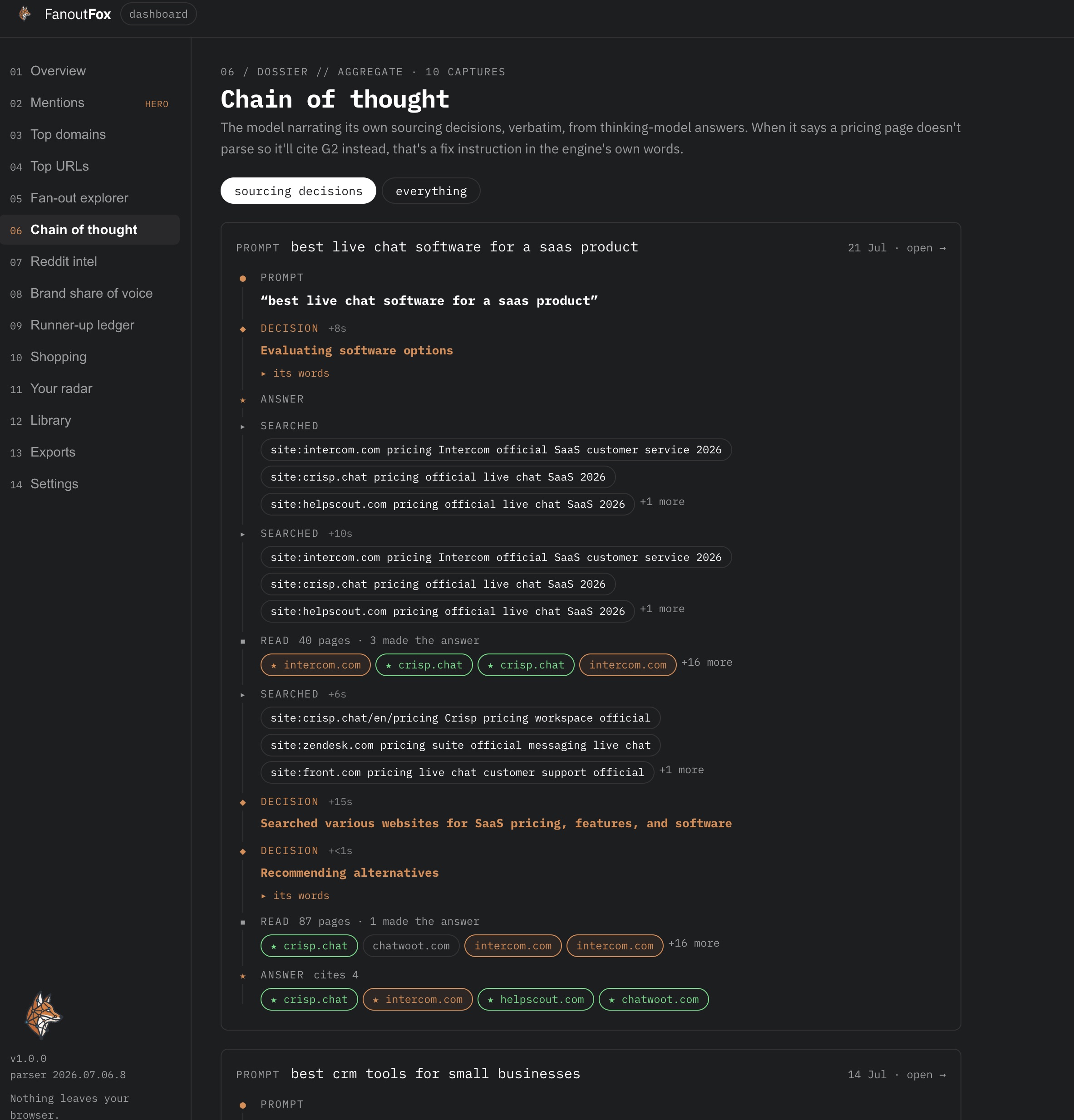
The ordered path the model took from your question to its answer. Every search, thought, fetch and decision in sequence, with the time it spent on each.
Your domains show in fox orange, competitors in red, cited third parties get a star, and the model’s own words about why it picked a source sit behind an expander.
You can watch where it went looking and where it gave up.
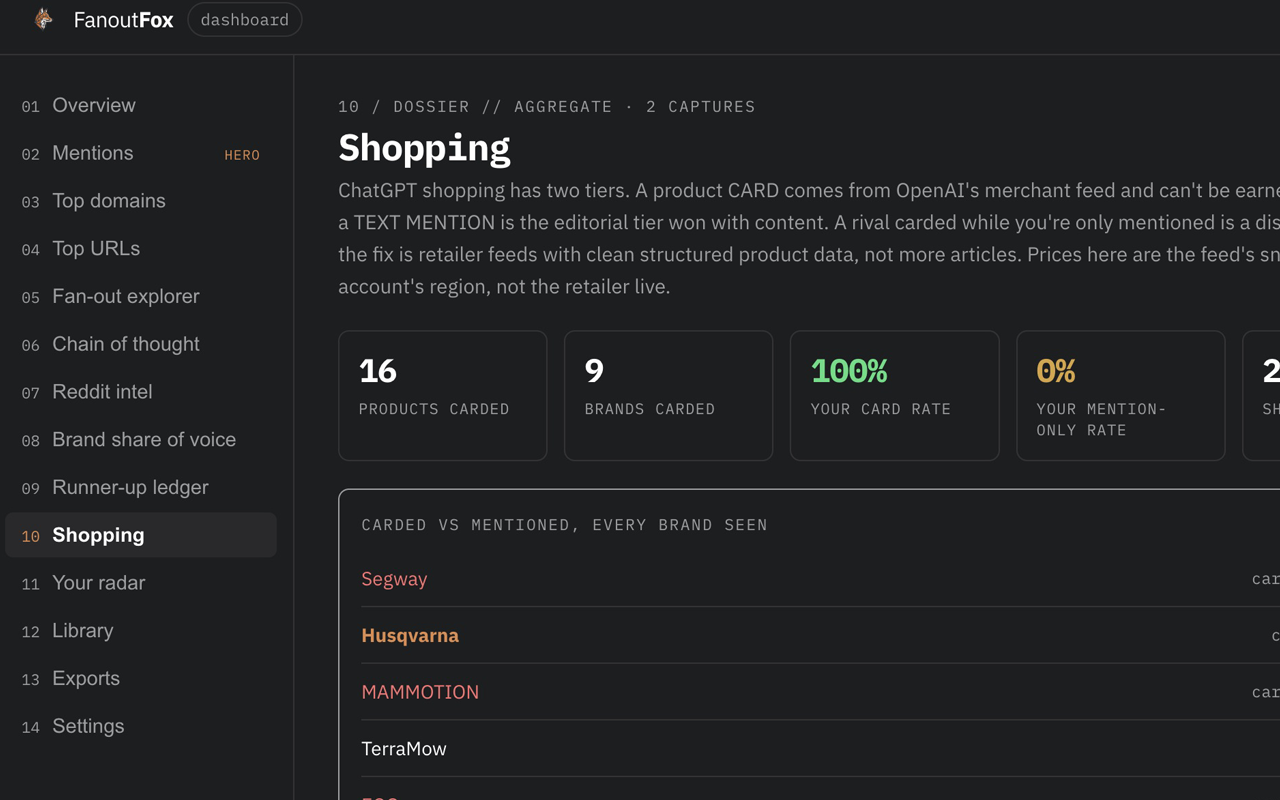
Shopping: carded versus mentioned
For shopping questions there are two ways to show up and they aren’t equal. A product card, with price, rating and sellers, is a won slot.
A passing text mention is your brand named but not carded. FanoutFox splits the two, shows the price and discount rows behind each card, and flags it when a rival got carded while you were only mentioned.
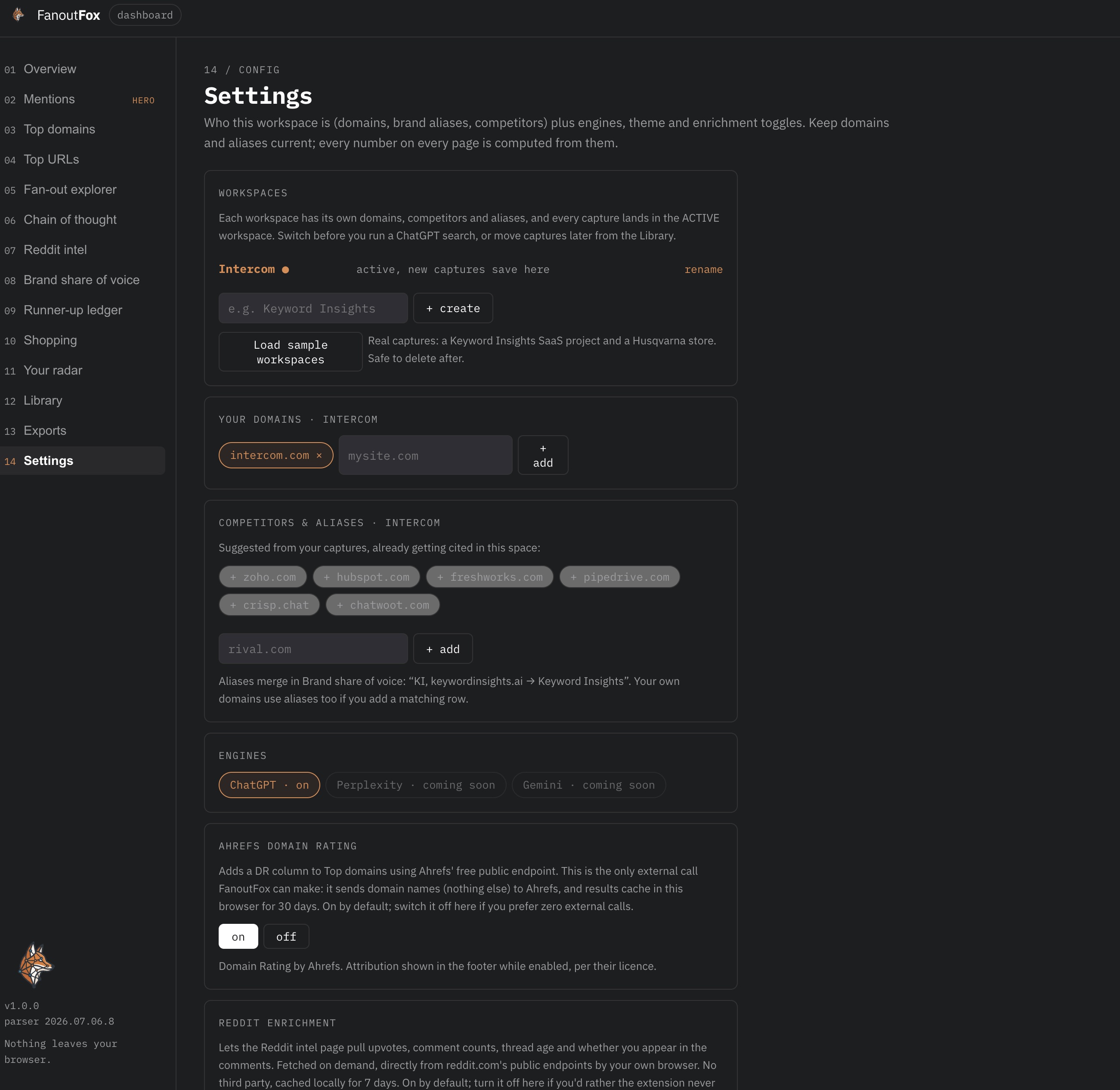
Workspaces and diffing over time
Set up a workspace with your brand, your domains and your competitors, and FanoutFox stops handing you raw data and starts handing you a verdict. Cited, mentioned, runner-up and to whom, or not in the answer at all. Every capture saves locally to that workspace, so the picture builds up over time.
Pin a capture as a baseline, re-run the same query next week, and diff the two. Who entered the answer, who dropped out, who moved from mentioned to cited.
There’s a 1-page Monday brief you can export too, which compiles the losses and the gap domains into a prioritised list of what to fix first.
How to install it
The easy route: open the Chrome Web Store listing and click Add to Chrome. Automatic updates from then on. Two clicks:
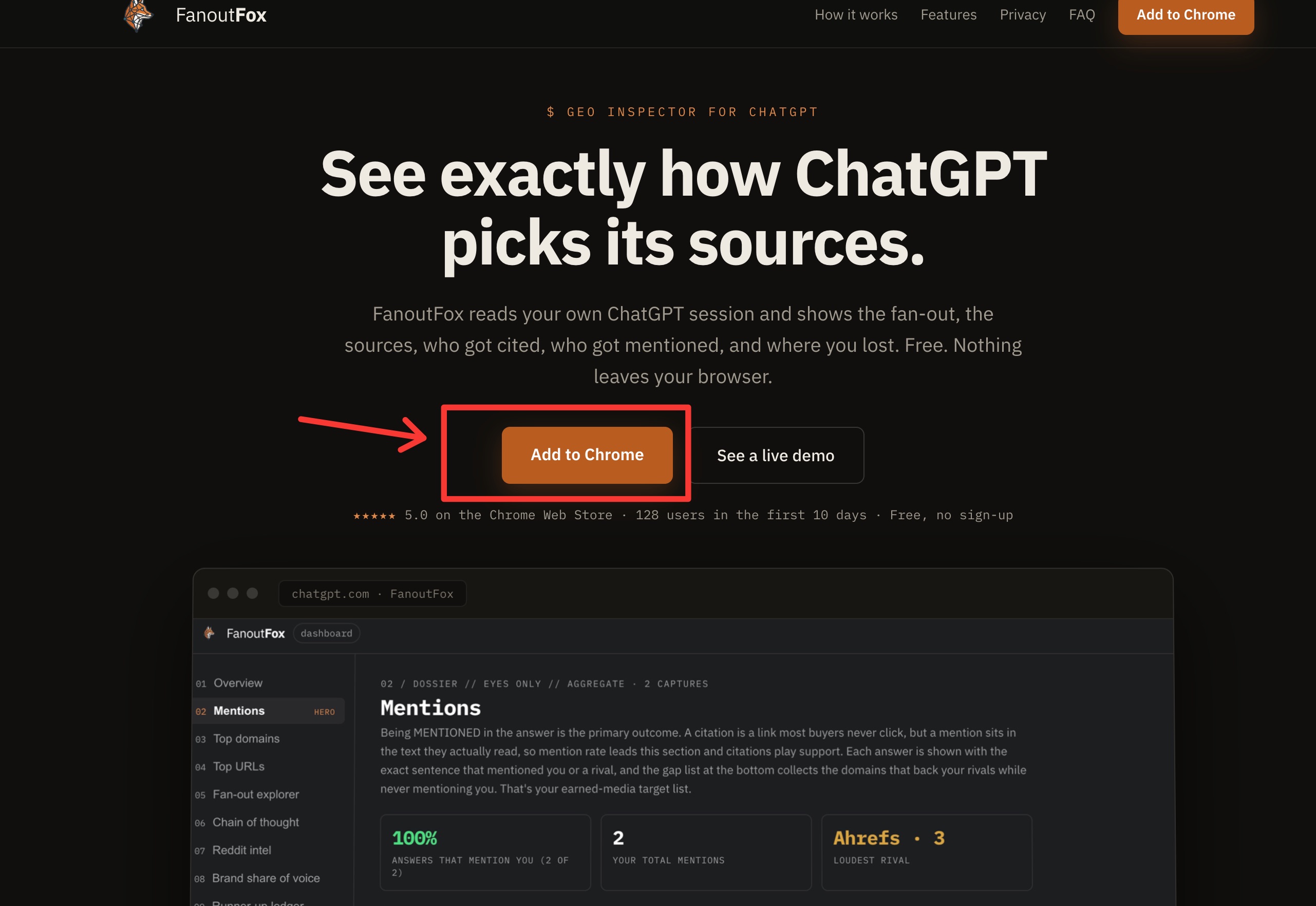
Click Add to chrome
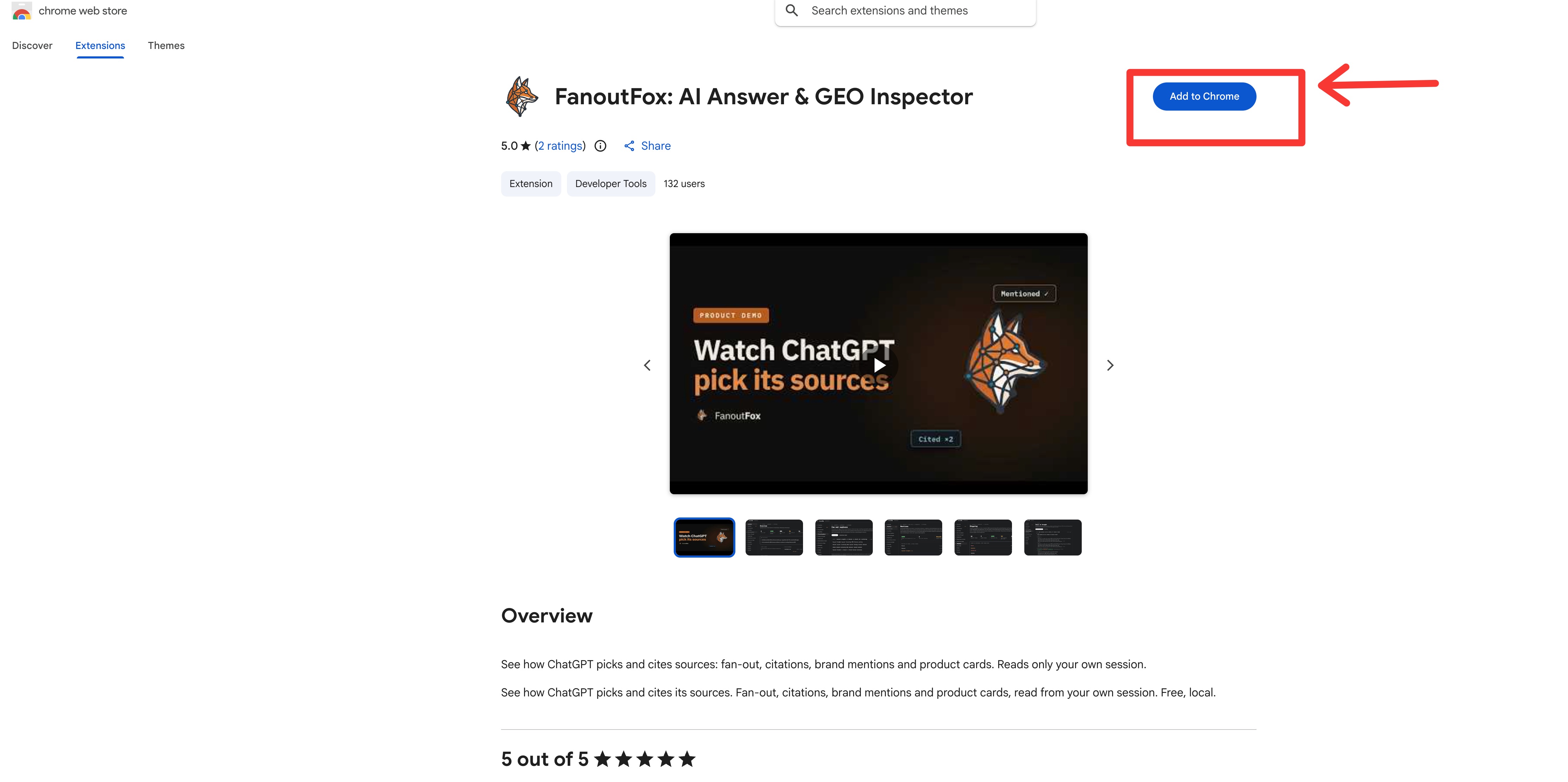
The other route, for when a fresh ChatGPT change is still clearing review: download the zip from fanoutfox.com/download/, unzip it, switch on Developer mode at chrome://extensions, click Load unpacked and pick the folder. The download page walks through all four steps and the ways they go wrong, and it takes about two minutes.
Either way, pin the fox to your toolbar so it’s one click from any tab.
On first run it opens a short setup. Create a workspace with your brand name, your domains and a few competitors.
That’s what turns a raw capture into a verdict about you.
Open ChatGPT, ask something your buyers actually ask (a comparison, a recommendation, a “best X for Y”), let the answer finish, and click the fox.
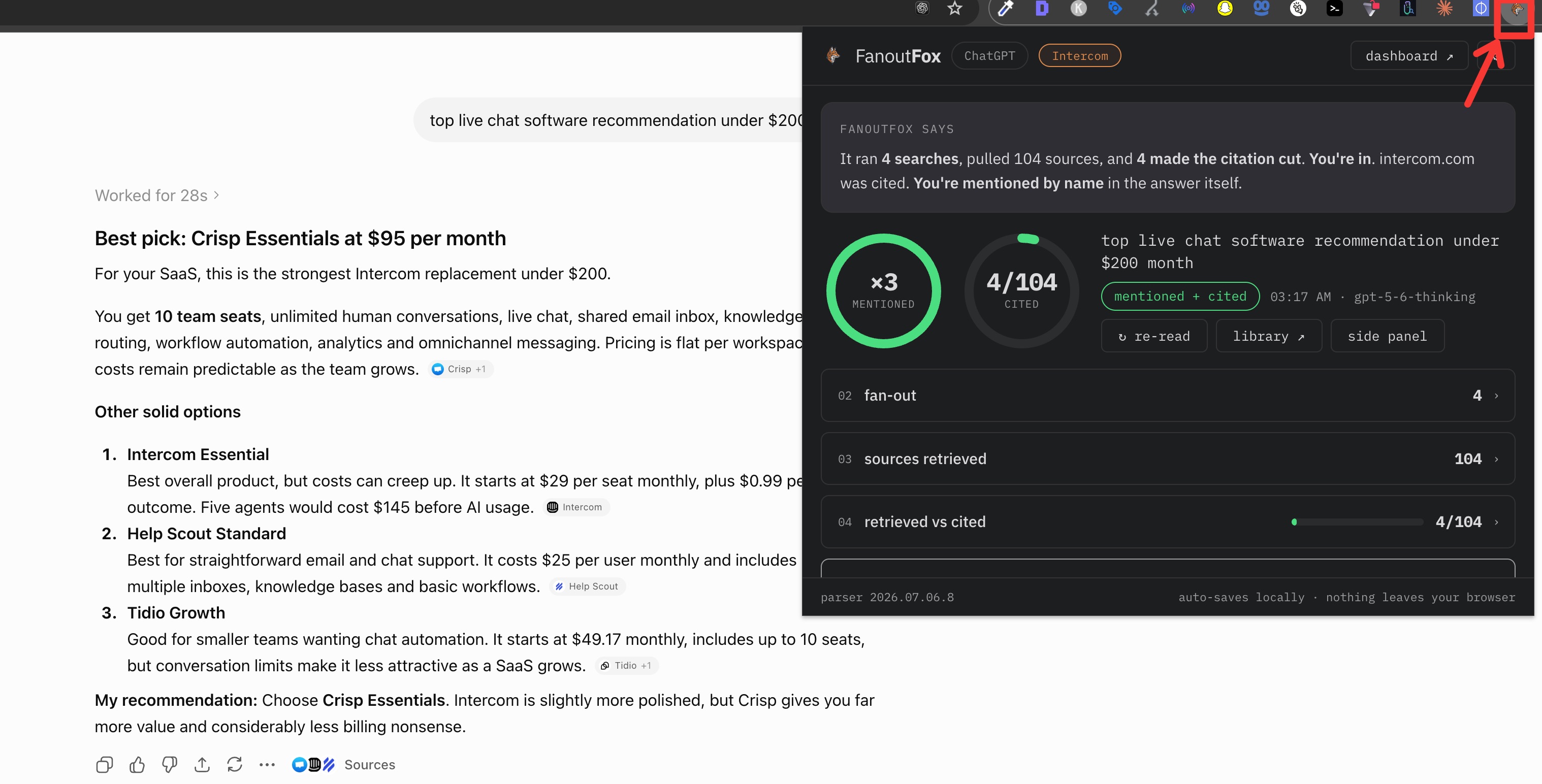
If you’d rather look around before running your own queries, the setup has an “explore with sample data” option that loads two real workspaces, a SaaS brand and a garden-equipment store, both built from genuine captures.
A few things worth knowing
It stays on your machine. FanoutFox reads your current ChatGPT session using the token your browser already holds, makes the single request for that conversation, then discards it.
The token is never stored. Captures save locally so the dashboard has something to work with, and nothing about your conversations leaves your browser.
The only outbound calls are two optional lookups, a domain rating and Reddit thread stats, and you can switch both off in settings.
It reads undocumented fields. ChatGPT changes its internal JSON often. When a field moves, one card in the extension goes quiet and says so, and I ship a small fix. That fragility is also why it’s free. A tool that leans on fields that move every 10 days has no business charging a subscription.
It reads ChatGPT today. The capture format was built engine-agnostic from the start, so when the other engines ship, your saved sessions carry over.
What’s coming next
Perplexity is built. The adapter is validated against real captured streams and reads a signal no other tool surfaces, Perplexity’s own per-source trust notes. It ships next as v1.1, with Gemini after that.
After that, the two I most want. Binding each citation to the exact claim sentence it supports, and capturing ChatGPT’s Deep Research runs, which stream over a channel the current version can’t see and are the richest GEO surface of the lot, a fan-out across 100-plus domains that leans hard on vendors’ own docs.
The real prize is cross-engine, where “cited in ChatGPT, absent in Perplexity” becomes a gap you can act on.
If it helps, leave a review
FanoutFox is free and it’s staying free, so here’s the only thing I’ll ask in return.
If it shows you something useful, leave a rating and a quick review on the Chrome Web Store. A new extension lives or dies on social proof, and a few honest reviews are what make the next person trust it enough to install. Give it a star rating, say what you use it for, and if a card comes up empty or a number looks off, tell me in the review and I’ll fix it.
Add FanoutFox to Chrome (or grab it manually), open ChatGPT, and ask 3 or 4 of the questions your buyers actually ask. Then click the fox and see whether the answer names you, cites you, or quietly hands the slot to someone else. Go and fix the ones you’re losing.