How to Make Your Website Agent-Ready (And Whether You Actually Should)
A technical guide to the protocols, headers, and well-known files that make a website readable by AI agents. With the SEO argument, the case study, and an honest look on whether you should bother yet.

Co-founder of Snippet Digital
Updated (posted )
39 min read · 278 views · Some assembly required
Key points
- AI crawlers made 8,060 requests to this site in seven days, against 1,421 in the previous 44. OpenAI took 43% of that volume and sent three people back.
- Shipping the protocol stack does not buy citations. Google says you do not need the files, and Ahrefs found no uplift from schema across 1,885 pages. What it does buy is a payload about five times smaller for the agents already fetching you.
- The Cloudflare default worth knowing: blocking Training crawlers also blocks Googlebot, Bingbot and Applebot, because multi-purpose bots get judged by the strictest rule you set.
On this page 11 sections
Update (2nd July 2026): Cloudflare changed the AI-crawler defaults on 1 July. From 15 September, new Cloudflare domains block Agent and Training bots by default on any page that shows ads, and “Verified” no longer means “allowed”. The trap worth knowing. Blocking Training now also blocks Googlebot, Bingbot and Applebot, because Cloudflare judges multi-purpose crawlers by their strictest rule, so a tick-box aimed at AI can quietly cost you Google. I’ve corrected the Web Bot Auth and Content Signals sections below (there’s a new
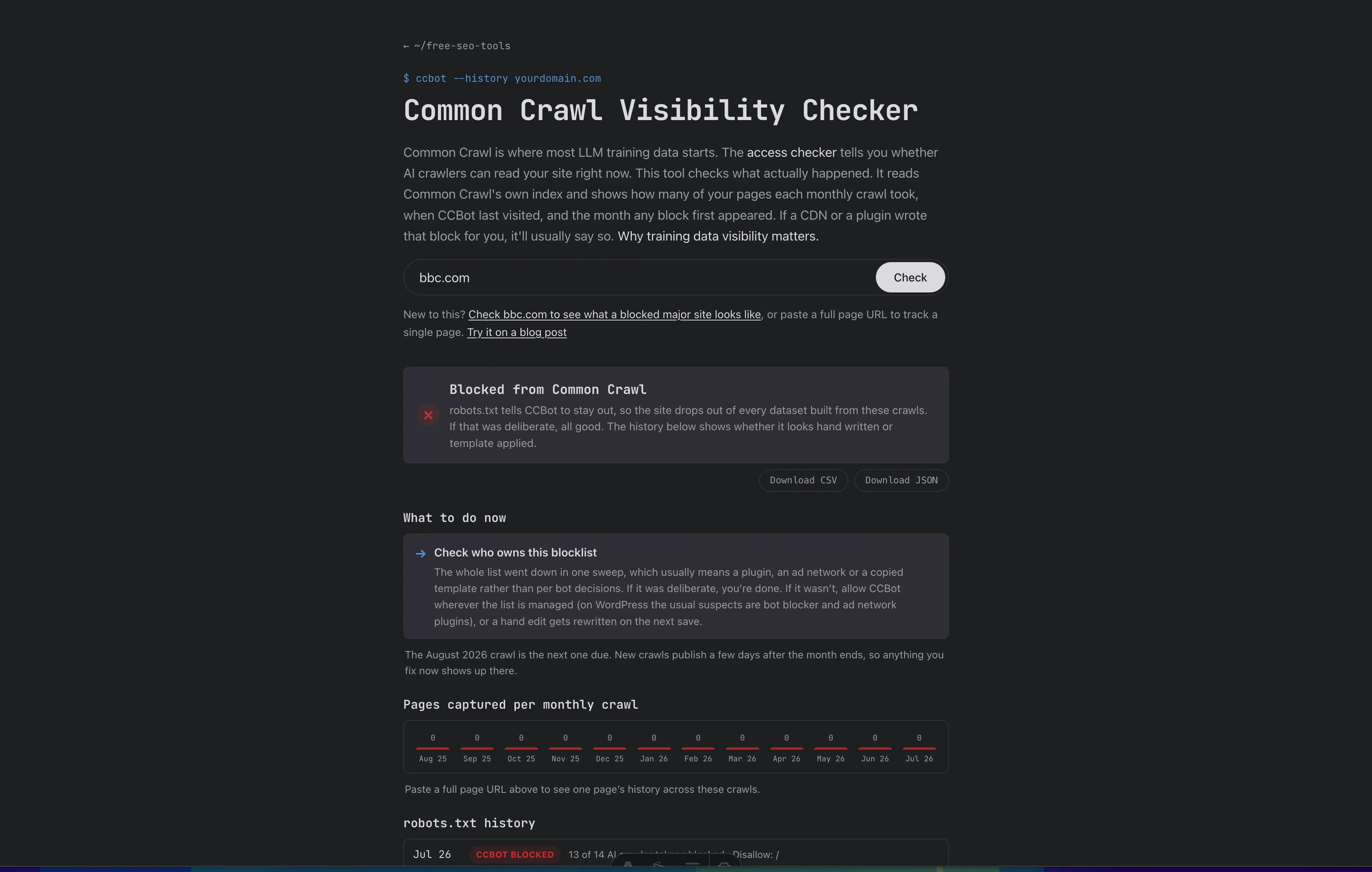
use=signal), and there’s now a free AI Crawler Access Checker to see whether crawlers can actually reach you. Full changelog at the bottom.Update (22nd June 2026): Added a section on Agentic Resource Discovery, the
/.well-known/ai-catalog.jsonGoogle and 10 others shipped on 17 June to let agents discover your MCP server, A2A agent, and API from one index. It is live on this site and sits in the Layer 2 stack next to the cards it points at. Two free tools came out of it too, a discovery checker and an agentic web search. Full changelog at the bottom.
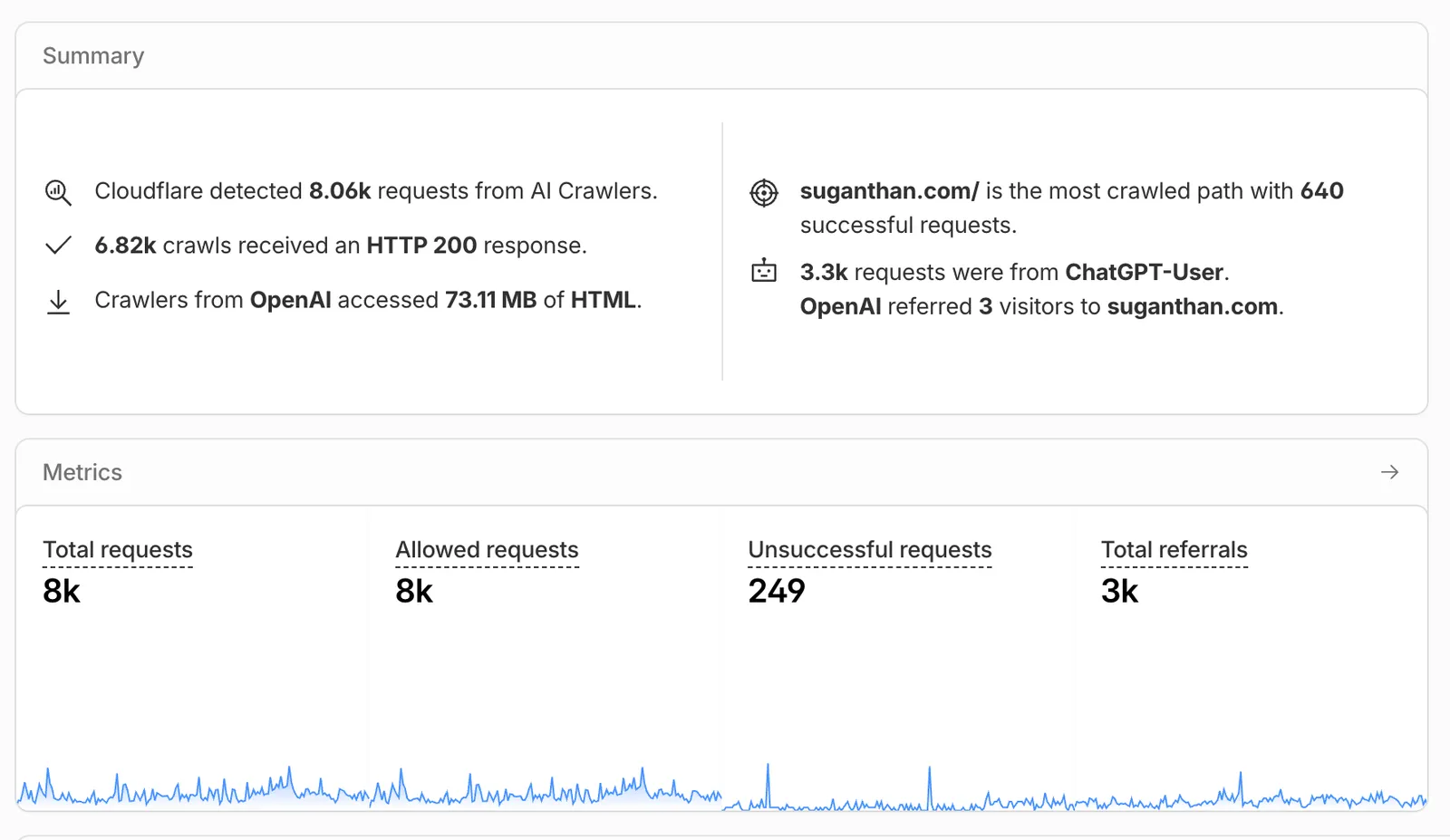
In the past 7 days, AI crawlers made 8,060 requests to my personal website. The previous 44-day window saw 1,421.
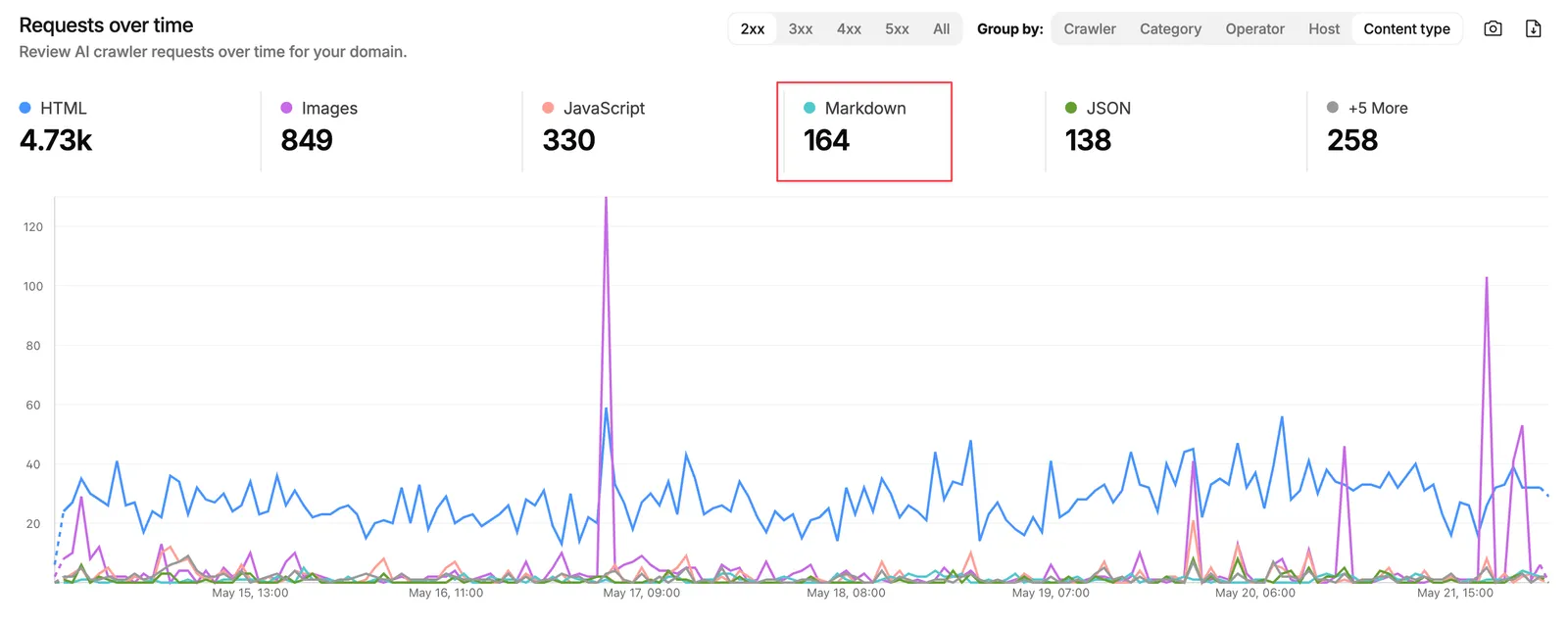
Most of them weren’t ChatGPT. Claude, Perplexity, Gemini, and roughly a dozen agents I couldn’t fully identify fetched my blog posts, my llms.txt, and a few endpoints I didn’t even know I had exposed. They did this without me doing anything special to attract them. I logged this through the Cloudflare Markdown for Agents experiment and watched the numbers grow.
That data is what changed my thinking on the agent-ready question. I used to file it under “maybe in 2027”. Then I watched the logs.
The short version. “Agent-ready” splits into two surfaces. The page itself (semantic HTML, accessibility, stable layout) and everything around it (llms.txt, MCP Server Cards, OAuth metadata, A2A discovery, Markdown negotiation). Shipping the protocol stack does not guarantee AI citations or referral traffic. What it does, on current evidence, is reduce parsing cost for the agents already fetching you (roughly 5x payload drop via Markdown negotiation) and make you legible to systems deciding whether to cite you. The rest of this post is the implementation, the tools, the case study on this site, and an honest read on whether you should bother yet.
The mental model
Agents interact with your site at two surfaces. Get this wrong and the rest of the post will not make sense.
Layer 1 is the page itself. What an agent gets when it fetches a URL. Semantic HTML, stable layout, ARIA, accessibility primitives, the rendered DOM. Three things agents typically do with a page. Take a screenshot (visual reasoning), read the raw HTML (text extraction), or walk the accessibility tree (structured navigation). Google has been writing about this layer for years under the accessibility banner.
Layer 2 is everything around the page. What is discoverable without rendering. robots.txt, sitemap.xml, Link headers, llms.txt, the entire /.well-known/ directory, Markdown negotiation, OAuth metadata, MCP and A2A discovery, WebMCP, commerce protocols.
The page-level surface has been technical SEO ground for a decade. The protocol-level surface is the new work. Most of this post talks about the protocol layer.
What shipping this stack does and does not do
Before any of the implementation detail, the boundary on what to expect. Shipping llms.txt, MCP Server Cards, A2A discovery, or any of the protocols in this article does not guarantee AI citations, AI search visibility, or referral traffic. The strongest single piece of evidence for that statement is Google’s own AI optimization guide: “you don’t need to create new machine readable files, AI text files, markup, or Markdown to appear in generative AI search.” The closest causal study, Ahrefs across 1,885 pages, found no significant 30-day citation uplift from schema (the most-studied protocol-layer signal). Nobody has published a comparable study showing llms.txt, MCP, or A2A drives citations either. Anyone selling you that certainty is selling a product, not the truth.
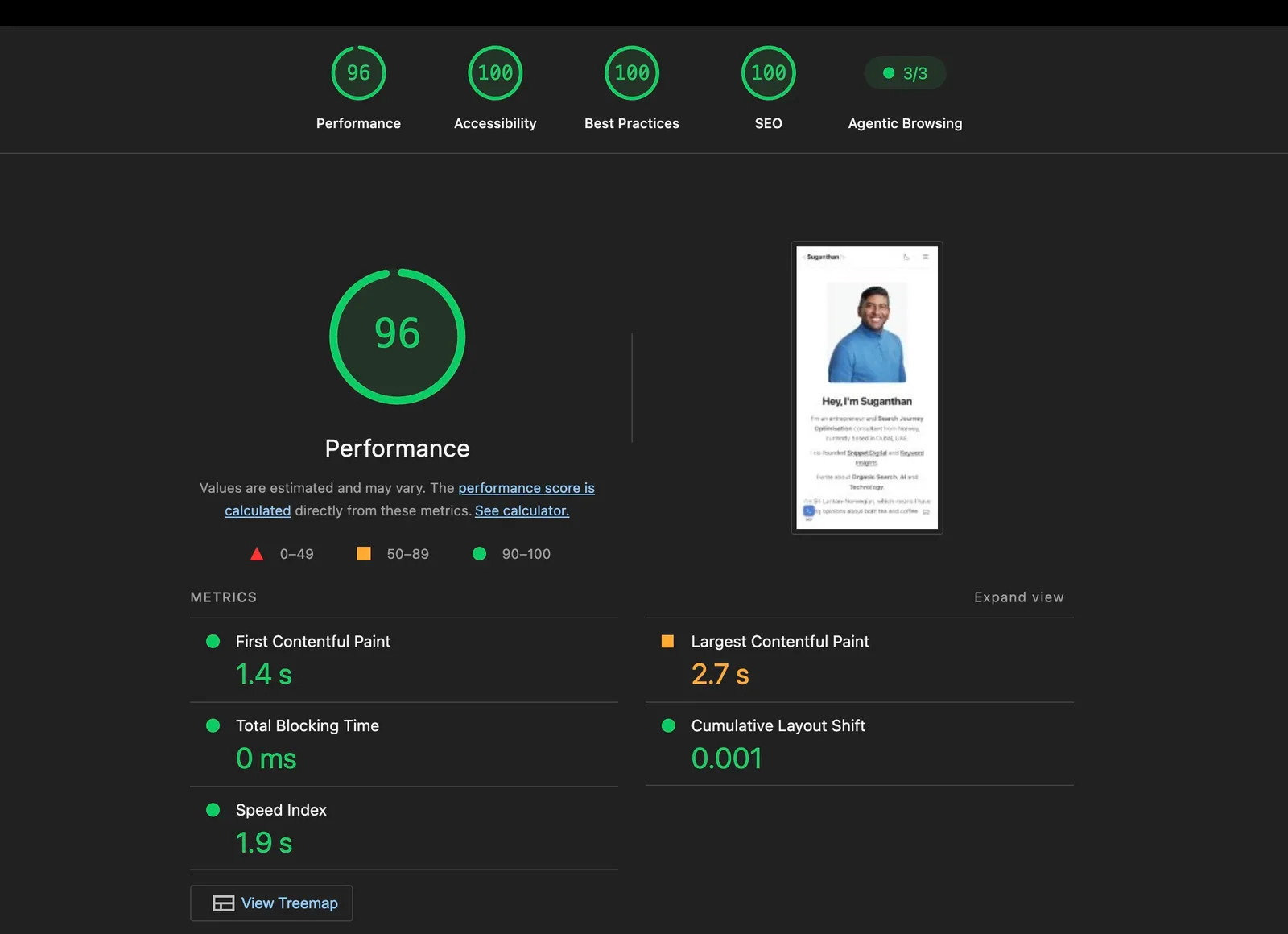
What the protocols demonstrably do, on the evidence available, comes down to two things. First, they reduce fetch and parse cost for the agents already coming to read your site (Cloudflare’s published data and my own 44-day Markdown for Agents experiment both confirm roughly a 5x payload drop). Second, they make you legible to the systems deciding whether to cite, train on, or surface you (Chrome’s Lighthouse Agentic Browsing audit now checks for llms.txt at the domain root, and my server logs show ChatGPT-User, ClaudeBot, and OAI-SearchBot fetching these endpoints regularly). Whether those systems then pick you over the next page in their stack is a content, authority, and entity-infrastructure question. Not a protocol question.
What the evidence actually says
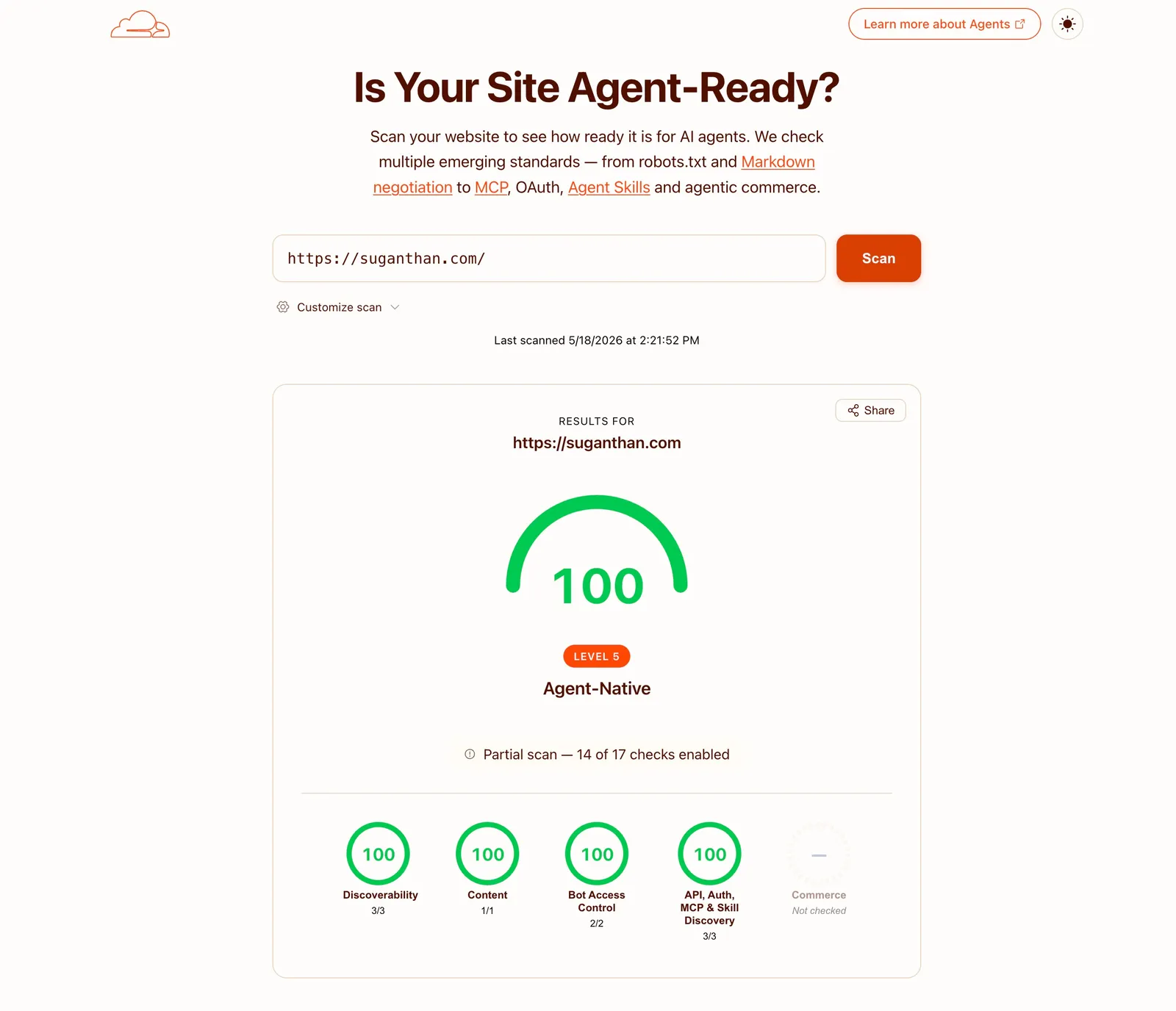
A handful of free and paid tools scan your site and tell you how “agent-ready” it is. Cloudflare’s isitagentready.com covers the protocol layer.
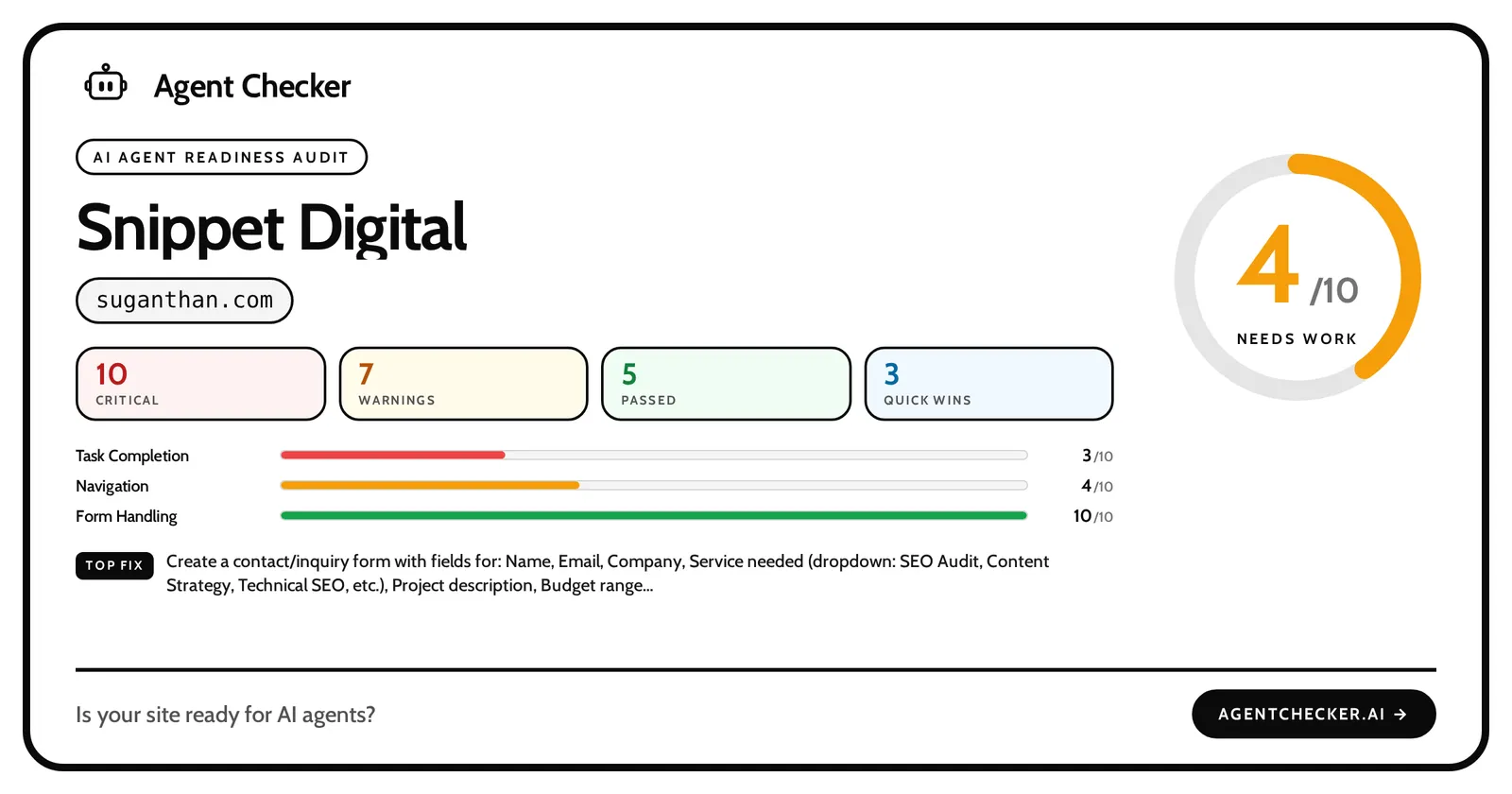
Agentchecker is an automated audit tool that sends a real AI agent to browse your website. It tests the things AI agents care about - structured data, accessible navigation, working forms, clear content hierarchy and scores your site on how well it performs. You get a detailed report with specific, actionable recommendations.
Glippy (by Jan-Willem Bobbink) covers 16 GEO dimensions including information density, entity authority, accessibility for agents, citability, factual verifiability, and content freshness. The checklists overlap with classic SEO and content best practices, sometimes substantially. A green ✓ from any of them does not always translate to “an agent will benefit from this.”
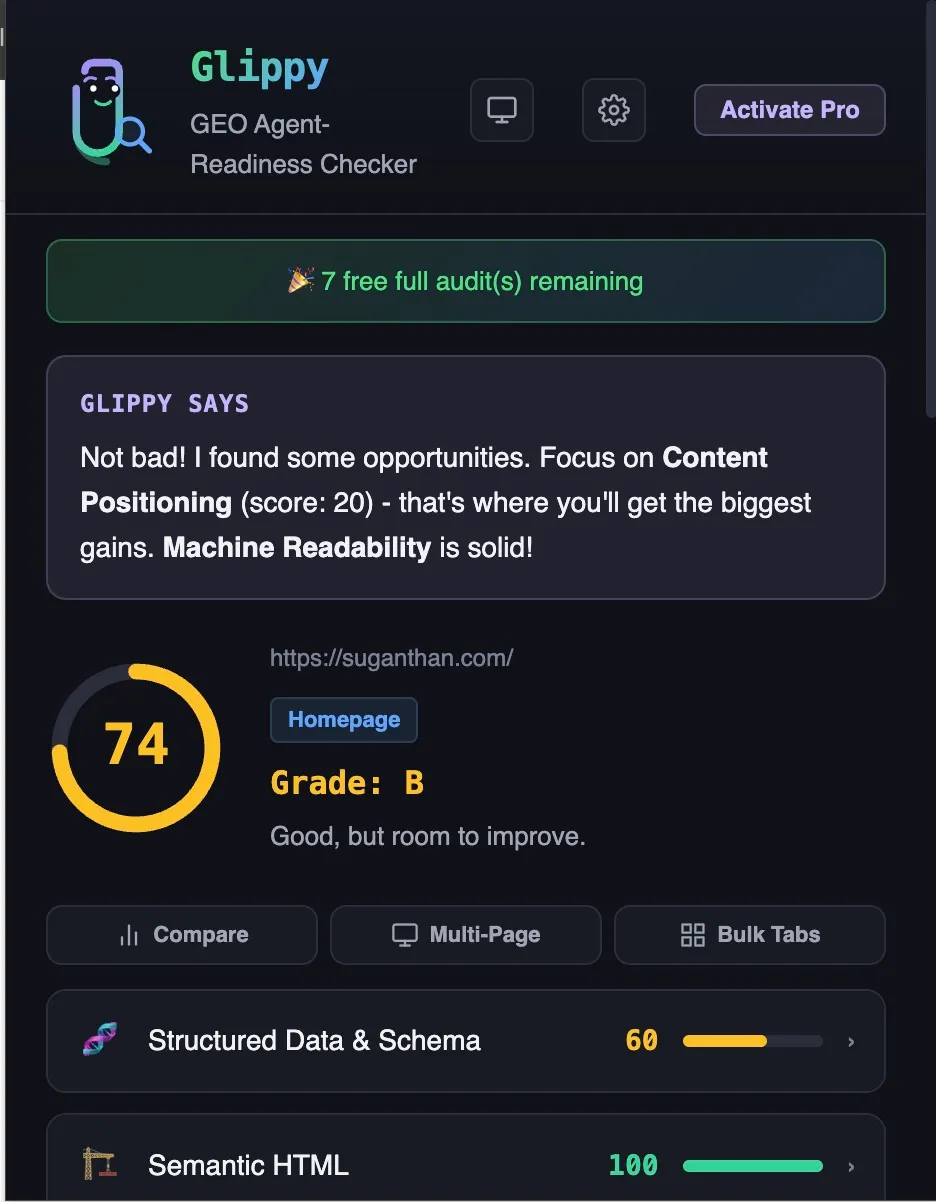
The honest look on the evidence base is mixed.
Where the evidence is strong. AI bots respect robots.txt (observable in your own server logs and Cloudflare’s bot analytics). Common Crawl preserves your raw HTML, which then feeds training corpus (documented in the C4, FineWeb, RedPajama, and Dolma papers). AI assistants fetch the live web at runtime (observable in logs, well-documented across ChatGPT, Claude, Perplexity, Gemini). Some agents (Anthropic Computer Use, OpenAI Operator) walk the accessibility tree, so semantic HTML is required there.
Markdown negotiation reduces parsing cost (Cloudflare has published the data, and my own logs show payload drops from about 85 KB HTML to 16 KB markdown on the same blog post). Dan Petrovic at Dejan.ai has also published the most rigorous empirical research on AI search behaviour.
His findings include that Google allocates roughly 2,000 words of grounding budget per query, that only about 32% of a page typically survives the AI search filter, and that 800-word dense pages achieve 50%+ coverage versus 4,000-word pages at 13%.
Where the evidence is weaker. The specific claim that adding structured data directly drives AI citations has weak evidence. The Ahrefs causal study of 1,885 pages found no significant 30-day uplift; the searchVIU experiment showed 5 of 5 tested AI systems strip JSON-LD at runtime and rely on visible content. Both studies measured runtime citation behaviour and nothing else. Neither tested schema’s broader job as entity infrastructure feeding Google’s Knowledge Graph, Rich Results, or the canonical entity stores LLMs inherit from at pretraining. The Three Lives of Schema Markup explains this in detail. The short version. Schema is not the AI citation lever LLM visibility vendors sold, but it remains entity infrastructure with a strong indirect case. “Information density” overlaps with Dejan’s findings above; “entity authority” and “citability” remain mostly correlational outside his specific research lines.
Where there is no evidence found. Specific claims that internal linking helps agents (beyond its known role as a Google ranking signal), that “factual verifiability” as a site-level signal moves agent behaviour, or that “content freshness” is treated differently by agents than by humans. These might be true. The studies that would prove or disprove them have not been published. If you’re reading this and know any sources/claims/studies please share in the comments.
What the bot data does prove
In the last 7 days, 8,060 AI crawler requests came in from at least 8 identifiable organisations (OpenAI, ByteDance, Google, Meta, Perplexity, Anthropic, Apple, Manus). For context, the previous 44-day window saw 1,421. This site is nowhere near mainstream traffic.
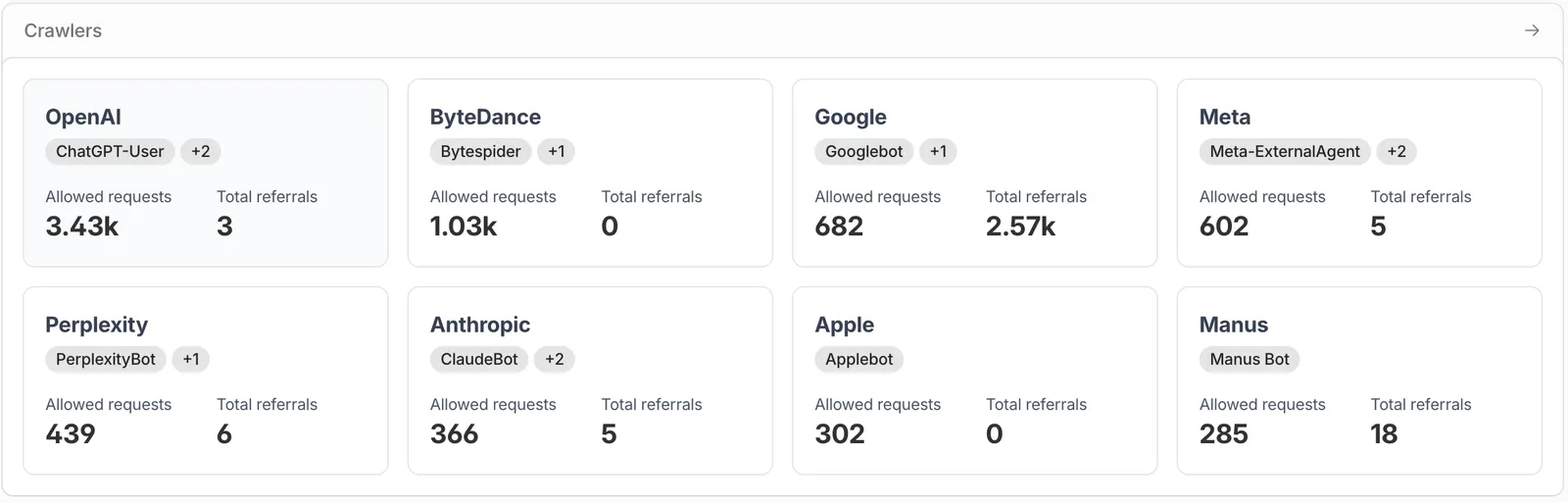
The breakdown by organisation:
| Organisation | Top crawlers | Crawl requests | Referrals back to my site |
|---|---|---|---|
| OpenAI | ChatGPT-User and others | 3,430 | 3 |
| ByteDance | Bytespider | 1,030 | 0 |
| Googlebot and Google-Extended | 682 | 2,570 | |
| Meta | Meta-ExternalAgent | 602 | 5 |
| Perplexity | PerplexityBot | 439 | 6 |
| Anthropic | ClaudeBot | 366 | 5 |
| Apple | Applebot | 302 | 0 |
| Manus | Manus Bot | 285 | 18 |
A few things worth flagging from that table. OpenAI dominates crawl volume at 43% of the total but the referral side is statistical noise (3 humans across 7 days). ChatGPT pulls aggressively and surfaces almost none of it. Google’s 2,570 figure blends Search and Gemini referrals (Cloudflare’s panel counts any referral from a Google property), so it isn’t a clean “AI agent” referral count and you should read it as Search-dominant. Manus has the highest crawl-to-referral ratio of any AI-only source on the list. 18 referrals from 285 crawls, roughly 6 percent. Small in absolute terms but actively converting some of what it pulls. The 8,060 total minus the 7,136 attributed to these eight organisations leaves roughly 920 requests from agents Cloudflare could not categorise. The long tail of unidentified crawlers is real and growing.
The bot demand is real. Whether you can convert that demand into citations is a separate question my data does not yet answer, and the Ahrefs and searchVIU evidence above suggests the runtime citation lever is weaker than vendors claim. What the protocols demonstrably do is make it cheaper and easier for the agents already coming to read you. The bigger your audience, the more that matters; the smaller your audience, the lower the urgency. The citation layer is where the upcoming AI Share of Voice piece will look directly.
For per-model behavioural data on the next-layer question (what each agent actually surfaces to its human user when it does pull your content), Ramp ran an experiment embedding incentive offers across 50 of their marketing pages and tracked which agents relayed them. Their findings line up with the asymmetry in the table above. Claude surfaced the exact offer and booking URL to users. Perplexity was vague. ChatGPT mentioned nothing across 32 days despite being the highest-volume crawler. Crawl rate and surfacing rate are different metrics. Worth reading alongside this piece if the question of what agents do with your content matters more than whether they fetch it.
A note on which protocols are officially acknowledged
Many of the well-known files and headers in this article are emerging conventions. Some are RFC-registered (the four agent-aware Link rels, OAuth Protected Resource, OIDC discovery). Some are vendor-driven (Markdown negotiation, Content Signals). Some are bleeding-edge specs (A2A Agent Cards, Agent Skills, the commerce protocols).
LLM provider endorsement is uneven. Perplexity has publicly indicated they read llms.txt. Anthropic and OpenAI have not officially confirmed runtime use. Google’s Search team explicitly says you do not need new machine-readable files for AI search. Google’s Chrome team, the same month, shipped a Lighthouse llms.txt audit and stated agents “may spend more time crawling the site” without one. A third team, Google Cloud, then shipped the Open Knowledge Format, a markdown bundle spec for feeding content to agents (covered below). Same company, three teams, three different answers. Take all of this as data, not gospel.
The schema.org precedent is worth knowing. In 2011 to 2013 schema was niche, future-proofing, with weak direct ranking value. Most SEOs ignored it. By 2017 it was table stakes for technical SEO. By 2025 the early adopters had built entity foundations the LLMs inherited at scale via the Knowledge Graph and the canonical entity stores their corpus derived from. Agent protocols in 2026 are at a similar early stage. That is not a guarantee they follow the same path. It is a precedent that suggests early implementation may compound longer-term. The full version of this argument is in The Three Lives of Schema Markup.
Is this for you, and is it for you yet?
There are roughly four buckets of reader for this post. Only two of them should act on it today.
Act now. Technical SEOs and SEO agencies, brands tracking AI search citation or share of voice, AI-first products (chatbots, agents, AI APIs), documentation sites for technical products, anyone selling to an audience that already runs AI agents against the web.
Plan for it. Mid-size content publishers (10,000+ monthly visitors), ecommerce sites with structured product data, local businesses with high-intent users, anyone whose competitors are starting to ship agent protocols.
Optional. Personal blogs, hobby sites, sites under 5,000 monthly visitors, sites whose audience does not use AI tools regularly.
Skip. Static sites with no content updates, sites where the audience is offline or non-tech.
If you are in the optional or skip buckets, read the rest for context but do not feel pressure to ship anything. The technical components are interesting and the work is not wasted, but the value compounds for sites in the first two buckets. Everyone else can come back to this in 12 months.
Layer 1: The page itself
Most of Layer 1 is traditional SEO and accessibility done well. Google’s web.dev article on building agent-friendly websites by Kasper Kulikowski and Omkar More covers this well. Quick technical version, with code, for the agent context.
Stable layout. Avoid layout shifts. CLS matters for users and for agents that take screenshots between actions. Reserve space for images, fonts, and dynamic content. The Core Web Vitals work most teams already do covers this.
Semantic HTML. Use <button> for buttons, <a> for links, <nav> for navigation, <main> for main content. An agent reading the accessibility tree gets clear roles. A <div onclick> is invisible to an agent walking the tree.
Fallback roles when you must use divs. If a div has to be a button (legacy code, design system constraint), add role="button" tabindex="0" so it shows up in the accessibility tree. Same for menus, dialogs, listboxes.
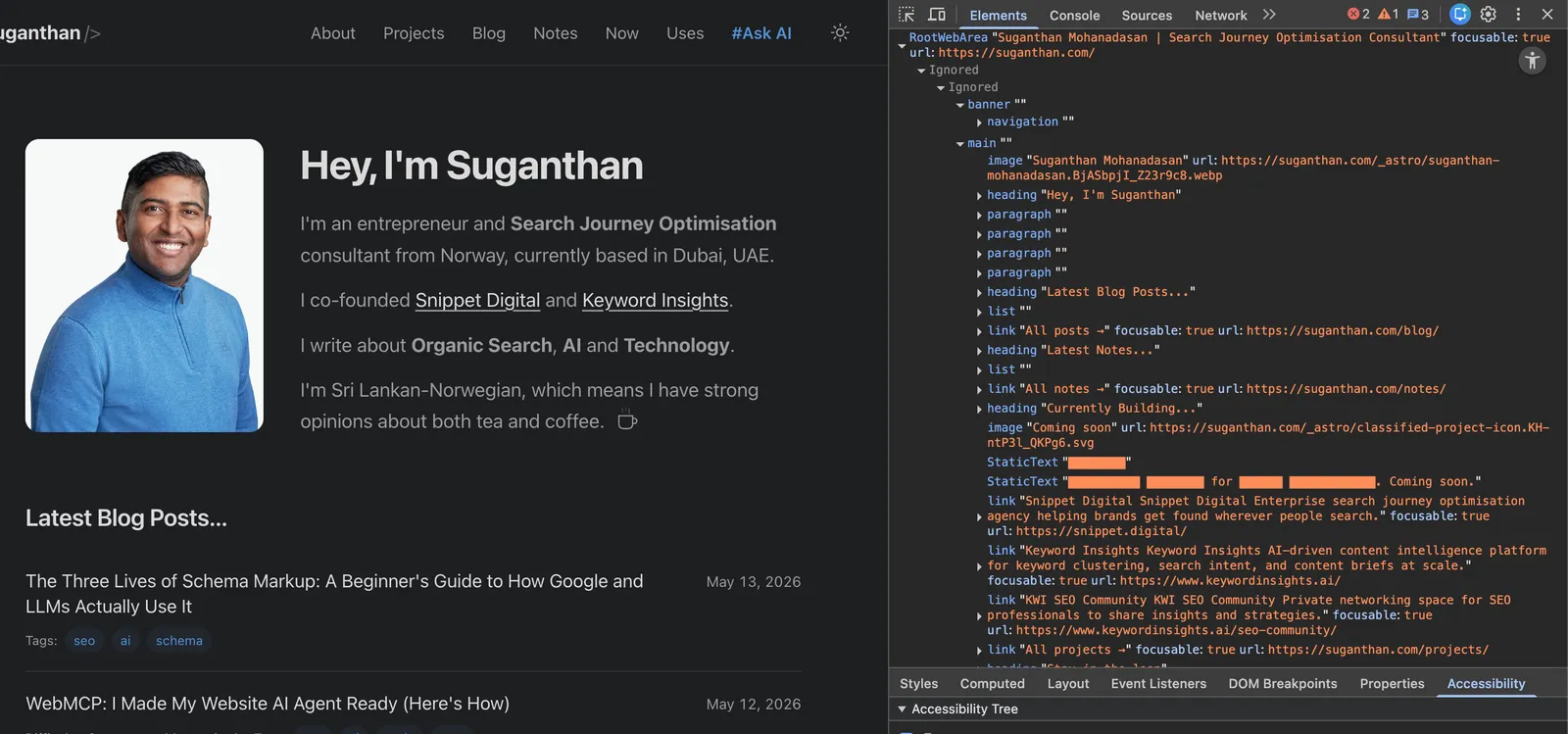
cursor: pointer for interactive elements. Tells visual agents what is clickable in a screenshot. Cheap signal, often missed.
<label for="id"> linking inputs. Without it, an agent does not know what an input is for. With it, the agent can reliably target the right field when filling forms.
Tap targets larger than 24 by 24 pixels. Google’s article uses 8 square pixels as the floor, but the WCAG 2.5.8 recommendation of 24x24 is the safer target. Both users and visual agents benefit.
No ghost overlays. Invisible elements layered over interactive ones break click handling for users and confuse agents that look at the DOM stack. Audit for position: absolute elements with high z-index that no longer serve a purpose.
These are accessibility and UX wins regardless of whether you care about agents. Ship them.
Layer 2: Around the page
The protocol layer. This is most of the work. Many of these are emerging conventions, and the mental model section above is the calibration on which ones are officially acknowledged versus which are still industry conventions. The status label on each component below is the current state as of this writing.
robots.txt with AI bot rules
Every major AI company publishes an opt-in user agent. The simplest form of agent-readiness is adding rules for them. Most respectful crawlers ask first.
User-agent: GPTBot
Allow: /

User-agent: ClaudeBot
Allow: /

User-agent: PerplexityBot
Allow: /

User-agent: CCBot
Allow: /

User-agent: anthropic-ai
Allow: /

User-agent: OAI-SearchBot
Allow: /

User-agent: Google-Extended
Allow: /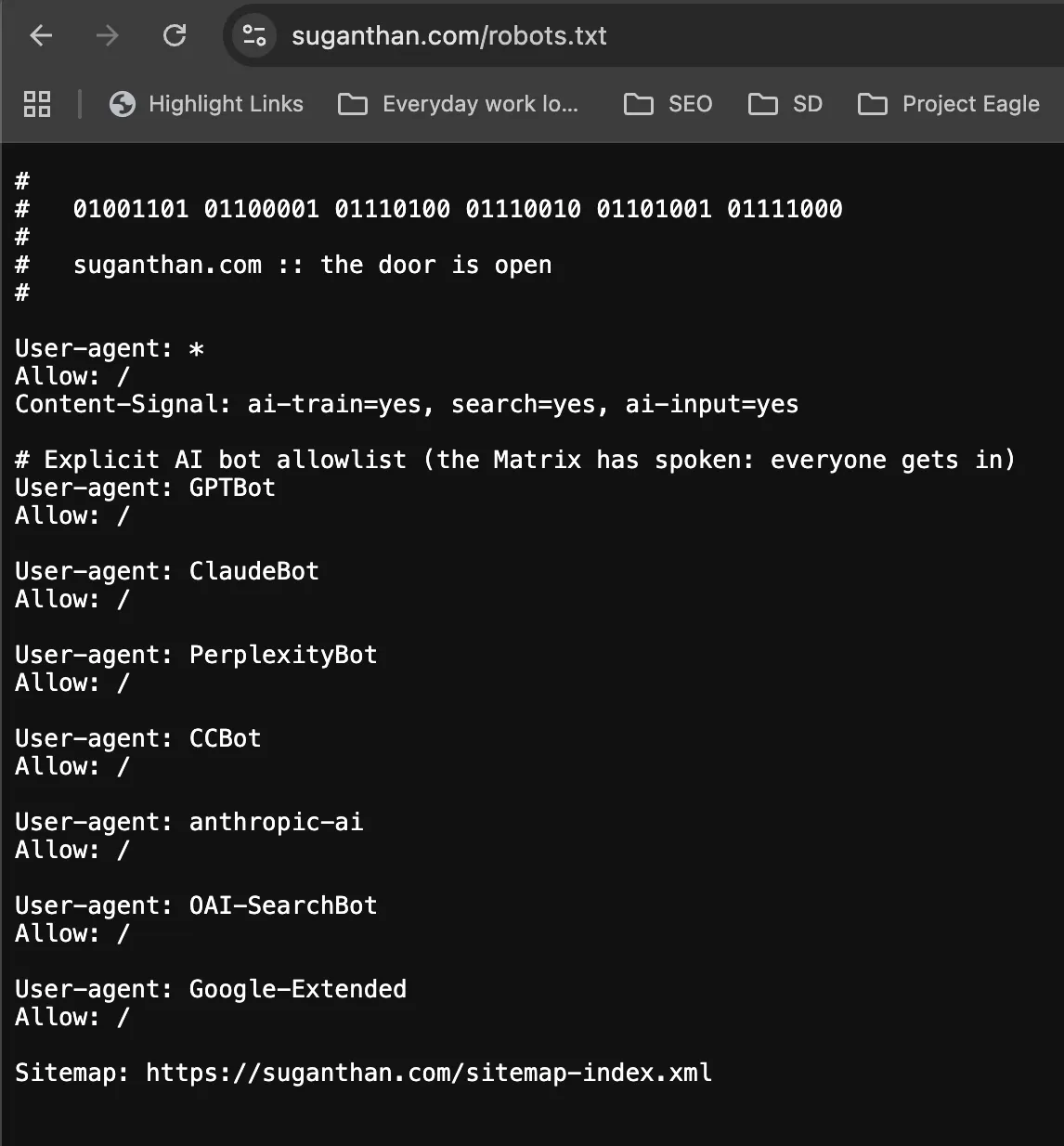
If you want to block one specifically, switch its Allow to Disallow. Be deliberate about it. Blocking everything is the loudest way to disappear from AI search.
Pair this with network-level enforcement at your CDN or WAF. Cloudflare, AWS, and Fastly all let you allow or block AI bots at the edge. Think of robots.txt as the polite signal and the CDN config as the enforcement layer. You want both. robots.txt covers the well-behaved bots that read it first. The CDN covers the rest.
Status: stable. Do less reputable scrapers ignore it? Yes, some do. The rule still matters because the ones that respect it (and they are the ones whose users matter) will read it.
sitemap.xml and Link headers
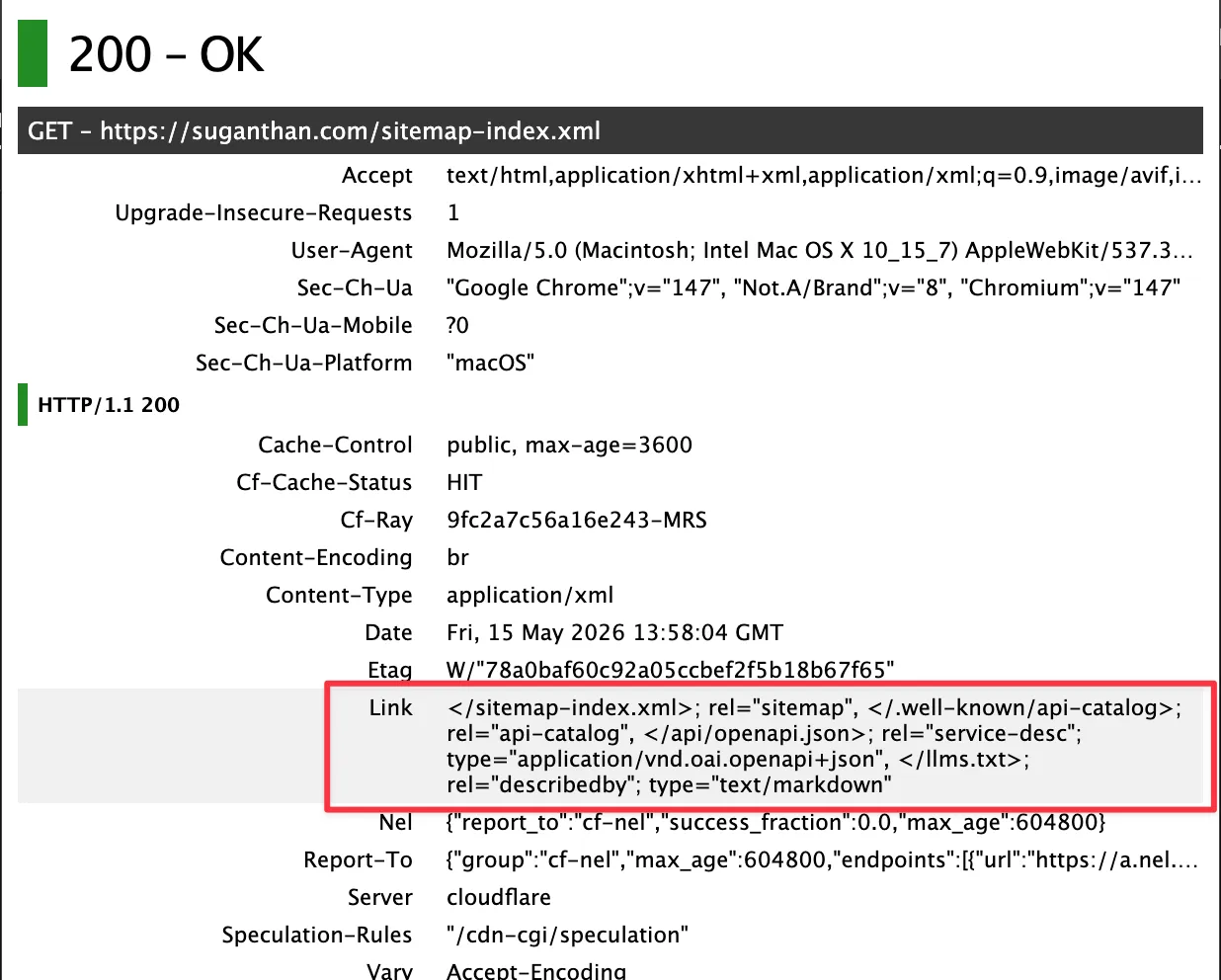
Every site should already have a sitemap. The agent-readiness upgrade is the Link HTTP header, which surfaces important resources to agents that scan headers before bothering with HTML.
Be warned. Not every rel value is “agent-useful”. You will see writeups recommending rel="llms", rel="ai", or other invented values. (If you’re wonder why I have it, thats because I’m doing a different experiment)
Agent-aware scanners ignore those because they are not in the IANA Link Relations registry. The four that actually matter for agents are all RFC-registered.
rel="api-catalog"(RFC 9727). Points to a list of your APIs.rel="service-desc"(RFC 8631). Points to a machine-readable API spec like OpenAPI.rel="service-doc"(RFC 8631). Points to human-readable API docs.rel="describedby"(RFC 8288). Points to a description of the site, which is the right rel forllms.txt.
On Cloudflare Pages or Workers, add to your _headers file:
/*
  Link: </sitemap-index.xml>; rel="sitemap"
  Link: </.well-known/api-catalog>; rel="api-catalog"
  Link: </api/openapi.json>; rel="service-desc"; type="application/vnd.oai.openapi+json"
  Link: </llms.txt>; rel="describedby"; type="text/markdown"
On other hosts, set the same headers via your framework’s response middleware. The type= parameters tell agents what they are looking at before they bother fetching the file.
An agent fetching your homepage now sees pointers to all of these without parsing the HTML.
Status: stable. All four rels are RFC-registered and recognised by agent-aware scanners.
llms.txt
A plain text file at the root of your domain that summarises what your site is, what is on it, and which pages matter most. The spec lives at llmstxt.org.
A minimal example:
# Suganthan Mohanadasan

> Personal website and blog of Suganthan Mohanadasan, a search journey optimisation consultant and co-founder of Snippet Digital and Keyword Insights.

## Blog Posts

- [The Three Lives of Schema Markup](https://suganthan.com/blog/three-lives-of-schema-markup/): How Google and LLMs actually use schema across rendering, training, and runtime grounding.
- [Cloudflare Markdown for Agents](https://suganthan.com/blog/cloudflare-markdown-for-agents/): 44 days of data on what AI crawlers actually requested from a live site.

## About

- [About Suganthan](https://suganthan.com/about/)
The format is human-readable, machine-parseable, and trivially cheap to maintain. The realistic use case as of mid-2026 is narrower than most agent-readiness advice claims.
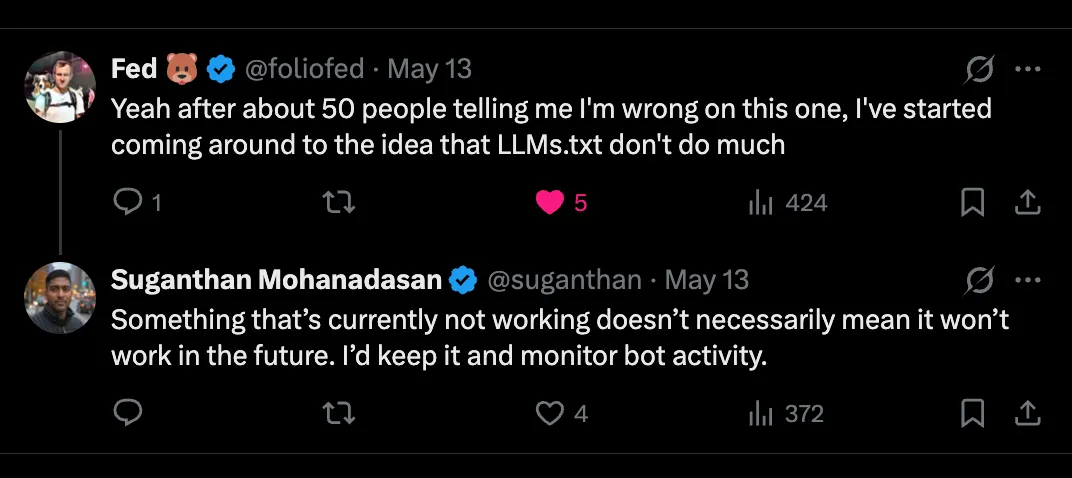
Where the file is actually fetched today. The observable use case is coding agents looking up technical documentation, not chatbots grounding answers about your site at query time. Claude Code is the cleanest example. Anthropic hardcoded platform.claude.com/llms.txt into Claude Code’s system prompt. When the agent needs to look up something about its own tooling, it fetches that file first, picks the relevant .md from the index, and reads it. Other coding agents follow the same pattern when their vendor’s docs URL is hardcoded in the system prompt. The trigger is a hardcoded URL in the system prompt, not autonomous discovery on the open web.
That changes what shipping llms.txt realistically does for you. If you run a SaaS, API, dev tool, or library whose docs an LLM coding agent is likely to need, the file is a directly useful index. If you run a personal blog, an agency site, or an e-commerce product page, the chance a coding agent has your URL pre-loaded is close to zero. ChatGPT search, Claude.ai, Perplexity, and Gemini grounding their answers in your file at query time is not observably happening today, regardless of what the spec or various AI-visibility tools claim.
What Google says. The Search team’s AI optimization guide is explicit. “You don’t need to create new machine readable files, AI text files, markup, or Markdown to appear in generative AI search.” That is a definitive statement from Google about Google’s systems and consistent with the broader observation that chatbot grounding does not consult llms.txt.
Chrome Lighthouse audit (May 2026). Chrome’s Lighthouse now includes an llms.txt audit inside a new “Agentic Browsing” category. It is opt-in observability, not endorsement. The audit resolves Not Applicable when the file is missing (no penalty), the category has no weighted score, and Chrome explicitly says the category exists to gather data while standards emerge, not for ranking. The Lighthouse quote about agents spending “more time crawling” without an llms.txt is a hypothetical about agent efficiency, not evidence Google’s own products read the file. Ship one if you want to verify it loads cleanly. Do not read the audit as Google adopting the spec.
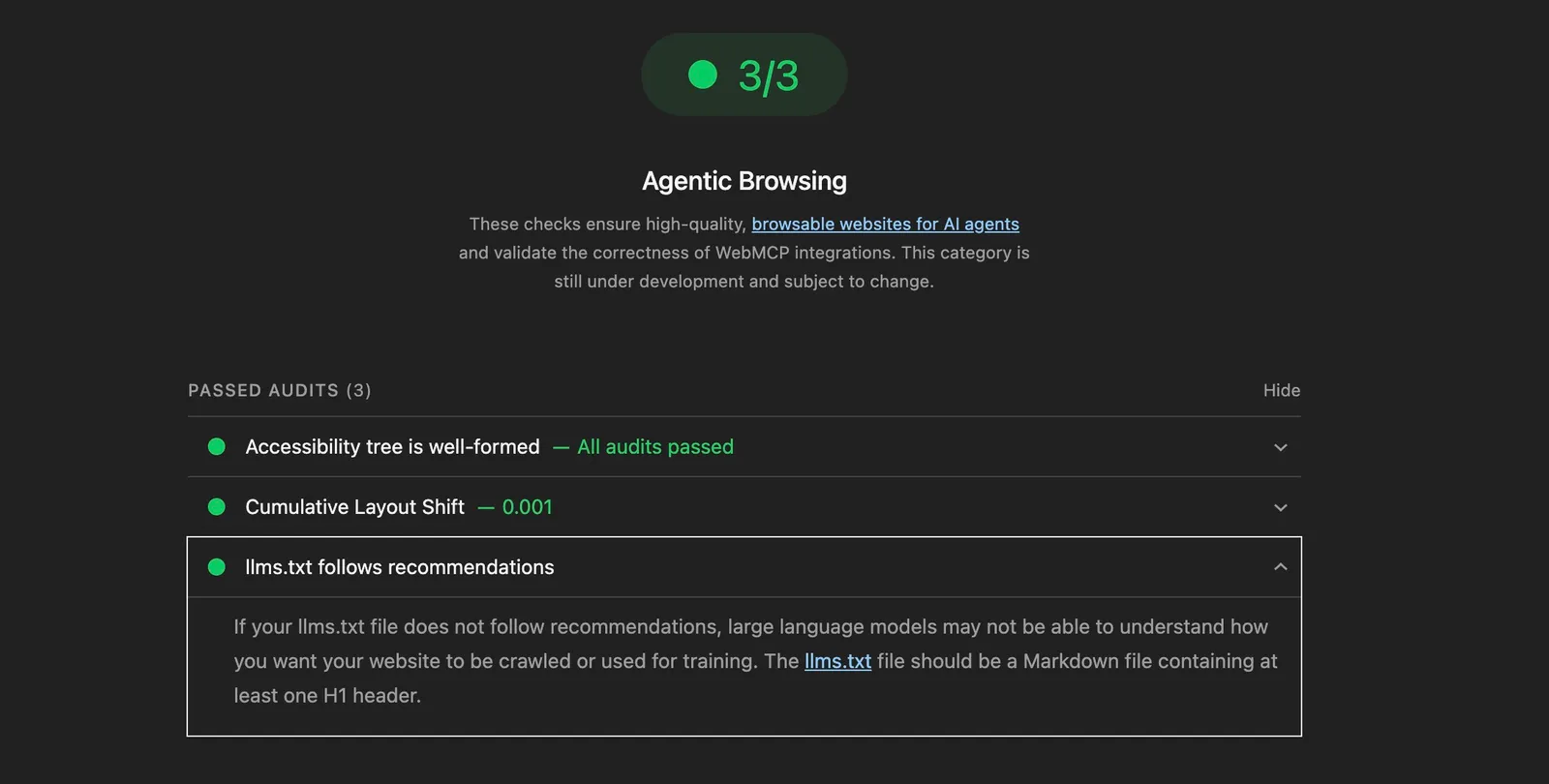
Status: stable spec. Narrow real-world use today (coding agents with hardcoded URLs), with genuine future option value if the standards work matures. No harm shipping a clean file, but calibrate your expectations to “this might pay off later” rather than “this lights up chatbot citations now.”
Open Knowledge Format (OKF)
Where llms.txt points an agent at your important pages, OKF hands over the pages themselves. A bundle is a folder of markdown files, one per page, each tagged with what it is and cross-linked into a graph the agent can walk. Google introduced it in June 2026 as part of Knowledge Catalog, which makes it the rare agent format with Google’s name on it, even at version 0.1.
The honest position is the same as the rest of this layer. Nothing crawls the web for these bundles yet, and Google built the format for data teams sharing tables, not for blogs, so pointing it at a website is a repurposing. The immediate payoff is not traffic, it is a clean machine-legible copy of your content plus a map of how your pages link, which doubles as a free structural audit.
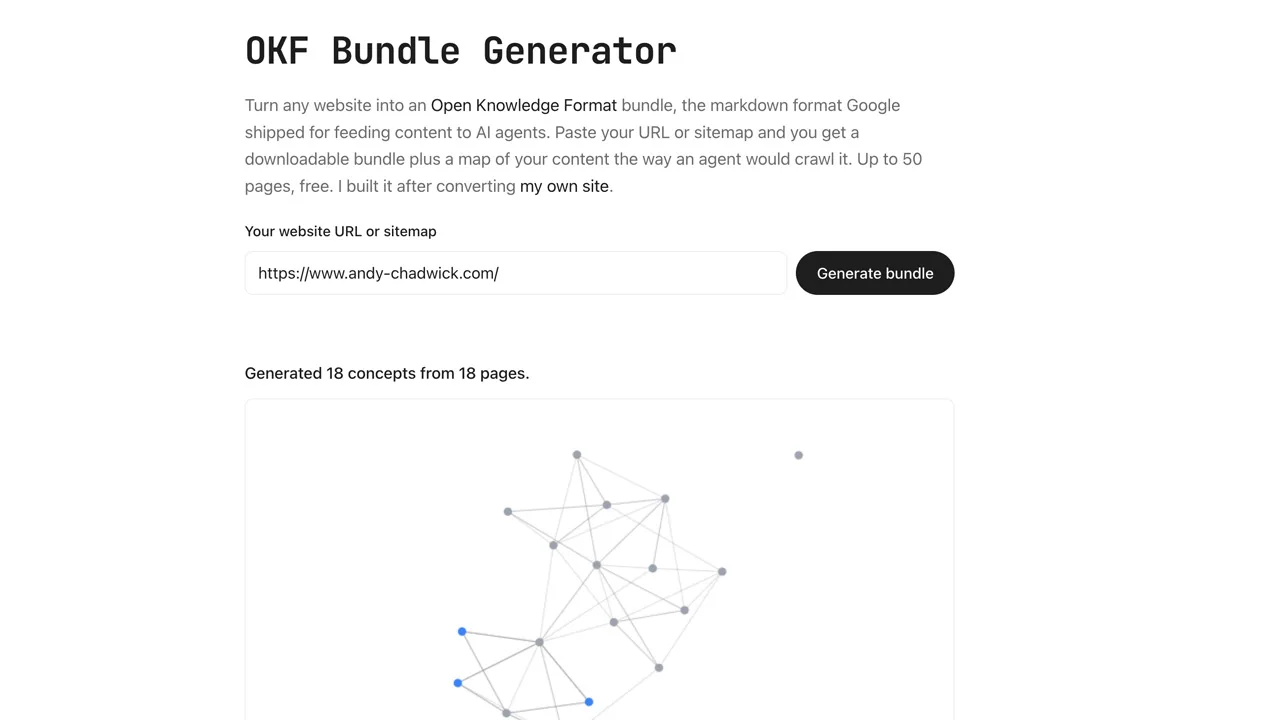
I wrote the full explainer in Open Knowledge Format (OKF): Google’s New Markdown Format for AI Agents, and built a free generator that turns any site or sitemap into a bundle (up to 100 pages) without writing code. My own bundle is live at /okf/.
Status: new (v0.2, July 2026, six weeks after v0.1 added trust signals for provenance, verification and staleness). Google-backed but unread on the open web today. A low-cost early bet, not a traffic source yet.
Markdown negotiation
When an agent sends Accept: text/markdown, return a markdown version of the page rather than the HTML. Agents parse markdown significantly more efficiently than HTML, both in tokens and in extraction quality.
Cloudflare’s “Markdown for Agents” feature does this automatically if you are on their stack.
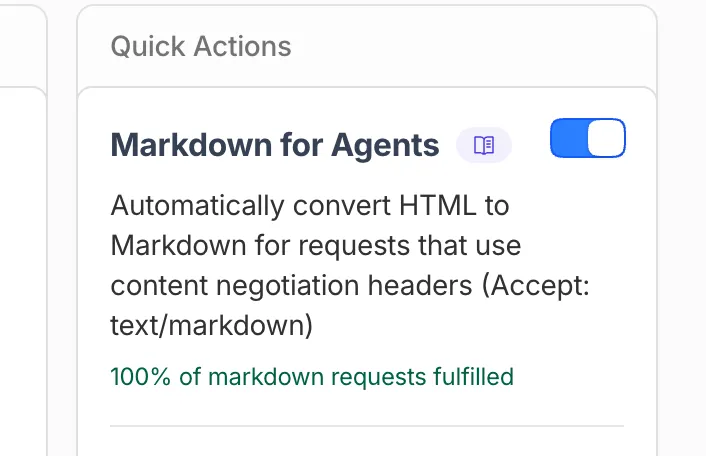
If you are not on Cloudflare, the same logic works as a Worker route, middleware, or framework hook.
export default {
  async fetch(request, env) {
    const accepts = request.headers.get('accept') || '';
    if (accepts.includes('text/markdown') && isContentRoute(request.url)) {
      return serveMarkdown(request, env);
    }
    return env.ASSETS.fetch(request);
  }
}
Status: emerging. Cloudflare popularised it. It is not yet a formal standard, but multiple agents now check for it.
.well-known/mcp/server-card.json (MCP Server Card)
If your site exposes an MCP server, the MCP Server Card is how agents discover it. Two paths exist today.
/.well-known/mcp/server-card.jsonis the standardising convention in the MCP repo (per SEP-1649, pull #2127). Expected shape includesserverInfo(name, version), atransportblock, acapabilitiesblock, and the tools list./.well-known/mcp-server.jsonis the older flat convention some early scanners and implementations still check for.
Easiest move is to serve both during the transition.
{
  "serverInfo": {
    "name": "Suganthan's MCP Server",
    "version": "1.0.0"
  },
  "description": "Tools for searching and reading Suganthan Mohanadasan's blog posts and notes.",
  "transport": {
    "type": "webmcp",
    "endpoint": "https://suganthan.com/mcp/"
  },
  "capabilities": {
    "tools": true
  },
  "tools": [
    {"name": "search_posts", "description": "Search blog posts by keyword"},
    {"name": "get_post", "description": "Get the full content of a specific post"},
    {"name": "list_posts", "description": "List all blog posts"},
    {"name": "get_site_info", "description": "Get site metadata"}
  ]
}
This is for sites that host an MCP server. If you have not built one, skip this and come back when you have. The spec is maintained at modelcontextprotocol.io.
Status: emerging. SEP-1649 is the standardising direction. Serve both paths until the older one is fully retired.
.well-known/agent.json (A2A Agent Card)
If your site is itself an agent, that is, it offers services another agent might call, Google’s A2A protocol uses /.well-known/agent.json for discovery.
{
  "name": "Suganthan Blog Agent",
  "description": "Answers questions about Suganthan Mohanadasan's blog content.",
  "endpoint": "https://suganthan.com/api/agent/",
  "capabilities": ["search", "summarise", "answer-questions"],
  "version": "0.1.0"
}
Most content sites do not need this. If you run an agent or expose an API designed to be consumed by other agents, you do.
Status: bleeding edge. Google’s A2A protocol spec is still moving. Pin to a dated version if you ship. (You can see here in detail)
.well-known/ai-catalog.json (Agentic Resource Discovery)
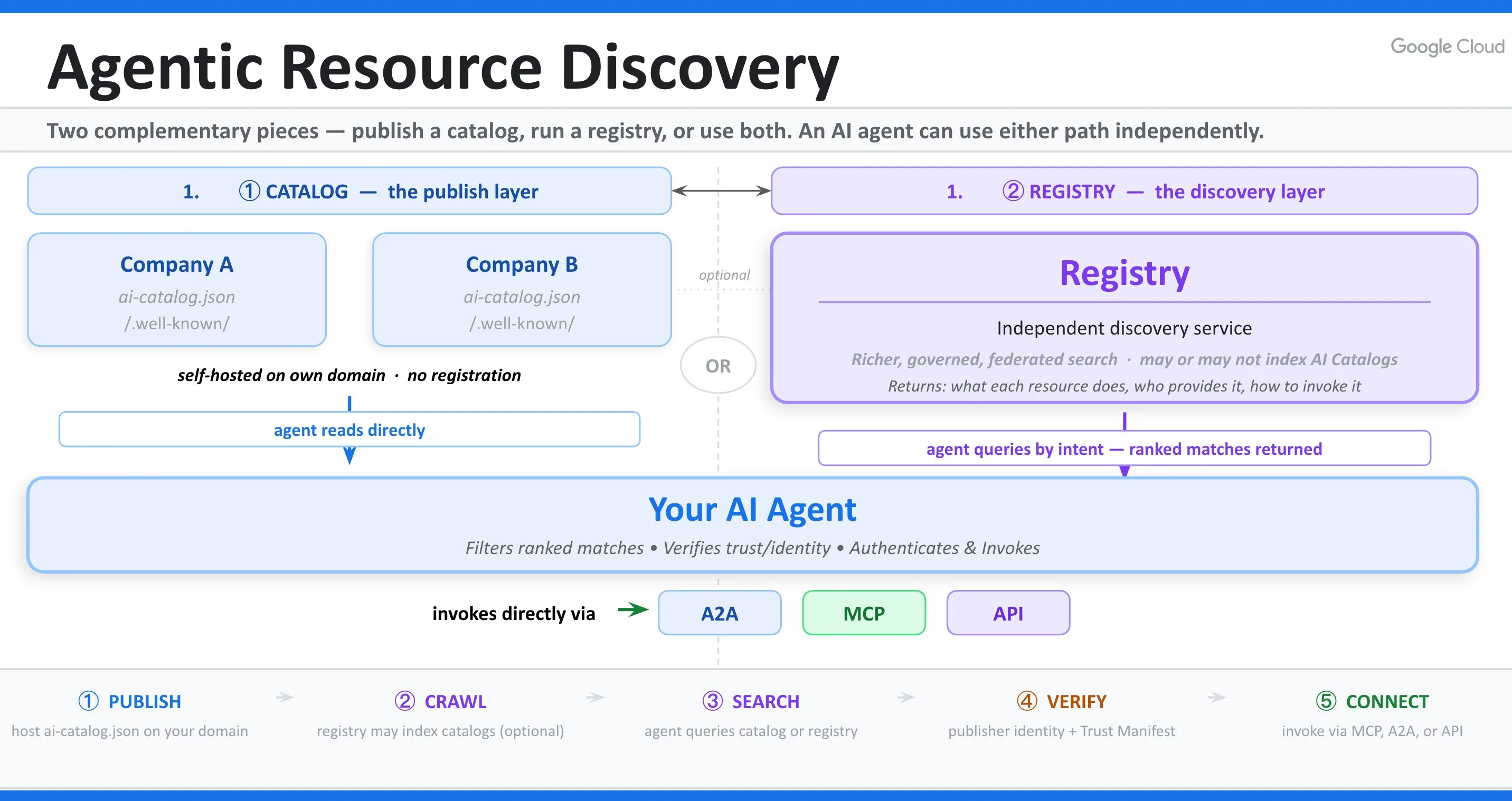
The newest component, and the one that sits directly on top of the two cards above. On 17 June 2026, Google and 10 other companies (Microsoft, GitHub, Hugging Face, Nvidia, and Salesforce among them) published Agentic Resource Discovery, a spec for how agents find tools, agents, and APIs across the web. Where the MCP Server Card and the A2A Agent Card each advertise one capability, ARD’s ai-catalog.json is the single index that points at all of them at once.
Do not confuse it with the api-catalog from later in this post. They are one letter apart and everyone is about to mix them up. api-catalog (RFC 9727) lists your public APIs and stops there. ai-catalog.json lists tools, MCP servers, A2A agents, and nested catalogs, and it adds a second half api-catalog has no concept of, registries that crawl those catalogs across the web and answer natural-language queries. Think the agentic web’s version of a search engine. The two sit side by side. ARD is the layer above, not a rename.
A catalog trimmed to one entry, pointing at the MCP card this site already serves:
{
  "specVersion": "1.0",
  "host": {
    "displayName": "Suganthan Mohanadasan",
    "identifier": "did:web:suganthan.com",
    "documentationUrl": "https://suganthan.com/mcp/"
  },
  "entries": [
    {
      "identifier": "urn:ai:suganthan.com:server:blog-mcp",
      "displayName": "Suganthan's MCP Server",
      "type": "application/mcp-server-card+json",
      "url": "https://suganthan.com/.well-known/mcp/server-card.json",
      "representativeQueries": [
        "find an MCP server that can search a blog about SEO"
      ],
      "version": "1.0.0"
    }
  ]
}
Two details that cost me time. specVersion is "1.0", not 0.9, even though the spec document is a v0.9 draft. Validation fails on anything else. And every identifier is a URN matching urn:ai:<publisher>:<namespace>:<name>, where the publisher segment has to be your own domain. The representativeQueries are the text a registry embeds to match natural-language searches, so write them as the questions a real person would type.
The spec defines four ways to advertise the file. The well-known path, an Agentmap: line in robots.txt, a rel="ai-catalog" link in the page head, and a DNS Service Binding record. I ship the first three plus the same pointer as an HTTP Link header, and skipped DNS because touching it for a draft spec was a step too far for a file that already has three other front doors.
The honest calibration is the same as OKF. The publisher half works today. I validated my file against the official conformance tool, and the Hugging Face reference client, pointed cold at this site, read my capabilities straight back. The registry half, an agent finding you from a public index that crawls the open web, is days old. Hugging Face runs one across its own Spaces and nobody is crawling the open web yet. The catalog is cheap, and it sits ready for the day they start.
One trap if you sit behind a WAF. Cloudflare’s managed bot rules blocked the official conformance tool, which fetches with Python-urllib and gets treated as a bad actor, while ClaudeBot, GPTBot, and a blank user-agent all walked straight in. Same file, different doorman. Publishing the catalog is necessary and nowhere near sufficient. Confirm a plain HTTP client can actually fetch your /.well-known/ path before you call it live.
I shipped the whole thing on this site and wrote up the build, the validation output, a field test of all 11 launch companies (none serving a catalog on their main domain three days in), and two free tools, an Agentic Resource Discovery Checker that runs this entire check against your own domain and a hosted Agentic Web Search, in I Shipped Agentic Resource Discovery on This Site.
Status: bleeding edge. Google plus 10 others on a Linux Foundation data model, June 2026. The catalog half is real today; the registry half is a promise with one working demo.
WebMCP
Two different things share this name. They solve the same problem differently and an agent-ready site eventually wants both.
jasonjmcghee/WebMCP (JavaScript library, works today). A drop-in JS widget that exposes tools to MCP clients via a local WebSocket bridge. Works in any browser including stable Chrome, Safari, and Firefox. Agents connect through a local helper process.
W3C / Chrome WebMCP (browser-native API). A proposed browser API exposed as navigator.modelContext. Currently in Chrome Beta behind a flag. When called, it registers tool definitions directly with the browser, no bridge required. Chrome’s Early Preview Program launched in February 2026 and the standards work continues at TC39.
A site that wants to be agent-ready in both today’s world and tomorrow’s ships both. The widget covers any agent talking to any MCP client today. The native API covers browser-agent direct integration as it ships in stable browsers.
// Feature-detect and register tools for the native API
if ('modelContext' in navigator) {
  navigator.modelContext.provideContext({
    tools: [
      {
        name: 'search_posts',
        description: 'Search blog posts by keyword',
        inputSchema: { type: 'object', properties: { query: { type: 'string' } }, required: ['query'] },
        execute: async function (args) {
          const res = await fetch('/api/posts.json');
          const posts = await res.json();
          // ... filter, slice, return
        }
      }
      // ... more tools
    ]
  });
}
This site ships both. Same four tools (search_posts, list_posts, get_post, get_site_info), one set registered with the widget, one set registered via navigator.modelContext.provideContext. The widget keeps working today across browsers; the native registration future-proofs for when Chrome ships the API stable. Full implementation walkthrough for the widget variant at WebMCP: I Made My Website AI Agent Ready.
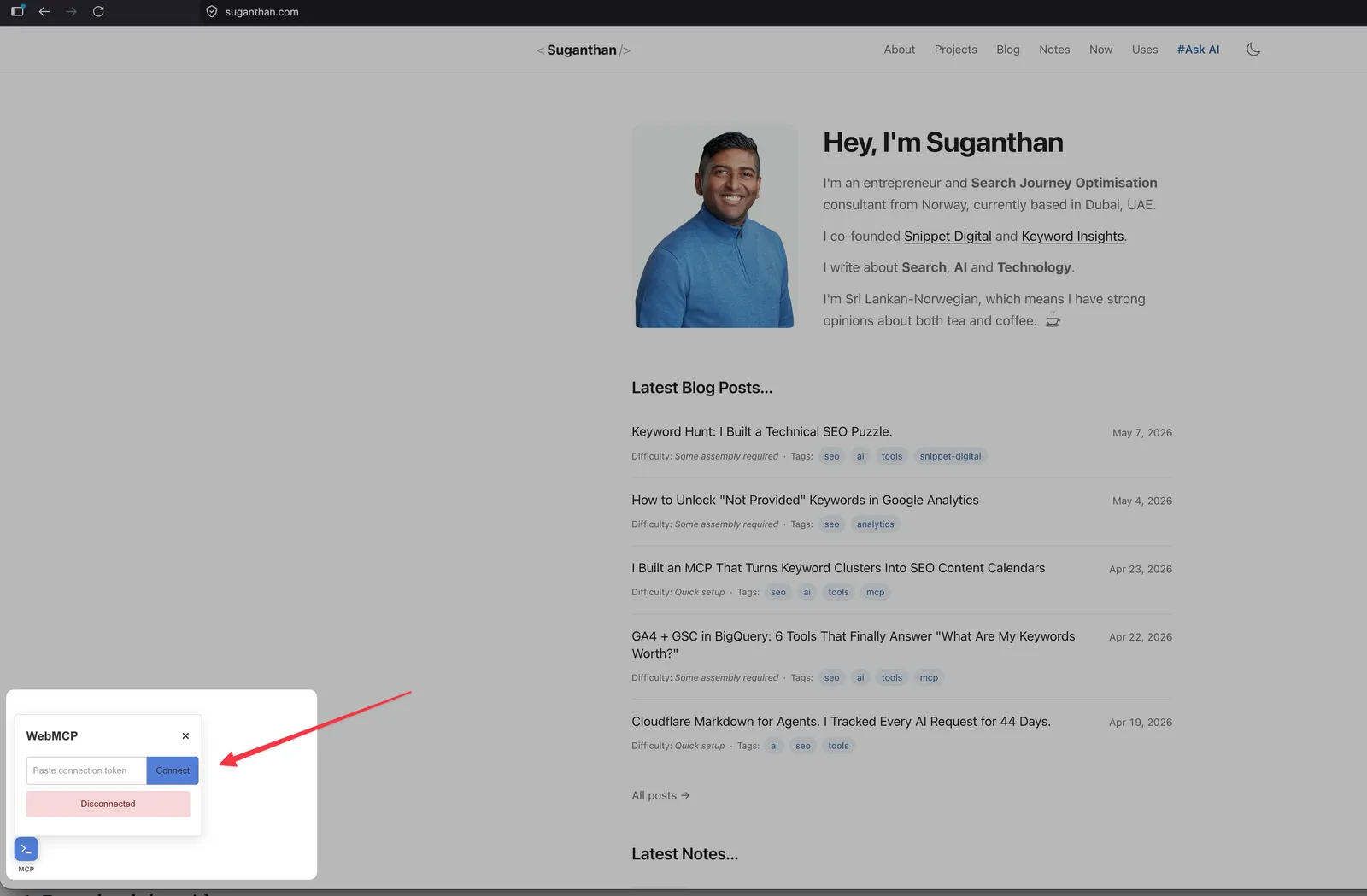
Status: bleeding edge but stabilising. Ship both: the widget for breadth, the native API for future-proofing.
If you do not want to write the code. Bastian Grimm has built cf-webmcp, a Cloudflare Worker that injects WebMCP plus seven other discovery surfaces (manifest, Link headers, llms.txt augmentation, AGENTS.md, api-catalog, auto-generated Agent Skills) from a single TOML config. No origin code changes. Three starter templates ship today (default, WordPress, WooCommerce) and the worker proxies your existing site, modifying responses on the way back. Live demo at webmcp.basgr.com. MIT licensed. If your stack is WordPress, WooCommerce, or anywhere you do not control the codebase, this is the fastest path to shipping the whole protocol layer right now. Treat it as a prototype per Bastian’s own framing, but it is the most complete reference implementation of the layer I have seen.
Agent Skills
Anthropic’s agentskills.io defines skills (named, versioned, agent-invokable capabilities). A skills.json at your site’s well-known location lets agents discover what your site can do, separate from what your content is about.
{
  "skills": [
    {
      "id": "search-blog",
      "name": "Search Suganthan Blog",
      "description": "Full-text search across all blog posts.",
      "endpoint": "https://suganthan.com/api/search/",
      "version": "1.0"
    }
  ]
}
Status: bleeding edge. Spec still under active development.
OAuth Protected Resource (RFC 9728)
If you have authenticated APIs that agents might call on behalf of users, RFC 9728 defines the discovery metadata. Agents look for /.well-known/oauth-protected-resource.json.
Skip this if you do not have protected APIs. Most content sites do not. If you run a SaaS, this becomes much more relevant.
Status: stable RFC.
OAuth / OIDC discovery
Sister spec to OAuth Protected Resource. Where Protected Resource Metadata tells agents which authorisation server protects your API, OIDC discovery (or OAuth 2.0 Authorization Server Metadata per RFC 8414) tells agents that your site IS the authorisation server, with the endpoints they need to obtain tokens.
Publish this only if you actually run an OAuth authorisation server. Identity providers, SaaS platforms with custom auth, anything that issues its own tokens. Content sites with public reads should skip it for the same reason they skip Protected Resource Metadata.
Path is /.well-known/openid-configuration (OpenID Connect) or /.well-known/oauth-authorization-server (pure OAuth 2.0).
Status: stable. OpenID Connect Discovery and RFC 8414 are both long-settled.
Web Bot Auth (CDN edge verification)
A CDN-side feature that cryptographically verifies the bot crawling you. “Prove you are who you say you are.” Cloudflare’s implementation is the most mature.
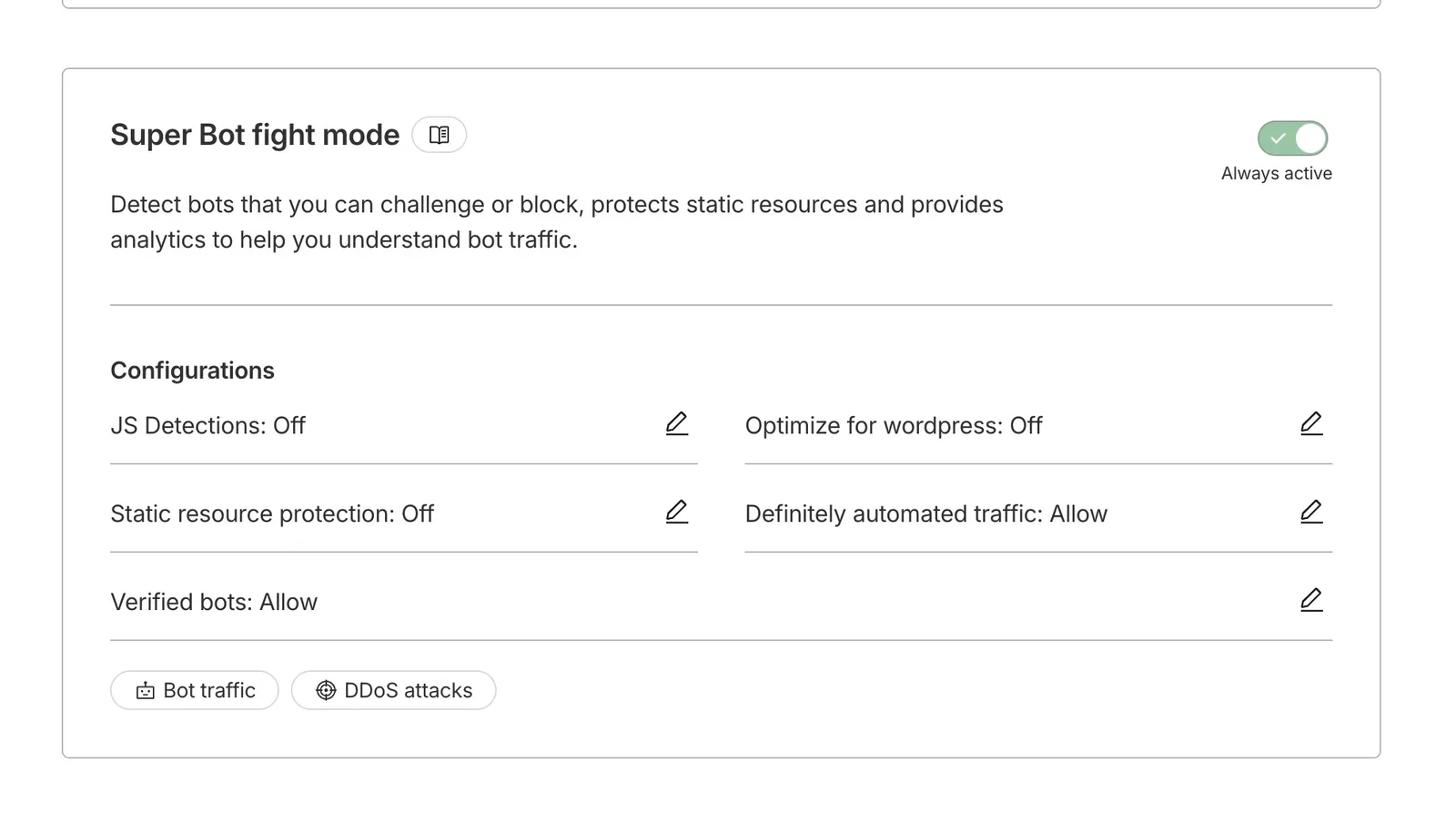
Tier matters, and Cloudflare changed the rules on 1 July 2026. Verified bots used to be allowed at the edge by default. Not any more. A verified bot is now only allowed inside a category you have chosen to allow, and non-verified bots stay blocked. On Cloudflare Free you get new one-click controls to allow or block three AI categories separately, Search, Agent and Training, but no per-bot dashboard. On Cloudflare Pro (around $20/mo), the Super Bot Fight Mode panel adds visibility into bot traffic and configurable responses for “Definitely automated” vs “Verified” categories. Business and Enterprise tiers add full custom rules, ML scores, per-bot control, and the new BotBase directory that lists every known bot and how Cloudflare has classified it.
The 15 September default, and the trap inside it. For new domains onboarding to Cloudflare, Agent and Training bots will be blocked by default on any page that shows ads, while Search stays allowed. Agent covers the live fetchers like ChatGPT-User and the browser-use agents driving Chrome, so that is your real-time AI answers off by default. And because Cloudflare now judges a multi-purpose crawler by its strictest applicable rule, ticking “block Training” also blocks Googlebot, Bingbot and Applebot, since they crawl for both search and training. A control aimed at AI scrapers can quietly cost you Google. You can opt out in your Security settings before 15 September, but the safer move is to check what your edge is actually serving to each bot rather than trust the default.
Without Cloudflare, three paths exist. Other CDNs (Fastly bot management, AWS WAF Bot Control, Akamai Bot Manager) offer verified-bot allowlisting in their paid tiers with varying UX. Origin-level reverse DNS verification, the technique major bots have published instructions for since the Googlebot era, works as middleware. Each request’s IP must reverse-resolve to a hostname under the bot operator’s published suffix and forward-resolve back to the same IP. Google documents this for Googlebot; OpenAI publishes IP ranges as JSON for GPTBot, OAI-SearchBot, and ChatGPT-User; Anthropic and Perplexity publish their crawler info in their respective bot docs. The lowest-effort option is an IP allowlist pulled from those same provider feeds and refreshed weekly at your WAF or edge. Less rigorous than reverse-DNS (IPs can be reassigned faster than docs update) but simpler to operate.
The underlying standard worth knowing. Cloudflare’s Web Bot Auth implements an emerging convention based on HTTP Message Signatures (RFC 9421). The bot signs each request with an Ed25519 key, publishes its public key, and the origin verifies the signature. More rigorous than DNS or IP allowlists, and bot-vendor-agnostic. Direct-to-origin implementation requires writing the signature check yourself; Cloudflare wraps it. Rolling your own is a project, not an afternoon.
Status: stable on Pro and above. On Free, verified bots are no longer auto-allowed as of 1 July 2026; you now allow them by category (Search, Agent, Training) instead.
Content Signals in robots.txt
A robots.txt extension that lets you separately declare your preferences for what AI systems can do with your content. Authored by Fabrice Canel (Microsoft) as an IETF draft. Cloudflare is pushing it hard. Spec lives at contentsignals.org.
The signals. The first three are the original spec; the fourth, use, was added by Cloudflare on 1 July 2026.
ai-train=yes|no: whether your content can be used to train AI modelssearch=yes|no: whether your content can be used in AI search results (citation)ai-input=yes|no: whether your content can be used as runtime input to AI systems (RAG, grounding)use=immediate|reference|full: what a bot may keep and reshare after reading you.immediatemeans use it once and store nothing,referencemeans index, excerpt and link back (the default),fullmeans summarise and reproduce it wholesale.
The point is to separate “you can read me” from “you can train on me” from “you can quote me back in full.” Classic robots.txt is too binary to capture that. Content Signals fixes the gap.
Add to your robots.txt under the relevant User-agent group:
User-agent: *
Allow: /
Content-Signal: ai-train=yes, search=yes, ai-input=yes, use=full
Most publishers picking it up today set ai-train=no, search=yes, ai-input=yes, and Cloudflare’s managed robots.txt now appends use=reference on top. That is the “cite and link me, but don’t train on me or reproduce me wholesale” stance Cloudflare promotes. I set everything to the most permissive, including use=full, because the whole point of this site is to be cited, absorbed, and integrated. Pick values that match your own stance. One thing worth knowing. Cloudflare has said a bot that reproduces content in full can’t hold “Verified” status, so use is starting to carry teeth, not just preference.
Cloudflare tip: The AI Crawl Control panel has a Managed robots.txt toggle. When ON, Cloudflare auto-injects its own Content-Signal directives and will overwrite your custom robots.txt. If you manage the file yourself, keep that toggle OFF.
I recently came across an interesting article from Mike King from iPullrank agency where he showed a way to cloaking for LLMs and with this you can hide certain content from ai agents.
Status: emerging IETF draft. Adoption picking up fast on the Cloudflare side.
API Catalog
A discovery file at /.well-known/api-catalog listing your public API endpoints, ideally in OpenAPI format. Skip if you do not have a public API.
Status: stable for OpenAPI itself, newer for the api-catalog convention.
Commerce protocols
Briefly: x402 (HTTP 402 Payment Required revival), Merchant Protocol Provider (MPP), Universal Commerce Protocol (UCP), Agentic Commerce Protocol (ACP). These are early specs for letting agents transact on behalf of users. If you are a content site or service company, skip them. If you are ecommerce, they are early enough that you can plan but do not need to ship.
Status: bleeding edge to experimental.
How to audit your site
Three options.
Manual audit. Go through this post’s checklist. Curl your own robots.txt, sitemap.xml, llms.txt, and each /.well-known/* URL. Check the Link header on your homepage. Verify Markdown negotiation works by sending Accept: text/markdown. Open the accessibility tree in Chrome DevTools and walk it.
The agent-readiness scanners. Three are worth running.
- Cloudflare’s isitagentready.com. Covers the protocol layer (robots, sitemap, Link headers, well-known files, Markdown negotiation, MCP/A2A, OAuth metadata, Web Bot Auth, Content Signals). Free, fast, good first pass.
- agentchecker.ai. Covers task-completion and signup UX, including whether an agent can navigate the flows on your site.
- Glippy by Jan-Willem Bobbink. Covers 16 GEO dimensions including information density, entity authority, accessibility for agents, citability, factual verifiability, and content freshness.
Punch in your URL, get a checklist back. Good for a quick gut check, especially if you are early in the process. Not a substitute for understanding what each item actually does.
Roll your own. A short script that hits every well-known file, parses headers, checks for sitemap entries, and reports. Useful if you manage multiple sites.
One caveat on scanner results. Not every red ✗ is something to ship. The scanner cannot tell the difference between “missing because I have not got around to it” and “intentionally not implemented because it does not apply to my site.” OAuth Protected Resource and OAuth / OIDC discovery will show red on any site without authenticated APIs. Web Bot Auth (publish side) will show red on any site that is not itself a bot. Treat the scanner as a checklist to investigate, not a prescription. I have a 100 score because i have only implemented whats necessary for this site and have unchecked other options.
The minimum viable agent-ready site
Of the dozen components above, five give the most defensible return per minute of effort.
- AI bot rules in
robots.txt. 5 minutes. Controls who can crawl you. Skipping this is the loudest way to be invisible. llms.txt. 30 minutes. Cheap to ship. Some AI agents (Perplexity, Claude by their own statements) check for it, and Chrome’s Lighthouse documentation now expects it. None of this guarantees citations, but the file is short and the cost of being wrong is zero.- Page-level semantic HTML and accessibility. Variable effort. Overlaps with traditional SEO and UX. Ship it regardless.
- Sitemap and Link headers. 15 minutes if your sitemap is not done. Table stakes for discoverability.
- Markdown negotiation OR WebMCP/MCP Server Card. Pick one based on site type. Content sites benefit more from Markdown negotiation (cheaper parse for the agents fetching you). Tool-rich sites (apps, dashboards, anything with an API) benefit more from MCP/WebMCP.
Skip the rest unless your site type demands it. Commerce protocols, Agent Skills, A2A cards, OAuth Protected Resource, API Catalog, Web Bot Auth, Content Signals are all defensible reasons to wait.
What I have done on this site and what I have not
This is what I have shipped, what I am in the middle of, and what I have deliberately deferred.
Shipped.
llms.txtenabled since March 2026 alongside the Markdown for Agents experiment- WebMCP in both flavours: jasonjmcghee widget exposing 4 tools (
search_posts,list_posts,get_post,get_site_info) via the local WebSocket bridge, plus the W3C / Chromenavigator.modelContextnative API exposing the same 4 tools for browsers that support it (Chrome Beta with flag today, future stable browsers) - Markdown negotiation via Cloudflare’s Markdown for Agents feature
- Semantic HTML across the site (the Astro template was already accessibility-conscious)
- AI bot rules in
robots.txt: explicit Allow blocks for GPTBot, ClaudeBot, PerplexityBot, CCBot, anthropic-ai, OAI-SearchBot, Google-Extended (the Matrix ASCII art Easter egg is still there for the humans) - Link headers via Cloudflare
_headers: four agent-awarerelpointers on every page (sitemap,api-catalog,service-descfor the OpenAPI spec,describedbyforllms.txtwith markdown type) .well-known/mcp/server-card.json: MCP Server Card at the canonical SEP-1649 path withserverInfo,transport, andcapabilities. Also served at the older/.well-known/mcp-server.jsonpath during the transition.well-known/agent.json: A2A Agent Card v0.1.0 dated 2026-05-15, advertising the WebMCP endpoint as the site’s agent interface.well-known/api-catalog: RFC 9727 Linkset (served asapplication/linkset+json) pointing to the OpenAPI spec/api/openapi.json: OpenAPI 3.0 spec for the existing/api/posts.jsonand/api/posts/{slug}.jsonendpoints- Web Bot Auth via Cloudflare Pro’s Super Bot Fight Mode with “Verified Bots: Allow” (Cloudflare verifies known AI bots at the edge before they ever touch the origin)
- Content Signals in robots.txt:
Content-Signal: ai-train=yes, search=yes, ai-input=yesunder the catch-allUser-agent: *block (the openness-maximalist stance; matches the rest of the stack) - OKF bundle at /okf/: every published post and note converted to an Open Knowledge Format v0.2 bundle with trust signals, regenerated on each build, with a free generator that does the same for any other site
.well-known/ai-catalog.json(Agentic Resource Discovery): a valid ARD catalog advertising the A2A agent card, the MCP server card, and the OpenAPI spec in one index, with adid:web:suganthan.comidentity anddid.jsonso it resolves. Advertised four ways (well-known file,Agentmap:in robots.txt,rel="ai-catalog"head link, HTTP Link header), passes the official conformance tool, and was read back correctly by the Hugging Face reference client. Full writeup in I Shipped Agentic Resource Discovery on This Site
Deliberately deferred.
- OAuth Protected Resource (no protected APIs on the site)
- OAuth / OIDC discovery (we do not run an authorisation server)
- Commerce protocols, x402 / MPP / UCP / ACP (not ecommerce)
- Agent Skills (the v0.2.0 RFC requires
SKILL.mdprompt bundles with SHA-256 digests, which is a different paradigm from WebMCP-style execute callbacks. Bastian Grimm’s cf-webmcp solves this by auto-generatingSKILL.mdfiles from TOML tool definitions, a defensible approach. I have not shipped this on my site yet but the path is now clear.)
Bastian Grimm has since built cf-webmcp on top of the recommendations in this post. Same protocol surfaces, packaged as a Cloudflare Worker with zero origin touches. That is a strong external signal that the protocol layer matters in practice, and a faster path for anyone who does not want to write the code themselves.
The point of including this list is to show what “agent-ready” actually looks like in practice. Not every component matters for every site. The minimum viable list is enough.
Most AI SEO offers are quick-win schemes. Snippet Digital is built differently. Our team invests in the slow work of entity recognition, structured presence, and source quality, the things that make your brand more cite-able by AI systems over time. We do not promise specific citation outcomes. Nobody honest can. But we do reduce the risk that the next algorithm shift wipes out your traffic. Get in touch if you would rather invest patiently than chase the next quick win.
The 2026 agent-ready checklist
A reference table grouped by priority and site type. Print it or copy it.
| Priority | Component | Content site | App / API site | Ecommerce |
|---|---|---|---|---|
| Must | AI bot rules in robots.txt | Yes | Yes | Yes |
| Must | sitemap.xml + Link headers | Yes | Yes | Yes |
| Must | Semantic HTML + accessibility | Yes | Yes | Yes |
| Must | llms.txt | Yes | Yes | Yes |
| Should | Markdown negotiation | Yes | Optional | Optional |
| Should | MCP Server Card | If you run one | Yes | If you expose an API |
| Should | WebMCP | Optional | Yes | Yes |
| Optional | A2A Agent Card | No | If you ARE an agent | No |
| Should | Agentic Resource Discovery | If you expose any | Yes | If you expose an API |
| Optional | OAuth Protected Resource | No | If you have protected APIs | If you have protected APIs |
| Optional | Agent Skills | No | Optional | No |
| Optional | API Catalog | No | If you have a public API | If you have a public API |
| Optional | Commerce protocols | No | No | Plan for it |
| Should | Content Signals in robots.txt | Yes | Yes | Yes |
| Optional | Web Bot Auth | If your CDN supports it | If your CDN supports it | If your CDN supports it |
| Optional | Open Knowledge Format (OKF) | Optional, early bet | Optional, early bet | Optional, early bet |
I made a handy spreadsheet you can use in your audit process. (Make a copy)
Caveats
Standards in this space are moving fast.
The A2A protocol, Web Bot Auth, Content Signals, and Agent Skills are all dated to May 2026 in this post. Agentic Resource Discovery is dated to June 2026.
By the time you read this, some of the specifics may have shifted. The shape of the work will not.
Adoption is uneven. Some bots respect robots.txt, some do not. Some agents fetch llms.txt, some do not. The protocols that have the most consensus today (robots.txt, sitemap.xml, semantic HTML, llms.txt) are the safest investments.
The bleeding-edge ones (A2A, Agent Skills, commerce protocols) might consolidate to something different than what is documented now.
The schema.org precedent is a precedent, not a guarantee. The shape of the bet is similar, but agent protocols could fragment, get superseded by a different standard, or never reach the universal adoption schema.org did. The minimum viable list is hedged against this. The full list is not.
And the most honest caveat. I am writing this post while still implementing parts of it on my own site. The case study section will keep updating. If you want the most current view of what is live on this site, the /mcp/ page and the public well-known endpoints are the source of truth.
End notes
This article is open for discussion and I will keep updating it. New protocols emerge, existing ones evolve, and LLM provider behaviour changes month to month. As I test new standards on my own site I will add them here. Spot something I have missed or got wrong, drop it on the LinkedIn thread and I will fold it in.
Two things to leave you with.
First, the explicit version of the warning that runs through this post. Shipping any or all of this stack does not guarantee AI citations, AI search visibility, or referral traffic. What it does is make you legible to the systems that already crawl the open web, and prepare you for the ones that have not shipped yet. Anyone selling you certainty on this is selling a product, not the truth.
Second, the most current view of what is live on this site. The /mcp/ page, the public well-known endpoints, my robots.txt, and my llms.txt are the source of truth. If something in this article and something on the site disagree, the site is right and the article is stale.
If you want the data behind this post, the Cloudflare Markdown for Agents piece has 44 days of crawler logs. The upcoming Agentic Search piece will go deeper on what AI crawlers actually request and whether any of that converts into citations. Subscribe to the newsletter to be notified when those go live.
Changelog
Update, 2 July 2026 Corrected the Web Bot Auth and Content Signals sections for Cloudflare’s 1 July changes. Verified bots are no longer allowed by default; a verified bot is now only allowed inside a category you have chosen to allow (Search, Agent or Training). From 15 September, new Cloudflare domains block Agent and Training bots by default on pages that show ads, and multi-purpose crawlers are judged by their strictest rule, so blocking Training also blocks Googlebot, Bingbot and Applebot. Added the new use=immediate|reference|full Content Signal (Cloudflare’s managed robots.txt now appends use=reference). Linked the new free AI Crawler Access Checker.
Update, 22 June 2026 Added a section on Agentic Resource Discovery. Google and 10 other companies shipped the ARD spec on 17 June 2026, a /.well-known/ai-catalog.json that advertises your MCP server, A2A agent, and API in a single index, with registries that crawl those catalogs as the discovery layer above it. It now sits in the Layer 2 stack next to the MCP and A2A cards it points at, and it is live on this site. The full build, a field test of all 11 launch companies, and two free tools (a discovery checker and a hosted agentic web search) are in the dedicated post.